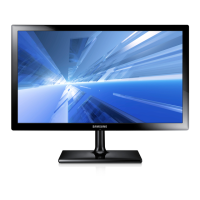
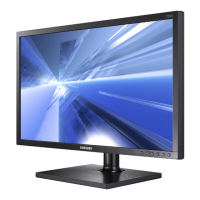
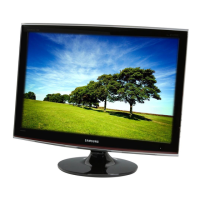
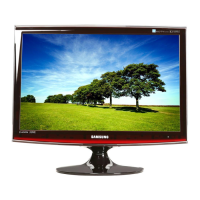
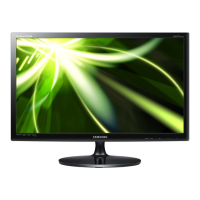
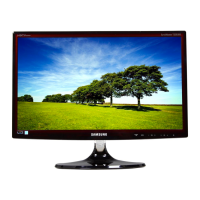
This document is a user manual for Samsung LED TV Monitors, specifically covering the Series 3 (TC350), Series 5 (TC550), and Series 7 (TC730) models. It provides comprehensive information on setup, operation, features, and maintenance.
Function Description
The Samsung LED TV Monitor (MFM TV) serves as both a television and a computer monitor, offering versatile display options. It allows users to watch TV programs, connect to various AV devices like DVD players, Blu-ray players, cable boxes, and STB satellite receivers, and connect to a PC for use as a display. A key feature is "Media Play (USB)," which enables users to play music files, video files, and view pictures saved on a USB device. The monitor also includes "Sports Mode" for optimized viewing of sports content.
Important Technical Specifications
The manual details specifications for different models:
- T19C350: 18.5 inches (47cm) screen size, 1366 x 768 @ 60Hz display resolution, 5W x 2 sound output. Dimensions (W x H x D) are 17.5 x 10.7 x 1.6 inches (without stand) and 17.5 x 14.6 x 7.4 inches (with stand). Weight is 5.4 lbs (without stand) and 6.1 lbs (with stand).
- T22C350: 21.5 inches (54cm) screen size, 1920 x 1080 @ 60Hz display resolution, 5W x 2 sound output. Dimensions (W x H x D) are 19.9 x 12.2 x 1.6 inches (without stand) and 19.9 x 16.0 x 7.4 inches (with stand). Weight is 7.2 lbs (without stand) and 8.1 lbs (with stand).
- T24C350 / T24C550: 23.6 inches (59cm) screen size, 1920 x 1080 @ 60Hz display resolution, 5W x 2 sound output. Dimensions (W x H x D) are 22.3 x 13.4 x 1.6 inches (without stand) and 22.3 x 17.2 x 7.8 inches (with stand). Weight is 8.5 lbs (without stand) and 9.4 lbs (with stand).
- T24C730: 24 inches (61cm) screen size, 1920 x 1080 @ 60Hz display resolution, 5W x 2 sound output. Dimensions (W x H x D) are 21.8 x 13.3 x 1.5 inches (without stand) and 21.8 x 17.1 x 7.8 inches (with stand). Weight is 7.8 lbs (without stand) and 8.7 lbs (with stand).
- T27C730: 27 inches (68cm) screen size, 1920 x 1080 @ 60Hz display resolution, 5W x 2 sound output. Dimensions (W x H x D) are 24.6 x 14.7 x 1.4 inches (without stand) and 24.5 x 18.5 x 7.8 inches (with stand). Weight is 9.4 lbs (without stand) and 10.3 lbs (with stand).
All models support VESA Mounting Interface 75 mm x 75 mm and operate within a temperature range of 50°F ~ 104°F (10°C ~ 40°C) with 10%~80% non-condensing humidity. Storage conditions are -4°F ~ 113°F (-20°C ~ 45°C) with 5%~95% non-condensing humidity.
The monitor supports various display modes for D-sub and HDMI/DVI input, including resolutions from 640 x 480 up to 1920 x 1080, with corresponding horizontal and vertical frequencies and pixel clocks. It supports digital and analog channels, with specific cable TV system types (STD, HRC, IRC).
For Media Play (USB), supported video formats include Divx, MPEG4, H264, MPEG2, MPEG1, and Sorenson H.263, with resolutions up to 1920x1080 and frame rates typically 6~30fps (up to 60fps for some MPEG4 SP/ASP below 1280x720). Supported audio codecs include MP3, AC3, LPCM, ADPCM, WMA, and HE-AAC. Photo formats include JPEG (Base-line and Progressive) with resolutions up to 15360 x 8704.
Usage Features
- Initial Setup (Plug & Play): Guides users through language selection, choosing between "Store Demo" and "Home Use" modes, setting auto-tuning options (Air, Cable, Auto), and configuring the clock mode.
- Input Source Selection: Allows switching between TV, AV, Component, HDMI1/DVI, HDMI2, and PC inputs. Users can also customize input source names.
- Channel Management: Features include "Channel List" for viewing all available, added, favorite, or programmed channels. Users can add/delete favorite channels, set timer viewing for specific programs, and edit channel names (analog channels only). "Auto Program" automatically registers available channels. "Clear Scrambled Channel" filters out scrambled channels.
- Picture Settings: Offers various "Picture Modes" (Dynamic, Standard, Movie, Entertain) and allows adjustment of "Backlight," "Contrast," "Brightness," "Sharpness," "Color," and "Tint (G/R)." "Advanced Settings" provide fine-tuning for "Dynamic Contrast," "Black Tone," "Flesh Tone," "Color Space," "White Balance," "Gamma," and "Motion Lighting." "Samsung MagicAngle" (for TC350/TC550) optimizes viewing from different angles. "Response Time" enhances video vividness. "Auto Adjustment" and "Screen" settings (Coarse, Fine, PC Position, Image Reset) are available for PC mode. "Picture Options" include "Color Tone" (Cool, Standard, Warm1, Warm2) and "Size" (16:9, Zoom1, Zoom2, Wide Fit, 4:3, Screen Fit).
- Sound Settings: Includes "Sound Modes" (Standard, Music, Movie, Clear Voice, Amplify) and an "Equalizer" for adjusting balance and specific bandwidth frequencies. "DTS TruSurround" provides virtual 5.1 channel surround sound. "Preferred Language" allows selection of audio tracks for digital broadcasts. "Multi-Track Sound" (Mono, Stereo, SAP) is available for analog channels. "Auto Volume" equalizes volume levels. "Visual Impaired" activates audio guides. "Sound Reset" restores factory defaults.
- Time and Timer Functions: "Clock" can be set automatically or manually. "Sleep Timer" automatically shuts off the TV after a preset period. "On/Off Timer" allows scheduling the TV to turn on/off at specific times, with options to play TV, USB music, or USB photos.
- Program Rating Lock: Enables blocking of programs based on TV Parental Guidelines (TV-Y, TV-Y7, TV-G, TV-PG, TV-14, TV-MA), MPAA Ratings (G, PG, PG-13, R, NC-17, X), and Canadian English/French ratings. A PIN is required to set or change restrictions.
- Other Features: "Language" sets the menu language. "Caption" (On/Off, Caption Mode) displays on-screen text messages. "Game Mode" optimizes settings for gaming. "Melody" sets a melody for TV power on/off. "Eco Solution" includes "Energy Saving" (Off, Low, Medium, High, Picture Off), "No Signal Power Off," and "Auto Power Off." "Auto Protection Time" activates a screen saver to prevent ghost images.
- Support Menu: "Self Diagnosis" includes "Picture Test" and "Sound Test" to troubleshoot display and audio issues. "Signal Strength" (digital channels only) checks reception quality. "Reset" restores all settings to factory defaults. "Software Upgrade" allows firmware updates via USB. "HD Connection Guide" provides information on connecting external devices. "Contact Samsung" offers support information.
Maintenance Features
- Cleaning: Before cleaning, unplug the power cord. Do not spray water directly onto the product. Use a dry, soft cloth for cleaning. For stubborn dirt, use a soft, damp cloth with a "monitor-exclusive cleansing agent" diluted with water (1:10 ratio). Avoid chemicals like wax, benzene, alcohol, thinner, or mosquito repellent.
- Power Cord Care: Avoid using damaged power cords, connecting multiple appliances to a single outlet, or bending/twisting the cord excessively. Ensure the power cord is connected to a grounded wall outlet.
- Installation Safety: Avoid installing in poorly ventilated areas, unstable locations, or places exposed to dust, moisture, oil, smoke, or water. Keep plastic bags away from children.
- Still Image Warning: Avoid displaying still images for extended periods to prevent image burn-in. Vary programming, display full-screen moving images, and reduce brightness/contrast to minimize risk.
- General Safety: Do not disassemble, repair, or modify the product. Unplug the power cord during thunderstorms or when moving the product. Avoid placing heavy objects on the product or inserting metal objects into vents.
- Battery Installation: Insert batteries with correct polarity. Keep batteries out of reach of children. Use only specified standard batteries. Dispose of used batteries responsibly at recycling centers.
- Troubleshooting: The manual provides a comprehensive troubleshooting guide for common issues related to PC connection, poor picture quality, color problems, sound problems, and other general issues, along with suggested solutions.
- Software Upgrade: Samsung may offer firmware upgrades via USB to improve product performance.
- Kensington Lock: Provides instructions for physically securing the TV in public places using a Kensington Lock (purchased separately).

 Need help?

 To Next Page
 General