EasyManua.ls Logo

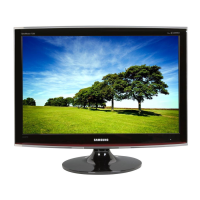
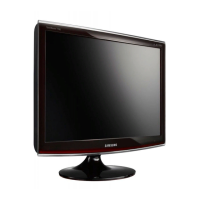
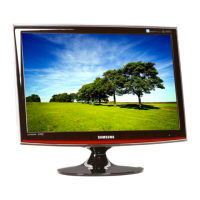
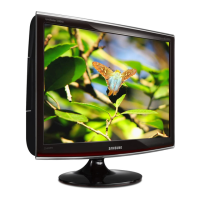
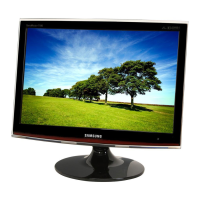
Samsung SyncMaster TC190 - User Manual

Samsung SyncMaster TC190
65 pages
Print Icon
To Next Page IconTo Next Page
Loading...
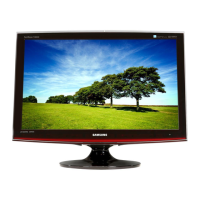
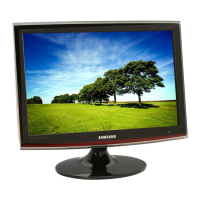
SyncMaster TC190, TC240
LCD Monitor
User Manual
The color and the appearance may differ depending on the
product, and the specifications are subject to change
without prior notice to improve the performance.

Other manuals for Samsung SyncMaster TC190

Questions and Answers

  • M
    Marcus BrownAug 8, 2025
    Why is my Samsung Monitor screen blank or won't turn on?
    • S
      Sandra WilliamsAug 8, 2025
      If your Samsung Monitor screen is blank or won't turn on, first check the power cord connection. Then, inspect the cable connecting the monitor to your PC. If the issue persists, even with a secure connection, try rechecking the input signal by pressing the /SOURCE button on the monitor. Also, this issue might happen if the signal from the graphics card exceeds the maximum resolution or frequency supported by the monitor. In that case, adjust the resolution and frequency settings accordingly. Finally, if the power saving function is active, simply click the mouse or press any key to turn the screen back on.
  • D
    David DayAug 25, 2025
    What to do if the color is weird or the picture is displayed in black and white on my Samsung SyncMaster TC190 Monitor?
    • M
      Mikayla SimpsonAug 25, 2025
      If the color on your Samsung Monitor looks weird or the picture is displayed in black and white, check the cable connection to the computer and reinsert the graphics card completely. Also, ensure that the Color Effect setting is set to Off. If the issue still persists, set up the graphics card referring to its user manual.

Summary

Major Safety Precautions

Before You Start

Provides introductory information and icons used in the manual.

Care and Maintenance

Details on how to clean and maintain the monitor's external surfaces and screen.

Cleaning the Monitor

Step-by-step instructions for safely cleaning the monitor's panel and exterior.

Safety Precautions

Details important warnings and cautions for safe operation and installation.

Installing the Product

Package Contents

Lists all items included in the product package.

Installing the Stand

Step-by-step guide for attaching the monitor stand to the base.

Attaching a Wall Mount

Procedure for mounting the monitor using a VESA-compliant wall mount.

Connecting Power

Instructions for connecting the monitor to a power source.

Using the Product

Installing Device Driver

Procedure for installing drivers to ensure optimal resolution and screen refresh rates.

Screen Adjustment Menu (OSD)

Guide to navigating and using the On-Screen Display menu for settings.

Troubleshooting

Monitor Self-Diagnosis

Procedure for performing a self-diagnosis to check monitor functionality.

Before Requesting Service

Checklist of common issues and solutions before contacting customer support.

Samsung SyncMaster TC190 Specifications

General IconGeneral
Screen Size19 inches
Panel TypeTN
Resolution1280 x 1024
Brightness250 cd/m²
Contrast Ratio1000:1
Response Time5 ms
Input ConnectorsVGA, DVI
ColorBlack
Aspect Ratio5:4
Viewing Angle (Horizontal)170 degrees
Viewing Angle (Vertical)160 degrees

Related product manuals