EasyManua.ls Logo

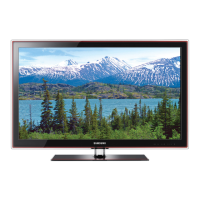
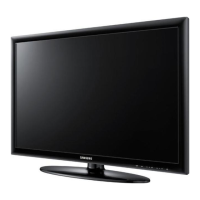
Samsung UN40D5003BF - User Manual

Samsung UN40D5003BF
64 pages
Print Icon
To Next Page IconTo Next Page
Loading...
imagine the possibilities
Thank you for purchasing this Samsung product.
To receive more complete service, please register
your product at
www.samsung.com/register
Model _____________ Serial No. _____________
User Manual
Contact SAMSUNG WORLD-WIDE
If you have any questions or comments relating to Samsung products, please contact the SAMSUNG customer care center.
Contacte con SAMSUNG WORLD WIDE
Si desea formular alguna pregunta o comentario en relación con los productos de Samsung, comuníquese con el centro de atención
al cliente de SAMSUNG.
Country
Customer Care Center
Web Site
MEXICO 01-800-SAMSUNG(726-7864) www.samsung.com
IMPORTADO POR: SAMSUNG ELECTRONICS MÉXICO S.A. de C.V.
AV. PRESIDENTE MASARIK #111 INT701
COL. CHAPULTEPEC MORALES C.P.11570
DELEGACION MIGUEL HIDALGO MEXICO. DISTRITO FEDERAL
Tel: 01-55-5747-5100 / 01-800-726-7864
BN68-03703C
BN68-03703C-02
[UD5003-ZX]BN68-03703C.indb 1 2011-06-08 �� 10:34:51

Table of Contents

Questions and Answers

  • C
    Caroline ByrdSep 23, 2025
    What is the Sound Test on my Samsung Monitor?
    • C
      Casey JonesSep 23, 2025
      First, perform the Sound Test to confirm that your Samsung Monitor audio is properly operating. If the audio is OK, the sound problem may be caused by the source or signal.
  • M
    mwalkerAug 25, 2025
    Why is there no sound on my Samsung UN40D5003BF Monitor, or the sound is too low at maximum volume?
    • E
      erica08Aug 25, 2025
      If there's no sound or the sound is too low even at maximum volume on your Samsung Monitor, check the volume level of the device connected to your TV, such as a Cable/Sat Box, DVD player, or Blu-ray player.
  • S
    Stacy KnightAug 25, 2025
    Why is the picture black and white on my Samsung UN40D5003BF Monitor?
    • J
      Jason GonzalezAug 26, 2025
      If the picture on your Samsung Monitor is black and white, and you are using an AV composite input, connect the video cable (yellow) to the Green jack of component input 1 on the TV.
  • L
    Linda HorneAug 26, 2025
    Why is there no sound on my Samsung Monitor even though the picture is good?
    • A
      Alexandra MedinaAug 27, 2025
      If the picture is good but there is no sound on your Samsung Monitor, and you are using an external device, check the device’s audio output option. For example, you may need to change your cable box’s audio option to HDMI when you have a HDMI cable connected to your TV. If you are using a DVI to HDMI cable, a separate audio cable is required. You can also try rebooting the connected device by reconnecting the device’s power cable.
  • M
    Melissa MooreAug 27, 2025
    Why is there no picture/video on my Samsung UN40D5003BF?
    • K
      Kelsey PruittAug 27, 2025
      If there's no picture or video on your Samsung Monitor, check the cable connections by removing and reconnecting all cables connected to the TV and external devices. Ensure your external device's video outputs match the connections to the TV input. Also, make sure your connected devices are powered on and that you've selected the correct source on the TV using the SOURCE button on the remote. You can also try rebooting the connected device by reconnecting its power cable.
  • J
    Jerry HughesSep 13, 2025
    What does ‘Mode Not Supported’ message mean on my Samsung UN40D5003BF?
    • K
      Karen PhelpsSep 14, 2025
      Check the supported resolution of the TV and adjust the external device’s output resolution accordingly. Refer to resolution settings in this manual.
  • M
    Marilyn DicksonSep 12, 2025
    Why do I hear purple/green rolling horizontal bars and buzzing noise from the TV speakers with Component cable connection on my Samsung Monitor?
    • A
      abigail06Sep 12, 2025
      Purple or green rolling horizontal bars and buzzing noise from the TV speakers with a Component cable connection on your Samsung Monitor indicates that the set-top-box has a grounding issue. Remove the left and right audio connections from the set-top-box. If the buzzing stops, this confirms the grounding issue. Replace the Component video cables with an HDMI connection.
  • T
    Teresa JosephSep 12, 2025
    What to do if my cable/set top box remote control does not turn the Samsung UN40D5003BF TV on or off, or adjust the volume?
    • K
      kayla67Sep 13, 2025
      Program the Cable/Sat remote control to operate the TV. Refer to the Cable/Sat user manual for the SAMSUNG TV code.
  • A
    Alexandra MoralesSep 4, 2025
    Why is the picture not displaying in full screen on my Samsung Monitor?
    • J
      Joseph CollinsSep 4, 2025
      HD channels will have black bars on either side of the screen when displaying upscaled SD (4:3) contents on your Samsung Monitor. Black bars on the Top & Bottom will be shown on movies that have aspect ratios different from your TV. Adjust the picture size option on your external device or TV to full screen.
  • J
    John Cook Jr.Sep 2, 2025
    How to troubleshoot inappropriate noise from Samsung UN40D5003BF Monitor speakers?
    • T
      timothy94Sep 2, 2025
      If your Samsung Monitor speakers are making inappropriate noise, check the cable connections, ensuring that a video cable is not connected to an audio input. For Antenna or Cable connections, check the signal information. You can also perform the Sound Test.

Samsung UN40D5003BF Specifications

General IconGeneral
Screen Size40 inches
Aspect Ratio16:9
Refresh Rate60 Hz
Resolution1920 x 1080 pixels
Input PortsHDMI, USB, Component, Composite

Related product manuals