
 To Next Page
K
kennethritterAug 4, 2025
How to fix Samsung LED TV with no video?
- JJulia HoltAug 4, 2025
If your Samsung LED TV shows no video, replace the T-CON board.

How to fix Samsung LED TV with no video?
If your Samsung LED TV shows no video, replace the T-CON board.
What to check if Samsung LED TV has no problems before HDMI IC check?
If your Samsung LED TV has no problems before the HDMI IC check, inspect the X12 pattern, LVDS cable, or T CON.
General safety, servicing, and ESD precautions to prevent damage and hazards.
Specific servicing instructions for the LED TV, including power disconnection.
Procedures for checking leakage current to prevent fire and shock hazards.
Notes on special safety characteristics of electrical and mechanical parts.
General precautions to be followed before and during servicing.
Specific guidelines for safe and proper servicing procedures.
Techniques to reduce component damage from static electricity.
Safety guidelines for product installation and handling.
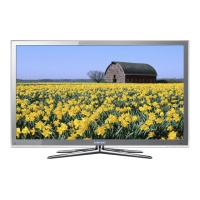
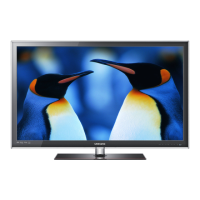
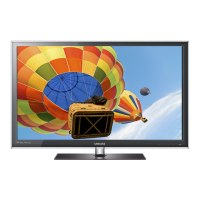
Overview of product details, including model, dimensions, and color.
Comprehensive technical specifications for video, audio, and smart features.
Detailed features and specifications of the TV, including connectivity and environmental considerations.
List of included accessories with part numbers and images.
Explanation of how to use the remote control and its buttons.
Step-by-step guide for disassembling and reassembling the LED TV.
General troubleshooting steps and previous checks for common issues.
Guide to diagnosing faults based on observed symptoms.
Procedures for adjusting settings using factory mode options.
Detailed list of factory options and their configurations by model.
Instructions on how to access and navigate the factory service mode.
Table detailing factory data parameters and their values.
Procedures for calibrating and adjusting white balance settings.
Steps to perform color calibration using specific patterns and equipment.
Procedures for adjusting white balance after calibration.
Specific adjustment steps for white balance in low and high light conditions.
Details on RS-232C control, including port settings and pin descriptions.
Table of AV control commands, including codes for general, input, and picture settings.
Instructions for upgrading TV firmware via USB.
Steps to check the current software version using the TV menu or factory mode.
Detailed procedure for upgrading the TV's main software using a USB drive.
Schematic showing the interconnection of main components like Main Board, SMPS, and T-CON.
Diagram illustrating the LED signal path for troubleshooting purposes.
Block diagram detailing the X14H processor and its peripheral connections.
Diagram showing the power distribution tree originating from the X14H.
Diagram illustrating the reset signal paths for the X14H.
Identification and location of various connectors on the main board.
Explanation of the functions of specific connectors like CN201 and CN1401.
 General
| Screen Size | 46 inches |
|---|---|
| Resolution | 1920 x 1080 |
| Display Type | LED |
| Smart TV | Yes |
| Refresh Rate | 120Hz |
| HDMI Ports | 4 |
| USB Ports | 3 |
| Audio Output | 20W |
| 3D | Yes |
| Wireless LAN | Yes |
| Operating System | Samsung Smart TV |
| Wi-Fi | Yes |
| Ethernet | Yes |