EasyManua.ls Logo

Samsung UN50JU650D - 3. Smart Hub; Accessing the e-Manual; Using e-Manual Features

Samsung UN50JU650D
27 pages
Print Icon
To Next Page IconTo Next Page
To Previous Page IconTo Previous Page
Loading...
38
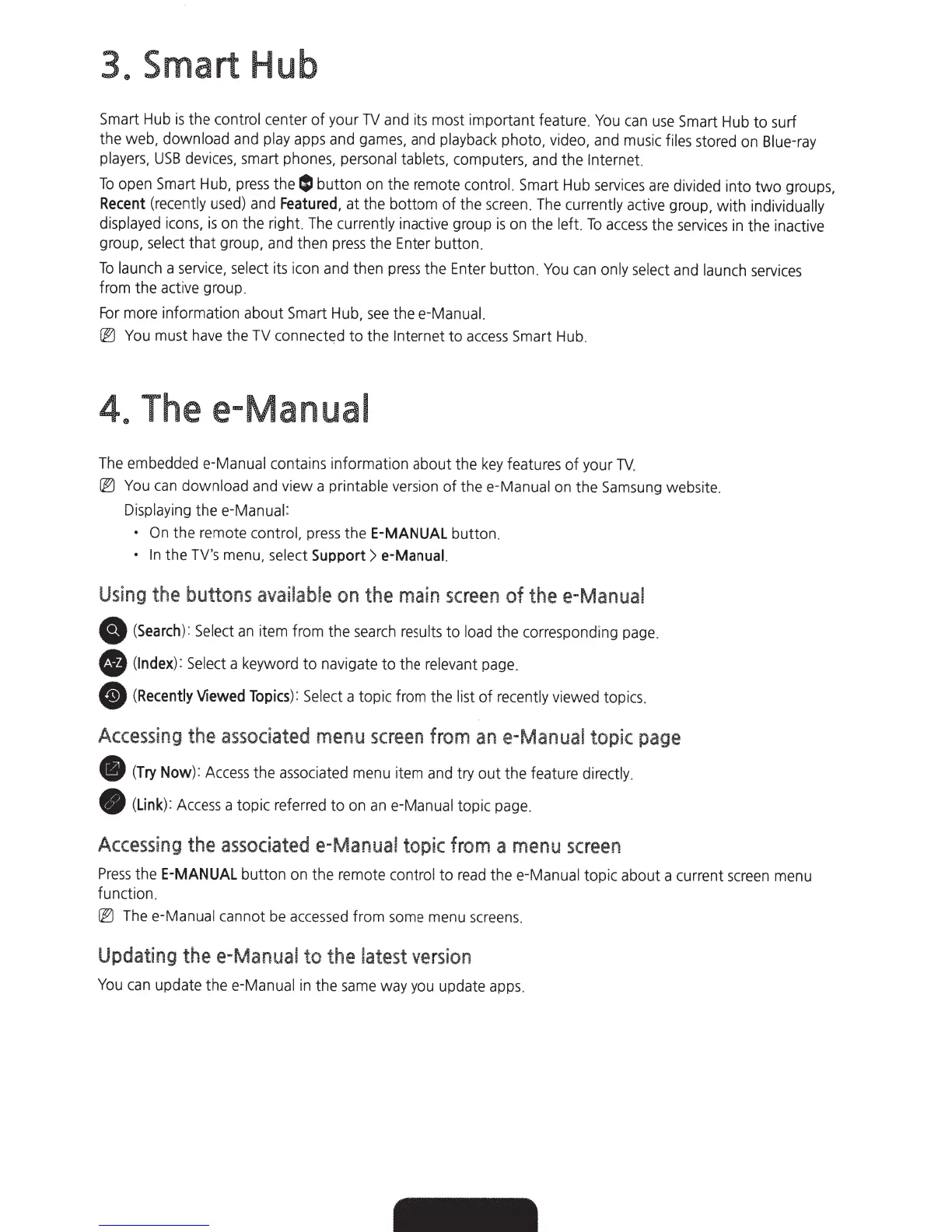
Smart Hub
Smart
Hub
is
the
control
center of your
TV
and
its
most important feature.
You
can
use
Smart
Hub
to surf
the web, download
and
play
apps
and
games.
and
playback
photo.
video,
and
music
fi
les
stored
on
Blue-ray
players,
USB
devices.
smart
phones.
personal
tablets.
computers.
and
the
Internet.
To
open
Smart
Hub,
press
the
lSI
button
on
the
remote
control.
Smart
Hub
services
are
divided into two
groups,
Recent
(recently
used)
and
Featured,
at the bottom of the
screen
.
The
currently
act
i
ve
group,
with
individually
displayed
icons.
is
on
the right.
The
currently
inactive group
is
on
the left.
To
access
the
services
in
the inactive
group,
select
that
group,
and
then
press
the
Enter
button.
To
launch
a
service,
select
its
icon
and
then
press
the
Enter
button.
You
can
only
select
and
launch
services
from the
active
group.
For
more
information about
Smart
Hub,
see
thee
-Manual.
@J
You
must
have
the
TV
connect~d
to the
Internet
to
access
Smart
Hub
.
48
Thee-Manual
The
embedded
e-Manual
contains informati
on
about the
key
features of your
TV
.
@J
You
can
download
and
view a
pr
intable
version
of thee-Manual
on
the
Samsung
website.
Di
spla
ying the
e-Manual:
On
the
remote
control.
pres
s the
E-MANUAL
button.
In
the
TV's
me
nu,
select
Support >
e-Manual.
Using
the
buttons
avaiiable
on
the
main
sc
reen of
thee-
Manual
e
(Search
):
Select
an
it
em
f
rom
the
se
a
rch
resu
l
ts
to
lo
ad
the
correspond
i
ng
page
.
t8
(Index)
:
Select
a keyword to
nav
igate to the
re
l
evant
page
.
8
(Recently
Viewed
Topics)
:
Select
a topic from the
list
of
re
cen
tly
viewed
topi
cs
.
Accessing
the
associated
menu
sc
r
een
fr
om
an
e-Manual
topic
page
e (
Try
Now):
Acc
e
ss
the
associat
ed
menu
item
and
try out the
fe
ature
directly.
e
(Link)
:
Acces
s a topic referred to
on
an
e-Manual
topic
p
age
.
Accessing
the
associated
e-Manual
topic fr
om
a
menu
screen
Pr
e
ss
the
E-MANUAL
button on the
rem
o
te
control to
read
thee-Manual topic about a
cu
rrent
screen
menu
function.
@J
T
he
e-Ma
nual
ca
nnot be
ac
cesse
d from s
ome
menu
sc
re
en
s.
Updating
thee-Manual
to
the
latest
ve
r
sion
You
can
update
thee-Manual
in
the
sam
e way
you
update
app
s.

Related product manuals