EasyManua.ls Logo

Samsung UN55D6900 - User Manual

Samsung UN55D6900
2 pages
Print Icon
To Next Page IconTo Next Page
Loading...


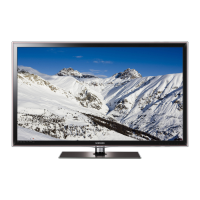
The 55-inch Samsung UN55D6900 LED TV lets
you go further into a world of entertainment
– see for yourself how Clear Motion Rate 600
delivers fast moving images with outstanding
clarity. Samsung Smart TV™ delivers a web-
enabled portal to the best of the entire internet,
along with Samsung Apps and the ability to
search content both online and on your TV. The
journey continues with advanced 3D technology,
for an immersive experience with your favorite
3D movie titles and TV programming. Ironically,
you’ll make these deeper connections on a TV
thats impressively thin: the ultra slim bezel
lets your eyes disappear into the dazzling LED
images on screen.

55" LED HDTV
• Samsung Smart TV
• Experience the wonder of 3D TV
Clear Motion Rate 600
Great 2D Full HD picture quality

55'' Class (54.6" Diagonal) LED HDTV with 1080p resolution.
TV SPECIFICATIONS
• Clear Motion Rate 600
• Mega Dynamic Contrast Ratio 10,000,000:1
• Full HD 1080p resolution
• One Design (.5" bezel)
• Exceeds ENERGY STAR
®
standards
FEATURES
• Samsung Smart TV
- Smart Hub
- Search
- Your Video
- Samsung Apps
- Web Browser
• 3D
• QWERTY Remote Control
• Micro Dimming Technology
• Skype
on Samsung TV
• Built-in WiFi
AllShare
DLNA
®
networking
• ConnectShare
Movie
• Ultra Clear Panel
Wide Color Enhancer Plus
CONNECTIONS
• 4 HDMI
®
Anynet+
(HDMI-CEC)
• 3 USB
AUDIO
• Dolby
®
Digital Plus
• SRS TheaterSound
®
HD
• 15W x 2
NET DIMENSIONS (WxHxD)
TV without stand: 49.1" x 28.4" x 1.2"
TV with stand: 49.1" x 31.7" x 10.8"
UPC
036725235168

Questions and Answers

  • G
    gchaneyAug 6, 2025
    What to do if the connected device is not displayed on my Samsung Flat Panel TV?
    • Z
      zwilliamsAug 6, 2025
      If a connected device isn't displayed, first check if the device supports Anynet+ functions and ensure the HDMI cable is properly connected. Verify that Anynet+ (HDMI-CEC) is enabled in the Anynet+ setup menu. Try rescanning for Anynet+ devices. Anynet+ requires an HDMI connection. If there was a power failure or the HDMI cable was disconnected, repeat the device scan. Some HDMI cables may not fully support Anynet+ functions.
  • P
    pamelaowensAug 10, 2025
    How to check picture quality on Samsung UN55D6900?
    • J
      John BallAug 10, 2025
      First, perform the Picture Test to see if your TV is properly displaying the test image. You can access this by going to MENU - Support - Self Diagnosis - Picture Test. The poor picture may be caused by the source or signal.
  • J
    jonathanchavezAug 16, 2025
    Why is Anynet+ not working on my Samsung UN55D6900 Flat Panel TV?
    • M
      Michael JohnsonAug 16, 2025
      Anynet+ may not work for several reasons. First, ensure that all devices are Anynet+ compatible, as the system only supports these devices. You can only connect one receiver (home theater). Check that the power cords and Video/Audio/HDMI cables of the Anynet+ devices are properly connected. Also, verify that Anynet+ (HDMI-CEC) is enabled in the Anynet+ setup menu and that the TV remote control is in TV mode and is Anynet+ compatible. Anynet+ might not function during certain operations like searching channels or using Smart Hub. If you've reconnected the HDMI cable, rescan for devices or restart the TV. Finally, confirm that the Anynet+ function is enabled on the Anynet device.
  • M
    Mark WrightAug 20, 2025
    How to start Anynet+ on Samsung UN55D6900 Flat Panel TV?
    • S
      scott73Aug 21, 2025
      To start Anynet+, ensure the Anynet+ device is properly connected to the TV and that Anynet+ (HDMI-CEC) is set to On in the Anynet+ Setup menu. You can also press the TOOLS button to display the Anynet+ menu and select the desired option.
  • A
    amy69Aug 26, 2025
    What to do if the TV sound is not output through the receiver on my Samsung UN55D6900 Flat Panel TV?
    • R
      Robert WolfAug 26, 2025
      If the TV sound is not being output through the receiver, connect the optical cable between the TV and the receiver. Also, the ARC function enables digital sound output using the HDMI IN 2(ARC) port, but it only works when the TV is connected to an audio receiver that supports the ARC function.
  • C
    Cindy ReedAug 30, 2025
    How to exit Anynet+ on Samsung UN55D6900 Flat Panel TV?
    • E
      Emma ScottAug 31, 2025
      To exit Anynet+, select View TV in the Anynet+ menu. Alternatively, press the SOURCE button on the TV remote control and select a non-Anynet+ device. You can also press z and PRE-CH to change the TV mode.

Samsung UN55D6900 Specifications

Display IconDisplay
Screen size55" Class (54.6" Diagonal)
Resolution1080p
Mega Dynamic Contrast Ratio10, 000, 000:1
Audio IconAudio
Audio power15 watts x 2
Dolby Digital PlusYes
SRS TheaterSound HDYes
Ports & Interfaces IconPorts & Interfaces
HDMI ports4 (version 1.4)
USB ports3 (version 2.0)
PC input1 (back)
Weight and Dimensions IconWeight and Dimensions
TV without stand dimensions49.1" x 28.4" x 1.2"
TV without stand weight37.9 lbs
TV with stand dimensions49.1" x 31.7" x 10.8"
TV with stand weight48.3 lbs
Shipping dimensions60.6" x 33.4" x 6.9"
Shipping weight61.7 lbs

Related product manuals