5
No.
Part
Procedure Remark
Assembly Tray
Drain
2
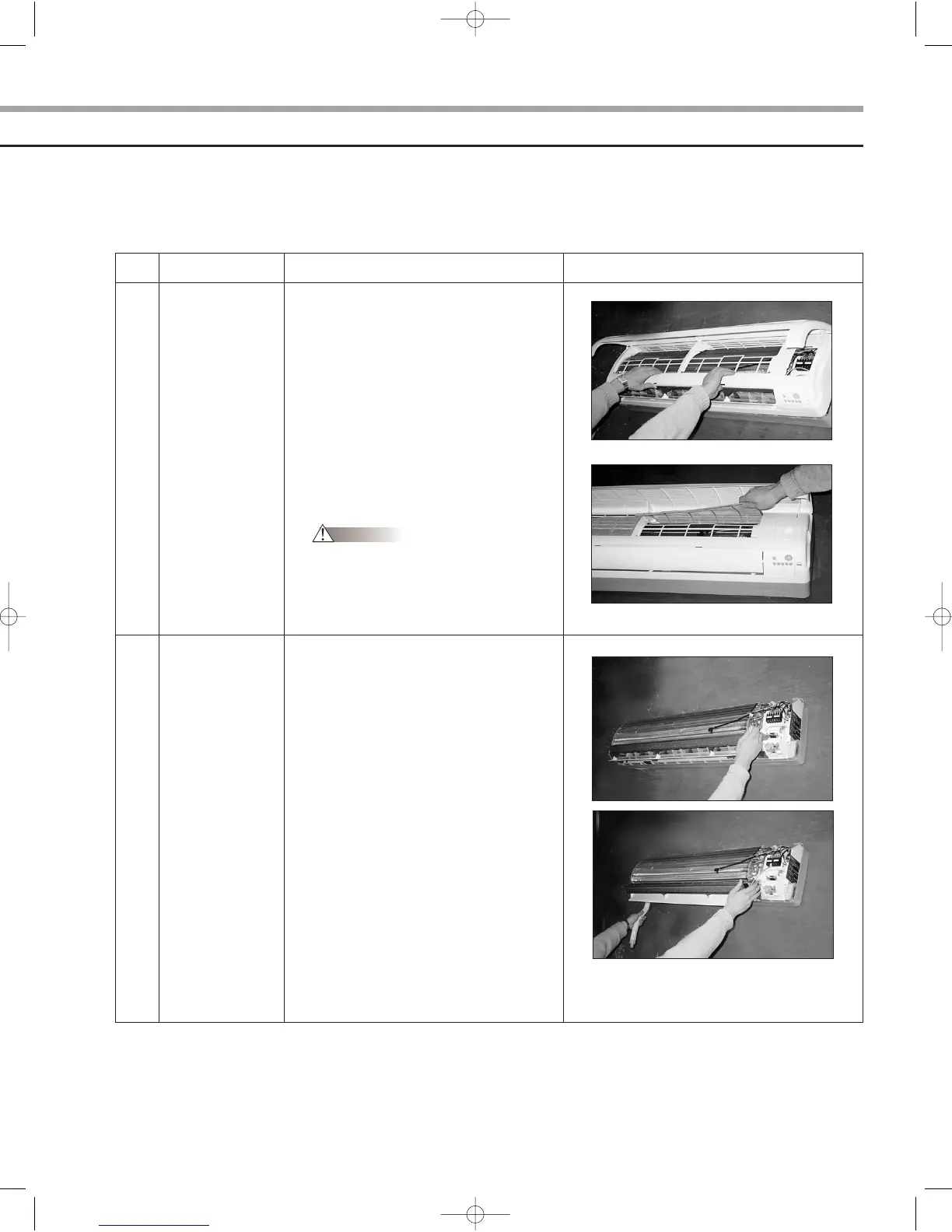
1) Separate the drain hose from the
extension drain hose.
2) Take the display PCB out.
(Center of the indoor unit)
3) Pull tray drain out from the back body.
7) Pull the upper left and right of discharge
softly so that the outside cover is
pulled out.
8) Pull softly the lower part of discharge and
push it up.
Caution
Assemble the front panel and fix the
hooks of left and right.
AS18A9(0)RCF SM_E_15775 3/10/05 7:15 PM Page 5



 To Next Page