15
– Remote control button functions
may differ for different products.
Remote Control
―
Using other display devices in the same space as the remote control of this product can cause the other display devices to be inadvertently controlled.
―
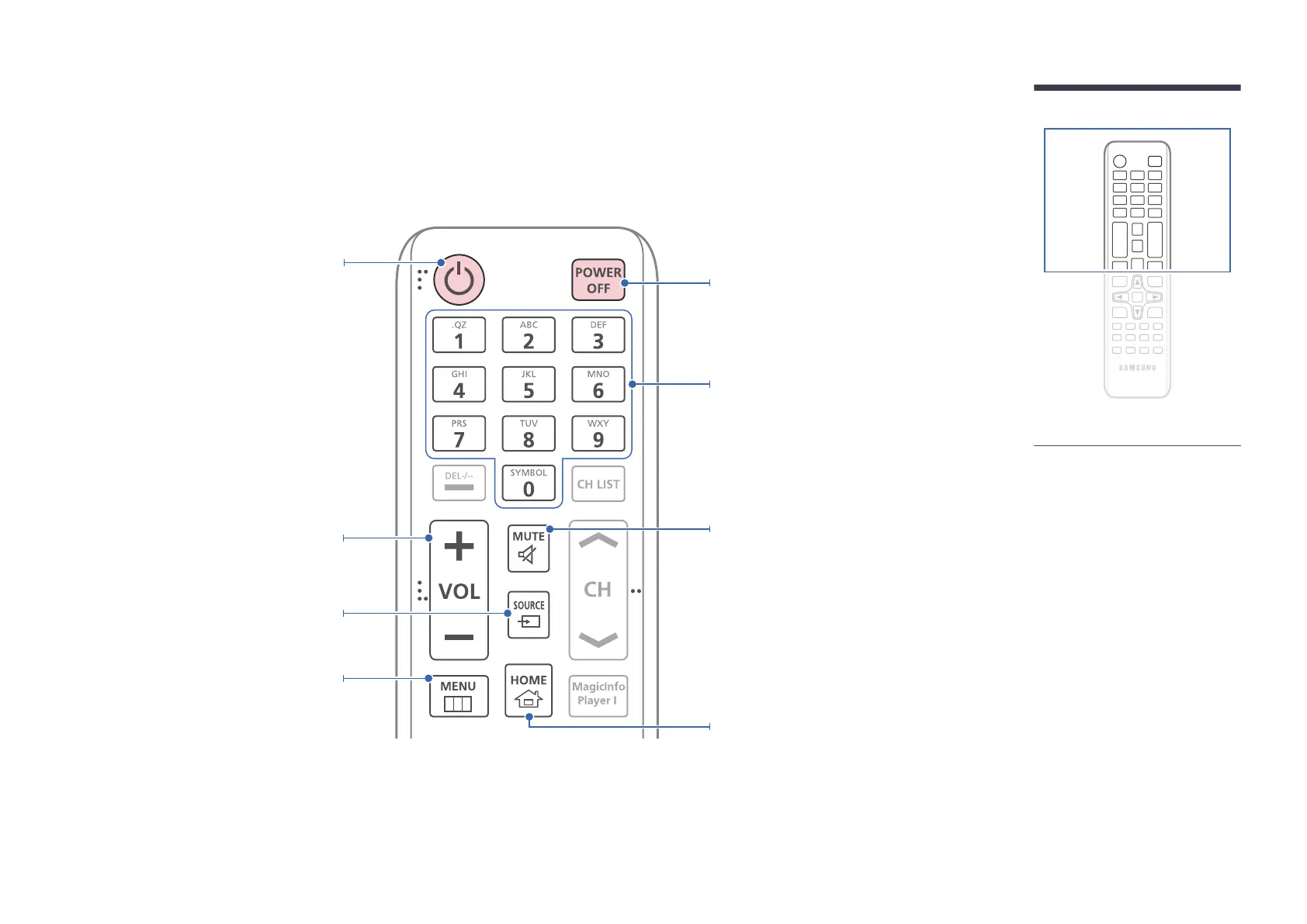
A button without a description in the image below is not supported on the product.
Power off the product.
Number buttons
Use to enter a PIN, enter a Date, etc.
Power on the product.
Display or hide the onscreen display.
Adjust the volume.
Change the input source.
Mute the sound.
• Unmuting the sound: Press MUTE again
or press the volume control(+ VOL -)
button.
A shortcut button to Home screen (Go to
Home).



 To Next Page