To Next Page

D
David WatkinsSep 3, 2025
What to do if Samsung Camcorder goes off automatically?
- CChelsea DunnSep 4, 2025
This may happen if the camcorder is left on STBY for more than 3 minutes without use or if the battery pack is fully exhausted.

What to do if Samsung Camcorder goes off automatically?
This may happen if the camcorder is left on STBY for more than 3 minutes without use or if the battery pack is fully exhausted.
What does 'TAPE slow' mean on Samsung VP-D55 Camcorder and how to fix it?
Insert a tape.
What does 'Display Blinking slow' mean on Samsung Camcorder and how to fix it?
Change to a charged one.
What does 'Display Blinking fast' mean on Samsung VP-D55 Camcorder and how to fix it?
Change to a charged battery.
What does 'TAPE slow (protection)' mean on Samsung VP-D55 and how to fix it?
If you want to record, release the protection.
What does 'C.EMG slow' mean on my Samsung VP-D55 and how to resolve it?
This indicates a mechanical fault. Here's what to do: 1. Eject the tape. 2. Set to OFF. 3. Detach the battery. 4. Reattach the battery.
What to do if I see a vertical strip appears on the recorded screen of dark background with Samsung Camcorder?
Make the background bright to reduce the contrast or use the XDR/BLC function while you are shooting.
What does 'DEW slow' mean on my Samsung VP-D55 Camcorder and how to fix it?
It means that moisture condensation has formed in the camcorder. Open the cassette compartment and remove the battery. Leave the camcorder for at least two hours in a dry warm room.
What to do if I see the broken block image during the EDIT SEARCH on Samsung VP-D55?
This is a characteristic of this camcorder and it is not a failure or defect.
Why I cannot switch on my Samsung VP-D55 Camcorder?
Check the battery pack or the AC Power Adaptor.
Instructions on how to rotate the LCD screen to avoid damage.
Warnings on temperature, moisture, and battery handling.
Instructions for cleaning video heads to ensure normal recording.
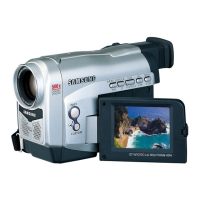
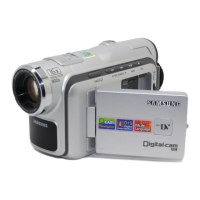
Lists provided accessories and details camcorder features.
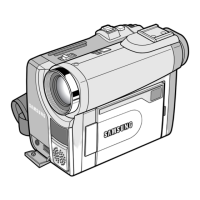
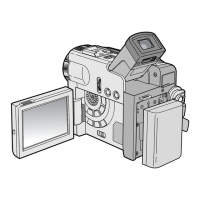
Identifies and labels key components on the camcorder's views.
Explains remote control functions and on-screen display indicators.
Instructions on strap adjustment and connecting power sources.
Details on using, charging, and battery life for the lithium ion battery.
Step-by-step guide on inserting and ejecting Mini DV cassette tapes.
Step-by-step guide for the initial recording process.
Guidance on holding the camcorder for stable shots.
How to adjust LCD settings and play back tapes on the LCD.
Guide to setting various menu items and functions.
Adjusting Digital Image Stabilizer, Zoom, and backlight compensation.
Using Digital Special Effects, Fade, and Picture-in-Picture.
How to control focus and set white balance for accurate color.
Steps to play back recorded tapes using LCD or TV monitor.
Explains functions like STILL, SLOW, F.ADV, and search during playback.
How to connect and transfer DV data using IEEE 1394.
Transferring images via RS-232C and installing necessary software.
Procedures after recording and cleaning instructions.
Guide to diagnosing and resolving common camcorder problems.
Information on power and color system compatibility for international use.
Lists the camcorder model name and key technical specifications.
 General
| Image Sensor | 1/6" CCD |
|---|---|
| Media Format | MiniDV |
| Type | MiniDV |
| Video Resolution | 720 x 480 |
| LCD Screen Size | 2.5 in |
| Viewfinder | Color |
| Recording Media | MiniDV |
| Video Format | DV |
| Interface | IEEE 1394 (FireWire) |
| Effective Pixels | 680k |