EasyManua.ls Logo

Samsung VP-W80U - User Manual

Samsung VP-W80U
65 pages
Print Icon
To Next Page IconTo Next Page
Loading...
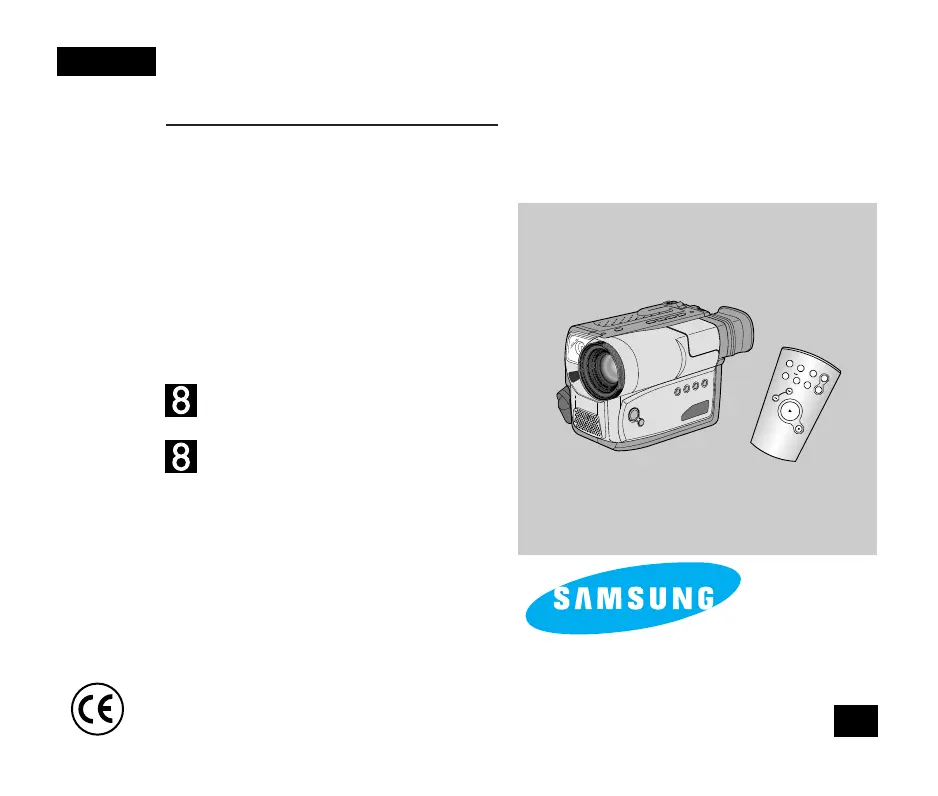
Video Camcorder
8mm
VP-W80U/W80/W87/W87D
Owner’s Instruction Book
Before operating the unit, please read
this instruction book thoroughly, and retain it for
future reference.
ELECTRONICS
This product meets the intent of
Directive 89/336 CEE, 73/23 CEE, 93/68 CEE.
ENGLISH
START/
STOP
SELF
TIMER
ZERO
RETURN
STILL
COUNTER
RESET
WIDE
TELE
DISPLAY
GB
VP-W80U
VP-W80/W87/W87D
Hi
00606F VP-W80/W87 UK (1-19) 2/17/03 11:22 AM Page 101

Table of Contents

Other manuals for Samsung VP-W80U

Questions and Answers

  • E
    Earl OconnorJul 29, 2025
    What to do if my Samsung VP-W80U has a mechanical fault?
    • J
      Joseph HuntJul 29, 2025
      If your Samsung Camcorder is showing a mechanical fault, try the following steps: 1. Eject the tape. 2. Switch the camcorder to the OFF position. 3. Detach the battery. 4. Reattach the battery. If the issue persists after these steps, the provided information does not include further troubleshooting.
  • K
    Kelly LevyAug 4, 2025
    What to do if there is no tape in my Samsung VP-W80U?
    • C
      Colin Rodgers Jr.Aug 4, 2025
      If your Samsung Camcorder indicates that there is no tape, you should insert a tape into the camcorder.
  • K
    Kenneth LunaAug 8, 2025
    What to do if Samsung VP-W80U Camcorder battery pack is almost discharged?
    • O
      ortizericaAug 9, 2025
      If the battery pack of your Samsung Camcorder is almost discharged, replace it with a fully charged battery.
  • T
    Tamara GutierrezAug 13, 2025
    What to do if Samsung VP-W80U battery pack is fully discharged?
    • P
      Patrick AndersonAug 13, 2025
      If the battery pack of your Samsung Camcorder is fully discharged, replace it with a charged battery.
  • L
    Lori PhillipsAug 19, 2025
    What to do if the tape has almost reached its end in Samsung Camcorder?
    • K
      Kristen BarrettAug 19, 2025
      If the tape in your Samsung Camcorder has almost reached its end, prepare a new tape.
  • H
    hinesjoseAug 25, 2025
    What to do if the tape reached its end in Samsung Camcorder?
    • R
      Richard SpearsAug 25, 2025
      If the tape in your Samsung Camcorder has reached its end, change to a new one.

Summary

Precautions and Safety Instructions

Taking care of the battery pack

Guidance on handling the battery pack to prevent damage and ensure proper function.

Precautions regarding the LENS

Advice on protecting the camcorder's lens from damage, especially from direct sunlight.

Getting to Know Your Camcorder

Features Overview

Overview of the camcorder's various recording and playback features.

Front View Components

Identification and explanation of components on the front of the camcorder.

Side View Components

Identification and explanation of components on the side of the camcorder.

Rear View Components

Identification and explanation of components on the rear of the camcorder.

OSD (On Screen Display) Explained

Explanation of the symbols and information displayed on the camcorder's screen.

Preparing the Camcorder

Adjusting the Hand and Shoulder Straps

Instructions for properly adjusting the hand and shoulder straps for secure camera handling.

Lithium Battery Installation

Step-by-step guide for installing the internal lithium battery.

Connecting a Power Source

Guide on how to connect the camcorder to power sources like AC adapter or battery pack.

Battery Pack Usage and Recharging

Instructions on recharging and understanding the battery pack's performance and life.

Inserting and Ejecting a Cassette

Procedures for inserting and removing video cassettes, including protection methods.

Basic Shooting Operations

Making the First Recording

Step-by-step guide to performing the initial recording with the camcorder.

Recording with the Viewfinder

Techniques for holding and using the camcorder with the viewfinder for stable shooting.

Reviewing Recorded Footage

Instructions on how to playback recorded footage on the camcorder.

Picture Search and Still View

Techniques for locating scenes and pausing playback for still image viewing.

Advanced Shooting Techniques

Zooming In and Out

Techniques for using the zoom lever to adjust subject magnification during recording.

DIS (Digital Image Stabilizer)

How to activate and use the image stabilizer to reduce shake.

MF;AF (Manual Focus;Auto Focus)

Guide to selecting between manual and automatic focus modes for optimal sharpness.

Setting Date and Time

Instructions for setting and recording date and time information on video footage.

Advanced Recording Features

PIP (Picture-in-Picture)

Using the PIP feature to display a smaller secondary image.

Snap Shot (Still Picture Capture)

Function for capturing single still pictures using the camcorder.

White Balance Adjustment

Adjusting white balance settings for accurate color reproduction under different lighting.

Setting Date;Title Colour

Customizing the color for displayed date and title information.

Playing Back Recorded Tapes

Connecting to a TV for Playback

Instructions for connecting the camcorder to a TV for playback.

Camcorder Playback Operations

Steps for playing back recorded tapes using the camcorder's player mode.

Scene Search and Still Frame

Techniques for locating scenes and pausing playback for still image viewing.

Camcorder Maintenance

Cleaning the Viewfinder

Guide on how to safely remove and clean the camcorder's viewfinder.

Cleaning Video Heads

Procedures for cleaning video heads using a dry cassette cleaner to ensure picture quality.

Storing the Camcorder

Recommendations for safely storing the camcorder when not in use to prevent damage.

Troubleshooting and Checks

Self Diagnosis Display Meanings

Explains the camcorder's self-diagnosis indicators and their meanings.

Common Symptoms and Solutions

A table of common problems and their solutions for troubleshooting.

Moisture Condensation Handling

Information on moisture detection and the procedure to dry the camcorder.

Technical Specifications

Power Sources (United Kingdom Only)

Samsung VP-W80U Specifications

General IconGeneral
BrandSamsung
ModelVP-W80U
CategoryCamcorder
LanguageEnglish

Related product manuals