Disassembly and Reassembly
Samsung Electronics
1-5
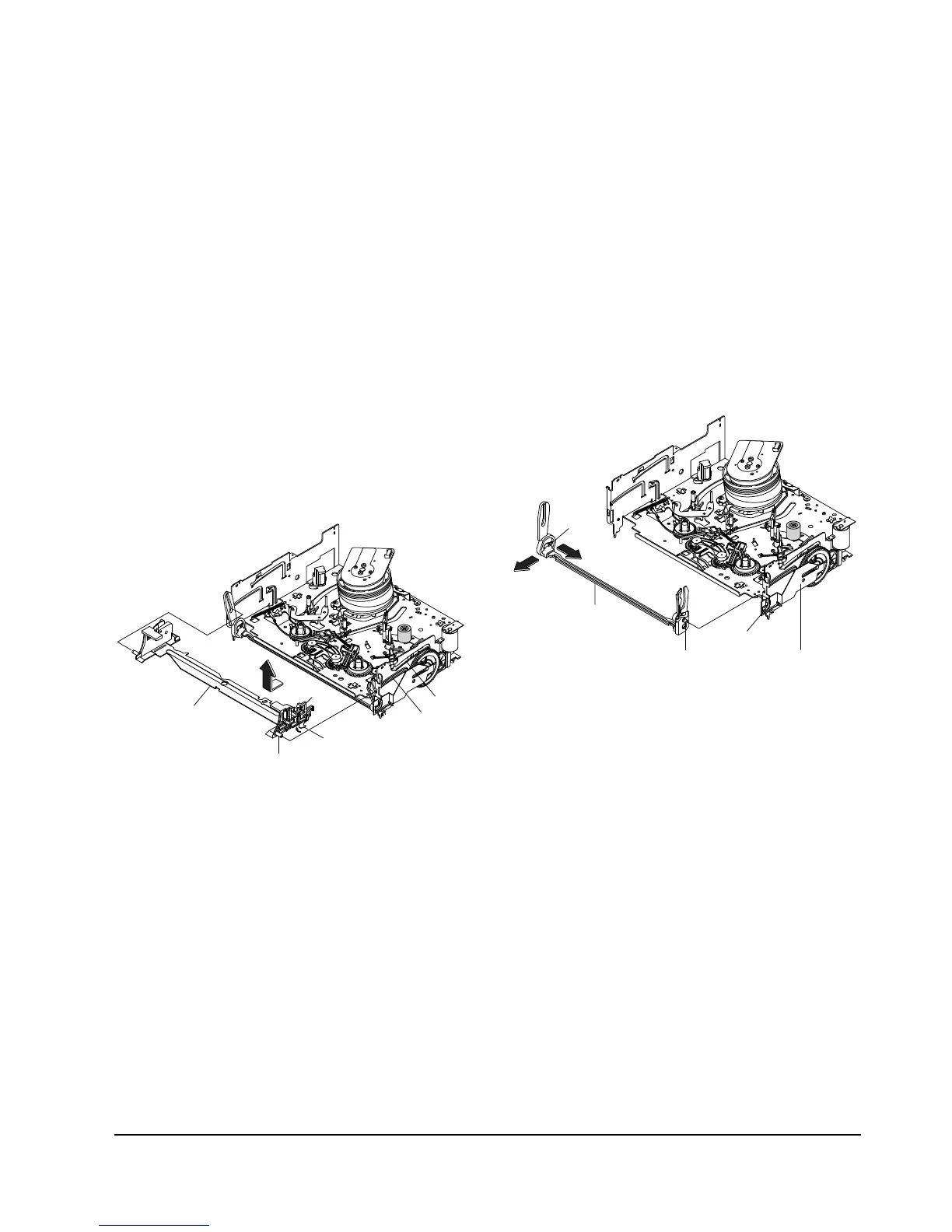
1-2-3 Holder FL Cassette Ass’y Removal
1) Remove the Lever FL Door. (Refer to Fig. 1-5)
2) Pull the Holder FL Cassette AssÕy Œ to the eject
position.
3) Pull the Holder FL Cassette AssÕy Œ as grasping
the Holder FL Cassette AssÕy Œ and Lever FL
Cassette-R ´ in the same time to release hooking
from Main Base until the Boss [A], [B] of Holder
FL Cassette AssÕy Œ is taken out from the Rail [C],
[D].
4) Lift the Holder FL Cassette AssÕy Œ in the direc-
tion of arrow ÒBÓ in this time, you have to grasp
the Lever FL Cassette-R ´ continuously until the
Holder FL Cassette AssÕy Œ is taken out completely.
Note : Be sure to insert Lever FL Cassette-R ´ in the
direction of ÒAÓ to prevent separation and breakage
of the Lever FL Cassette-R ´ at disassembling and
reassembling.
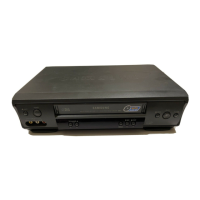
1-2-4 Lever FL Arm Ass’y Removal
1) Remove the Lever FL Door. (Refer to Fig. 1-5)
2) Remove the Holder FL Cassette AssÕy.
(Refer to Fig. 1-6)
3) Release the Hook Πin the direction of arrow
ÒAÓ, pull out the Lever FL Arm AssÕy ¨ from the
Boss of Main Base.
4) Remove the Lever FL Arm AssÕy ¨ in the direc-
tion of arrow ÒBÓ.
Assembly : When reinstalling, be sure to reassemble
Lever FL Arm AssÕy ¨ after you insert the Boss ´ in
Groove [A] of Slider FL Drive ˇ.


 To Next Page