iv
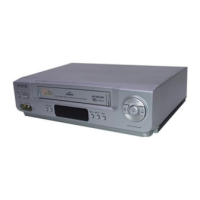
Your New VCR
1
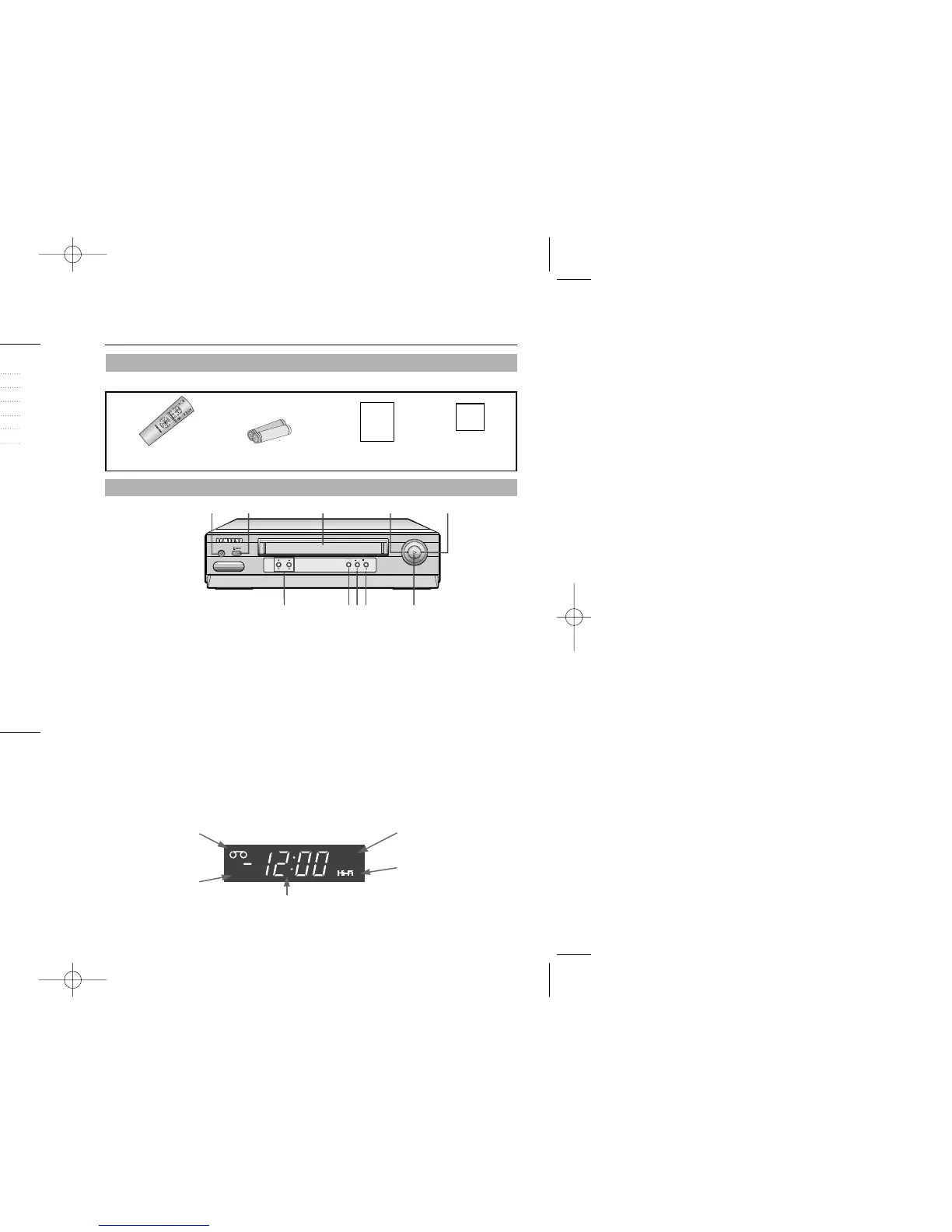
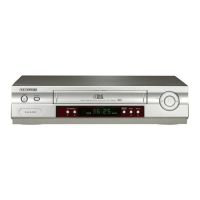
TIMER Indicator
Timer Recording is set.
VCR Indicator
Picture source is VCR.
TAPE Indicator
Lights when a tape is
inserted.
Hi-Fi Indicator
Lights when the VCR receives a
Hi-Fi broadcast (VR8460).
Number Display
Displays current channel number, clock time, time
remaining or tape counter.
POWER
CHANNEL MENU
REC STOP
REW F.F
PLAY
1
POWER
Press to turn the VCR on and off.
*Power Save mode:If you press and hold the POWER
button for 5 seconds, front display on VCR will be off
to maintain the lowest power consumption level.
Press the POWER button again to turn display back on.
2
EJECT
Press to eject a tape. EJECT button is used as the
CLEAR button on the menu screen
3
CASSETTE COMPARTMENT
Insert a video cassette.
4
REW (REWIND)
Press to rewind in stop mode or reverse search in
play mode.
5
F.F (FAST FORWARD)
Press to fast forward in stop mode or forward search
in play mode.
6
PLAY
Press to play tape.
7
STOP
Press to stop tape or press to move a cursor to
the right on the menu screen.
8
RECORD
Press to record or press to move a cursor to the
left on the menu screen.
9
MENU
Press to display or clear the menu screen.
10
CHANNEL
▼▲
Press to change channels or press to move a
cursor up or down on the menu screen.
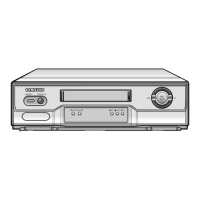
Front Panel and Display
Check to make sure the following items have been included with your VCR.
Accessories
1 2 3 4 5
Owner’s
Manual
Registration
Card
Remote Control
(AC59-00064G)
Batteries for remote(2AA)
(AC43-12002J)
Owner’s Manual
(AC68-02094A)
Registration Card
(AD68-00078A)
10 9 8 7 6
Table of Contents
Safety Instructions
Your New VCR
Accessories 1
Front Panel and Display 1
Remote Control 2
VCR Setup
Rear Panel 3
Connections 3
Plug and Play 5
Using Menus and the Remote Control 6
Selecting the On-Screen Language 6
Setting the Clock 7
Setting the Channels 9
VCR Functions 10
VCR Operation
Tape Controls 13
Using the DISPLAY Button 15
Tracking 15
Recording 16
One Touch Recording(OTR) 16
Timer Recording 17
Copying or Dubbing a Video 18
Care and Maintenance 19
Troubleshooting 20
Guide de reference rapide 21
VCR Operation 22
Specifications 23
Warranty 24
Features
• Hi-Fi Stereo sound (VR8460 only)
• Plug and Play
• 24 Hours x 7 Days Timer Back-up
• Rewinds a T-120 in about 100 seconds
• One Touch Recording (OTR) up to four hours
• Tri-lingual on-screen programming
(English/Spanish/French)
• Auto Clock Set
02094A VR8460/5460/XAA-web 12/27/03 9:42 AM Page iv


 To Next Page