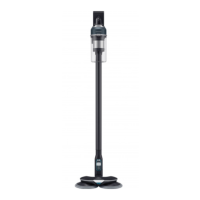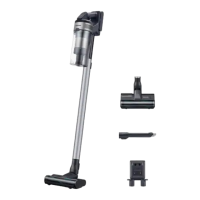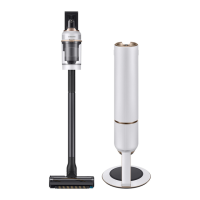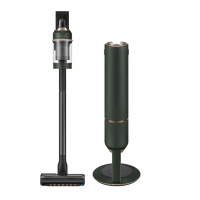
EasyManua.ls Logo

Samsung VS20R90 Series - User Manual

Samsung VS20R90 Series
132 pages
Print Icon
To Next Page IconTo Next Page
Loading...
Vacuum cleaner
User manual
VS20R90**** Series / VS15R85**** Series
Before operating this unit, please read the instructions carefully.
For indoor use only
VS9000+VCA-SAE90_AA_00821U-00.indb 1 2020-12-02 오후 4:45:04

Table of Contents

Questions and Answers

  • L
    Lindsey WeberSep 13, 2025
    Why does my Samsung VS20R90 create static electricity on mats?
    • C
      Chad GutierrezSep 13, 2025
      Static electricity when cleaning a thick and soft mat with your Samsung Vacuum Cleaner can be caused by the mat's materials (like childcare center mats or noise prevention mats). Try moving the brush on a normal floor for a while before cleaning the mat again; this should help dissipate the static electricity.
  • E
    Erica MaysAug 25, 2025
    How to fix Samsung VS20R90 Vacuum Cleaner that won't charge?
    • M
      Michael VincentAug 25, 2025
      If your Samsung Vacuum Cleaner isn't charging, first confirm that the voltage provided to the charging stand matches the requirements. Check if the vacuum cleaner is turned on, and then check if the LED of the battery level indicator is turned on. Also, inspect the charging terminal for any foreign matter like dust, and carefully remove it with a cotton swab or soft cloth.
  • K
    Kristin SmithAug 25, 2025
    How to fix a Samsung VS20R90 Vacuum Cleaner that won't turn on?
    • M
      Maureen GreenAug 26, 2025
      If your Samsung Vacuum Cleaner isn't working, start by checking the battery level and charging it if necessary. Ensure the device is powered on by pressing the power button. Also, inspect the pipe, dustbin, and brush for any blockages. Make sure the washable micro filter is correctly inserted. If the vacuum hasn't been used recently, charge the battery. If the battery is beyond its lifespan, consider replacing it.
  • J
    John HuangSep 23, 2025
    Why does static electricity occur with Samsung VS20R90 Vacuum Cleaner?
    • E
      Elizabeth ClarkSep 23, 2025
      If static electricity occurs when cleaning a thick and soft mat with your Samsung Vacuum Cleaner, the material of the mat may be the cause. Try moving the brush on a normal floor for a while before cleaning the mat again; this should help dissipate the static electricity.
  • S
    Sheila OneillSep 14, 2025
    Why does my Samsung VS20R90 have an odor?
    • J
      Jason GonzalezSep 14, 2025
      An odor from the air outlet or filter of your Samsung Vacuum Cleaner can be due to several reasons: - Empty the dustbin and clean the filters frequently. - A new vacuum cleaner may have a slight odor for the first 3 months after purchase. - Accumulated dirt in the dustbin or dust on the filter may generate an odor if the vacuum cleaner is used frequently. - Replacement filters are available at your local Samsung service agent.
  • K
    Kelly MclaughlinSep 23, 2025
    Why Samsung VS20R90 Vacuum Cleaner causes static electricity?
    • D
      Donna KeySep 23, 2025
      If static electricity occurs when cleaning a thick and soft mat with your Samsung Vacuum Cleaner, it may be due to the mat's materials. Try moving the brush on a normal floor for a while and then clean the mat again; this should eliminate the static electricity.
  • W
    wberrySep 6, 2025
    Why Samsung VS20R90 stops during cleaning?
    • M
      Maria JonesSep 6, 2025
      If your Samsung Vacuum Cleaner stops during cleaning, it might be due to: * A full dustbin. * A clogged suction part or brush. * Extended use of the Extension Crevice Tool. After addressing the cause, turn the product on again.
  • J
    Jacob SextonSep 7, 2025
    Why Samsung VS20R90 smells bad?
    • K
      katherine82Sep 7, 2025
      If you notice an odor coming from the air outlet or filter of your Samsung Vacuum Cleaner: * Empty the dustbin and clean the filters frequently. * Be aware that new vacuum cleaners may have a slight odor for the first 3 months after purchase. * Frequent use can cause accumulated dirt in the dustbin or dust on the filter to generate an odor. * Replacement filters are available at your local Samsung service agent.
  • A
    Allison MendozaSep 23, 2025
    How to get rid of odor from Samsung VS20R90?
    • S
      Suzanne GarzaSep 23, 2025
      If you notice an odor coming from the air outlet or filter of your Samsung Vacuum Cleaner: * Empty the dustbin and clean the filters frequently. * Note that new vacuum cleaners may have a slight odor for the first 3 months. * Accumulated dirt in the dustbin or dust on the filter may generate an odor if you use the vacuum cleaner frequently.
  • C
    Cynthia Ramirez MDAug 31, 2025
    What to do if Samsung VS20R90 suction decreases suddenly?
    • C
      cheryl03Aug 31, 2025
      If you notice a sudden decrease in suction force and hear a vibrating sound from your Samsung Vacuum Cleaner, it could be due to a blockage or full dustbin. Check the brush, dustbin, or pipe for any foreign matter and remove it. Also, verify if the dustbin is full; if so, empty it. Lastly, inspect the filter to see if it's dirty and clean it if necessary.

Summary

Preparation and Safety

General Safety Guidelines

Details safety guidelines, warnings, and symbol explanations for safe operation.

General Usage Precautions

General advice on using the vacuum cleaner, including warnings about wet surfaces and children.

Charging Stand Safety

Safety instructions specific to the charging stand, including electrical and handling precautions.

Vacuum Cleaner Safety

Safety advice related to the vacuum cleaner itself, including what not to vacuum.

Power Related Warnings

Warnings and precautions concerning the power cord, plug, and electrical connections.

Operational Cautions

Cautions to avoid hazards like fire, injury, and damage during operation.

Installation and Setup

Identifying Parts

Visual guide and list of all components and parts of the vacuum cleaner.

Understanding Accessories

Overview of available accessories that come with or can be used with the vacuum cleaner.

Setting Up Charging Stand

Step-by-step instructions for assembling and fixing the charging stand.

Operation and Usage

Charging and Storing Accessories

Guide on charging the vacuum and storing accessories on the charging stand.

Battery Management

Procedures for ejecting, re-inserting, and charging the vacuum cleaner battery.

Vacuum Cleaner Controls

How to power on/off, control suction, and interpret the vacuum cleaner display.

Accessory Usage Guide

Instructions on how to adjust pipes, detach accessories, and use specific brush types.

Wet Cleaning with Pads

Instructions for using multi-use and single-use wet pads with the wet brush.

Maintenance and Care

Dustbin Maintenance

Steps for emptying and cleaning the dustbin for optimal performance.

Filter Cleaning and Replacement

Guide on cleaning washable micro and ultra fine dust filters.

Accessory Cleaning Procedures

Instructions for cleaning various vacuum cleaner accessories like brushes and tools.

Appendix and Support

Important Notes and Cautions

General notes, warnings, and cautions related to product usage and safety.

Battery Specifics

Detailed information on battery usage, charging, and handling precautions.

Troubleshooting Common Issues

Solutions for common problems encountered with the vacuum cleaner's operation.

Samsung VS20R90 Series Specifications

General IconGeneral
BrandSamsung
ModelVS20R90 Series
CategoryVacuum Cleaner
LanguageEnglish

Related product manuals