EasyManua.ls Logo

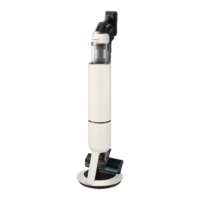
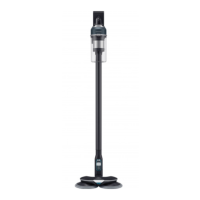
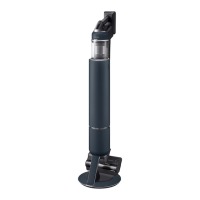
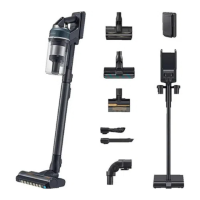
Samsung VS20B75 Series - User Manual

Samsung VS20B75 Series
32 pages
Print Icon
To Next Page IconTo Next Page
Loading...
Vacuum cleaner
User manual
VS20B75**** Series
Before operating this unit, please read the instructions carefully.
For indoor use only
VS7500_EN_00875H-00_UK.indd 1 2022-07-13 오후 2:48:29

Questions and Answers

  • M
    Mark ParsonsAug 13, 2025
    How to fix a Samsung VS20B75 Vacuum Cleaner that does not work?
    • S
      Scott LeeAug 13, 2025
      If your Samsung Vacuum Cleaner is not working, try the following: * Check the battery level and charge the battery. * Ensure the product is turned on by pressing the power button. * Check for blockages in the pipe, dustbin, or brush. * Verify the washable micro filter is correctly inserted. * If the vacuum hasn't been used for a long time, charge the battery. * If the battery is dead, replace it.
  • P
    Patricia BennettAug 17, 2025
    Why is my Samsung VS20B75 not charging?
    • E
      Eddie PageAug 17, 2025
      If your Samsung Vacuum Cleaner is not charging, consider the following: * Confirm that the voltage provided to the wall mount matches the requirements of the wall mount. * Check if the vacuum cleaner is turned on, and then check if the LED of the battery level indicator is turned on. * Inspect the charging terminal for foreign matter (dust). If present, remove it with a cotton swab or soft cloth.
  • S
    Sandra WilliamsAug 21, 2025
    What to do if small dust particles come out of the brush of my Samsung VS20B75 Vacuum Cleaner?
    • J
      John SheppardAug 21, 2025
      If small dust particles come out of the brush of your Samsung Vacuum Cleaner after cleaning, operate the vacuum for 10 seconds or more to suction up the small dust particles.
  • M
    Melanie Humphrey MDAug 25, 2025
    Why does my Samsung Vacuum Cleaner suction force decrease?
    • B
      Brent CarrAug 25, 2025
      A decrease in suction force in your Samsung Vacuum Cleaner, accompanied by a vibrating sound, can occur for several reasons: * A brush, dustbin, or pipe may be clogged with foreign matter. Remove any obstructions. * The dustbin may be full. Empty the dustbin. * The filter may be dirty. Clean the filter.
  • C
    Christopher BrownAug 28, 2025
    What to do if my Samsung VS20B75 stops during cleaning?
    • M
      mariestephensonAug 28, 2025
      Your Samsung Vacuum Cleaner may stop during cleaning due to the overheating prevention device of the motor. This can occur under the following conditions: * The vacuum operates with a full dustbin. * The vacuum operates with a suction part or brush clogged. * The Extension Crevice Tool is used for long hours. After correcting the cause of the problem, turn the product on again. Note that this may differ depending on the ambient temperature.
  • K
    Kathleen RoseSep 1, 2025
    Why does my Samsung VS20B75 Vacuum Cleaner smell?
    • M
      michael14Sep 1, 2025
      An odor from the air outlet or filter of your Samsung Vacuum Cleaner may be due to several reasons: * Empty the dustbin and clean the filters frequently. * A new vacuum cleaner may have a slight odor for the first 3 months after purchase. * Accumulated dirt in the dustbin or dust on the filter may generate an odor with frequent use.
  • W
    William ThompsonSep 4, 2025
    What to do if the spinning brush on my Samsung VS20B75 Vacuum Cleaner doesn't work?
    • B
      brownkarenSep 4, 2025
      If the spinning brush (drum) inside a brush of your Samsung Vacuum Cleaner is not working: * If the spinning brush stuck display is on, turn off the vacuum and check for foreign matter clogging the brush. Remove any obstructions and restart the vacuum. * Check if the vacuum cleaner is turned on, then turn it off and on again. * For the Soft Action Brush and Wet brush, if the overheating prevention device of the brush motor operates, it may take about 30 minutes to cool the motor.
  • L
    Lisa McguireSep 8, 2025
    Why does my Samsung VS20B75 cause static electricity?
    • J
      Jason Osborne DDSSep 8, 2025
      Static electricity when cleaning a thick and soft mat with your Samsung Vacuum Cleaner can occur because: * Materials of a mat (childcare center mat, noise prevention mat for between floors, etc.) may cause the static electricity. * Move the brush on a normal floor for a while and clean again, then the static electricity should disappear.

Summary

Safety Information

Maintenance Overview

Product Components Identification

Included Accessories List

Wall Mount Installation Guide

Vacuum Cleaner Operation Basics

Wall Mount Charging and Storage

Using the wall mount for charging and storing the vacuum cleaner.

Battery Charging Procedures

Instructions on how to charge the vacuum cleaner battery.

Accessory Storage Methods

Guidance on storing vacuum cleaner accessories.

Battery Management

Removing and Re-inserting Battery

Safely ejecting and re-inserting the vacuum battery.

Desk Charger Usage

Charging the battery using the desk charger.

Vacuum Cleaner Usage

Powering On and Off

How to turn the vacuum cleaner on and off.

Adjusting Suction Power

Guide to controlling the vacuum cleaner's suction levels.

Understanding the Display

Explanation of vacuum cleaner display indicators.

Accessory Usage Guide

Detaching Vacuum Accessories

Instructions for detaching vacuum cleaner accessories.

Soft Action Brush Application

How to use the Soft Action Brush for floor cleaning.

Turbo Action Brush Application

Guide for using the Turbo Action Brush on different floor types.

Mini Motorized Tool Application

Instructions for using the Mini Motorized Tool on bedding.

Vacuum Cleaner Maintenance

Dustbin Emptying Frequency

Guidance on when to empty the vacuum dustbin.

Dustbin Cleaning Procedure

Step-by-step process for emptying and cleaning the dustbin.

Preventing Dust Clouds

Method to empty dustbin minimizing dust clouds.

Filter Cleaning Instructions

Cleaning Washable Micro Filter

Steps for cleaning the washable micro filter.

Cleaning Ultra Fine Dust Filter

Steps for cleaning the ultra fine dust filter.

Battery Usage Precautions

Battery Charging and Handling

Essential information and warnings for battery charging and care.

Troubleshooting Common Issues

Samsung VS20B75 Series Specifications

General IconGeneral
ModelVS20B75 Series
Dust Collection TypeBagless
Dust Capacity0.8 L
Power SourceBattery
Battery TypeLithium-ion
Width250 mm
AccessoriesCombination Tool

Related product manuals