EasyManua.ls Logo

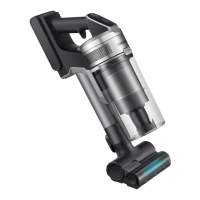
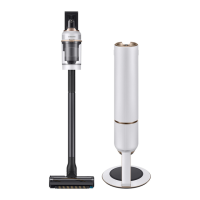
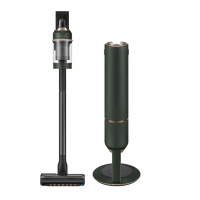
Samsung VS20B95 Series - User Manual

Samsung VS20B95 Series
40 pages
Print Icon
To Next Page IconTo Next Page
Loading...
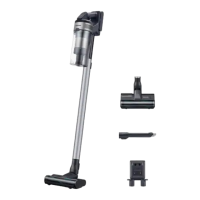
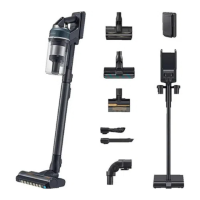
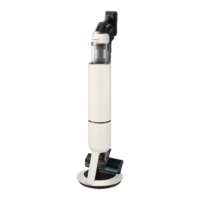
Vacuum cleaner
User manual
VS20B95**** Series
Before operating this unit, please read the instructions carefully.
For indoor use only
Untitled-1 1 2023-09-01  10:42:07

Questions and Answers

  • J
    Joshua WrightAug 12, 2025
    Why Samsung VS20B95 Vacuum Cleaner not working?
    • A
      Ashley RodriguezAug 12, 2025
      If your Samsung Vacuum Cleaner isn't working, try these steps: * Check the battery level and charge if needed. * Ensure the vacuum is powered on. * Inspect for blockages in the Telescopic Pipe, dustbin, or brush. * Confirm the Washable Micro Filter is correctly inserted. * If unused for a while, charge the battery. If the battery is dead, replace it.
  • S
    Sonya MoonAug 16, 2025
    What to do if Samsung VS20B95 Vacuum Cleaner suction decreases suddenly?
    • J
      Jonathan CoffeyAug 16, 2025
      If your Samsung Vacuum Cleaner's suction force decreases suddenly and it makes a vibrating sound, check for the following: * Clogs in the brush, dustbin, or Telescopic Pipe; remove any obstructions. * If the dustbin is full, empty it. * If the filter is dirty, clean it.
  • Y
    Yesenia KlineAug 23, 2025
    How to fix Samsung VS20B95 brush that stops on carpet?
    • A
      Amy Martinez DDSAug 23, 2025
      If the brush on your Samsung Vacuum Cleaner stops on deep pile carpet or a floor mat, it may be due to the protective mode activating to prevent motor damage from overload. Adjust the suction power according to the pile length and resistance of the carpet.
  • D
    Duane EricksonAug 27, 2025
    Why Samsung Vacuum Cleaner spin brush is not moving?
    • S
      Sean GriffithAug 27, 2025
      If the spin brush (or spin disk) of a Samsung Vacuum Cleaner accessory is not moving: * If a 'Check Brush' message appears, turn off the vacuum and check for foreign matter clogging the brush. Remove any obstructions and restart the vacuum. * Try turning the vacuum cleaner off and on again. * For the Slim LED Brush and Spray Spinning Sweeper, the overheating prevention device of the accessory's motor may be enabled; allow about 30 minutes for the motor to cool.
  • A
    April JohnsonAug 31, 2025
    How to stop static electricity from Samsung VS20B95 Vacuum Cleaner?
    • P
      phansenAug 31, 2025
      If static electricity occurs when cleaning a thick and soft mat with your Samsung Vacuum Cleaner: * Be aware that materials of certain mats (childcare center mats, noise prevention mats) may cause static electricity. * Move the brush on a normal floor for a while before cleaning the mat again; this should eliminate the static electricity.
  • C
    Christopher GriffinSep 3, 2025
    Why Samsung Spray Spinning Sweeper does not spray water?
    • M
      marymooreSep 3, 2025
      If the Spray Spinning Sweeper of your Samsung Vacuum Cleaner does not spray water: * When using it for the first time, the air in the internal pump and tube may cause a delay. * Detach the water tank, press the + button, and check that the pump operates with a sound. * Fill the water tank, attach it to the Spray Spinning Sweeper, and then press the + button repeatedly.
  • M
    Matthew JohnsonSep 7, 2025
    Why does my Samsung Vacuum Cleaner smell?
    • A
      amillerSep 7, 2025
      If an odor emits from the air outlet or filter of your Samsung Vacuum Cleaner: * Empty the dustbin and clean the filters frequently. * A new vacuum cleaner may have a slight odor for the first 3 months after purchase. * If you use the vacuum cleaner for a long period of time, accumulated dirt in the dustbin or dust on the filter may generate an odor.
  • J
    Jason BakerSep 10, 2025
    What to do if my Samsung Vacuum Cleaner stops during cleaning?
    • P
      Paul ConnerSep 12, 2025
      Your Samsung Vacuum Cleaner may stop during cleaning due to several reasons: * The product has an overheating prevention device of the motor. After correcting the cause of the problem, turn the product on again. * The vacuum cleaner operates with a full dustbin. * The vacuum cleaner operates with a brush clogged. * The Extension Crevice Tool is used for long hours.

Summary

Safety Information

Important Safety Symbols

Explains warning, caution, and note symbols used in the manual.

General Safety Guidelines

Provides general safety instructions for operating the appliance and its use by children.

Vacuum Cleaner Safety

Details safety precautions specific to the vacuum cleaner's operation and usage.

Maintenance Safety

Outlines general guidelines for maintaining the product, including storage and cleaning safety.

Clean Station Safety

Specific safety instructions for the Clean Station, including cord handling and electrical safety.

Battery Safety

Safety measures related to handling, charging, and disposing of the product's battery.

Preparation

Accessories

Lists and illustrates all included and optional accessories for the vacuum cleaner.

Parts Overview

Provides a detailed diagram identifying all components of the vacuum cleaner and Clean Station.

Operation

Clean Station Operation

Guides on installing and operating the Clean Station for dustbin emptying.

Battery Operations

Instructions on charging, inserting, and ejecting the battery, plus charging an additional battery.

Buttons and Display Functions

Explains the function of the vacuum cleaner's buttons, display, and alert messages.

Accessory Cradle Usage

Details on using the accessory cradle for charging and storing accessories.

Using Various Accessories

Instructions on detaching and using specific accessories like Combination Tool and Extension Crevice Tool.

Spray Spinning Sweeper Operation

How to use the Spray Spinning Sweeper, including wet pad attachment and water tank usage.

Maintenance

Clean Station Maintenance

Step-by-step guide on replacing the dust bag and cleaning filters in the Clean Station.

Vacuum Cleaner Cleaning

Instructions for cleaning the dustbin and washable micro filter of the vacuum cleaner.

Filter and Brush Maintenance

Procedures for cleaning the fine dust filter and the Jet Dual Brush.

Slim LED Brush Maintenance

Instructions for cleaning the Slim LED Brush and its roller wheels.

Rear Roller Wheel Maintenance

Steps for detaching, cleaning, and reassembling the rear roller wheel.

Accessory Maintenance

Maintenance procedures for Spray Spinning Sweeper, Pet Tool+, and Extension Crevice Tool/Telescopic Pipe.

Appendix

Installation Cautions

Important safety warnings and precautions regarding the installation of the product.

Battery Usage Precautions

Guidelines and warnings related to the usage and care of the vacuum cleaner's battery.

Troubleshooting

Provides solutions for common problems encountered with the vacuum cleaner and its accessories.

Product Specifications

Lists technical details such as power consumption, weight, size, charging, and cleaning times.

Samsung VS20B95 Series Specifications

General IconGeneral
BrandSamsung
ModelVS20B95 Series
CategoryVacuum Cleaner
LanguageEnglish

Related product manuals