EasyManua.ls Logo

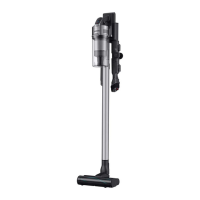
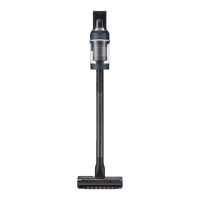
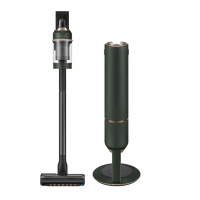
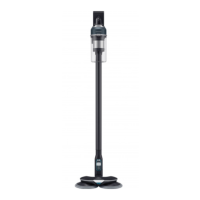
Samsung VS20C85 Series - User Manual

Samsung VS20C85 Series
36 pages
Print Icon
To Next Page IconTo Next Page
Loading...
Vacuum cleaner
User manual
VS20C85**** Series
Before operating this unit, please read the instructions carefully.
For indoor use only
Untitled-4 1 2023-05-23  2:18:48

Questions and Answers

  • J
    Joseph StrongAug 6, 2025
    Why my Samsung VS20C85 Vacuum Cleaner does not work?
    • E
      eblackAug 6, 2025
      Your Samsung Vacuum Cleaner might not be working for several reasons. First, ensure the battery is charged. Next, verify that the vacuum cleaner is powered on. Also, check for any blockages in the Telescopic Pipe, dustbin, or brush. Confirm that the Washable Micro Filter is correctly inserted. If the vacuum cleaner hasn't been used recently, try charging the battery. If the battery is dead, it needs to be replaced.
  • C
    Casey WarnerAug 11, 2025
    What to do if my Samsung VS20C85 cannot be charged?
    • C
      Cynthia RodriguezAug 11, 2025
      If your Samsung Vacuum Cleaner isn't charging, first, make sure the voltage supplied to the wall mount matches its requirements. Then, check that the vacuum cleaner is turned on and the battery level indicator LED is lit. Finally, inspect the charging terminal for any dust or foreign matter and remove it with a cotton swab or soft cloth.
  • M
    Matthew MartinezAug 15, 2025
    What to do if the spin brush of my Samsung VS20C85 Vacuum Cleaner is not moving?
    • H
      Hannah BranchAug 15, 2025
      If the spin brush or disk of your Samsung Vacuum Cleaner accessory isn't moving, and the 'Check Brush' message appears, turn off the vacuum cleaner and check the brush for any obstructions. Remove any foreign matter and restart the cleaner. If there is no message on the display, try turning the vacuum cleaner off and then on again. If the accessory's motor is overheating, allow about 30 minutes for it to cool down.
  • W
    William MooreAug 20, 2025
    How to stop odor emitting from Samsung VS20C85 Vacuum Cleaner?
    • J
      James ClarkeAug 20, 2025
      If you notice an odor from your Samsung Vacuum Cleaner's air outlet or filter, start by frequently emptying the dustbin and cleaning the filters. A slight odor is normal for new vacuum cleaners for the first 3 months. If you've used the vacuum cleaner for a long time, accumulated dirt in the dustbin or dust on the filter may be the cause. You can find replacement filters at your local Samsung service agent.
  • B
    Benjamin AdkinsAug 26, 2025
    What to do if Samsung Spray Spinning Sweeper does not spray water?
    • T
      Teresa NorrisAug 26, 2025
      If your Samsung Spray Spinning Sweeper isn't spraying water, air might be trapped in the internal pump and tube. Detach the water tank, press the + button, and listen for the pump operating. Also, ensure the water tank is filled, attach it to the sweeper, and repeatedly press the + button.
  • M
    Marcus NunezAug 30, 2025
    How to prevent static electricity with Samsung VS20C85 Vacuum Cleaner?
    • G
      gmooreAug 30, 2025
      If static electricity occurs when cleaning a thick and soft mat with your Samsung Vacuum Cleaner, it may be due to the mat's materials. Try moving the brush on a normal floor for a while before cleaning the mat again; this should eliminate the static electricity.

Summary

Safety Information

Important Safety Symbols

Explains WARNING, CAUTION, and NOTE symbols used for safety guidance.

General Safety Precautions

General safety precautions and usage guidelines for the appliance.

Vacuum Cleaner Safety

Specific safety advice for operating the vacuum cleaner.

Preparation

Accessories Overview

Lists and describes available accessories for the vacuum cleaner.

Parts Identification

Illustrates and identifies the main components of the vacuum cleaner.

Operation

Wall Mount Assembly

Step-by-step guide on how to assemble the wall mount.

Wall Mount Installation

Instructions for securely mounting the wall mount.

Using the Wall Mount

How to correctly use the wall mount for charging the vacuum.

Accessory Storage

Guidance on how to store vacuum cleaner accessories.

Battery Charging

Steps and indicators for charging the vacuum cleaner's battery.

Battery Insertion and Ejection

Instructions for inserting and safely removing the battery.

Charging Additional Battery

How to charge a spare battery using the battery cradle.

Controls and Display

Explains the function of buttons and the display screen.

Using Specific Accessories

Guidance on attaching, detaching, and using tools like Combination, Extension Crevice, and Flexible Tools.

Spray Spinning Sweeper Operation

Instructions for using the Spray Spinning Sweeper with wet pads.

Maintenance

Cleaning the Vacuum Cleaner

Detailed steps for cleaning the dustbin and filters.

Fine Dust Filter Maintenance

Instructions for cleaning and maintaining the fine dust filter.

Jet Dual Brush Cleaning

Steps for cleaning and maintaining the Jet Dual Brush head.

Slim LED Brush Cleaning

Guide for cleaning and maintaining the Slim LED Brush head.

Slim LED Brush Roller Wheels

Instructions for disassembling and cleaning the roller wheels.

Front Roller Wheel Maintenance

Steps to disassemble and reassemble the front roller wheel.

Rear Roller Wheel Maintenance

Procedure for detaching, cleaning, and reattaching the rear roller wheel.

Spray Spinning Sweeper Maintenance

Maintenance instructions for the Spray Spinning Sweeper.

Pet Tool+ Cleaning

How to clean hair or fur from the Pet Tool+.

Extension Crevice Tool and Pipe Cleaning

Method for cleaning the Extension Crevice Tool or Pipe.

Appendix

Installation and Battery Usage Cautions

Important notes and cautions for product installation and battery operation.

Appendix Operation Notes

Specific operational advice for the Spray Spinning Sweeper and battery.

Appendix Maintenance Notes

Maintenance advice for the Spray Spinning Sweeper, including cleaning and filter checks.

Troubleshooting Guide

Solutions for common problems encountered with the vacuum cleaner.

Product Specifications

Technical specifications, model details, and performance metrics.

Samsung VS20C85 Series Specifications

General IconGeneral
BrandSamsung
ModelVS20C85 Series
CategoryVacuum Cleaner
LanguageEnglish

Related product manuals