EasyManua.ls Logo

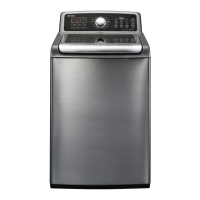
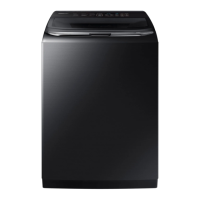
Samsung WA54M8750AV - User Manual

Samsung WA54M8750AV
228 pages
Print Icon
To Next Page IconTo Next Page
Loading...
Washer
User manual
WA54M8750A*
WA8700M_WA54M8750A_DC68-03774B-02_EN.indd 1 2017-04-18  9:59:41

Table of Contents

Questions and Answers

  • N
    Nicole MartinJul 29, 2025
    What to do if my Samsung WA54M8750AV does not start?
    • A
      Adrian ChavezJul 29, 2025
      If your Samsung Washer doesn't start, ensure the door is fully closed and the water taps are open. Press the START/PAUSE button. Check if Child Lock is activated. Note that before filling, the washer makes clicking noises to check the door lock, followed by a quick drain. If the door was opened during spinning, close it and press START/PAUSE. The machine might be in Standby or a soaking cycle, so wait. Also, verify the fuse or circuit breaker.
  • B
    Brandon ParkAug 5, 2025
    How to fix a Samsung WA54M8750AV that does not turn on?
    • A
      Aaron HoltAug 5, 2025
      If your Samsung Washer does not turn on, ensure your home's electrical system meets the washer's requirements (see page 19 of the manual). Make sure the power cord is fully plugged in. Also, check the fuse or reset the circuit breaker.
  • N
    Nathan PerezAug 12, 2025
    What to do if water is not supplied to my Samsung Washer?
    • M
      Matthew SmithAug 12, 2025
      If water is not being supplied to your Samsung Washer, first, ensure you have pressed START/PAUSE after selecting your cycle and options, and that the water taps are open. Straighten any kinks in the water supply hoses. Open and close the door, then press START/PAUSE again. If the water pressure is low, the start of the washing process will take longer. If the water level isn't high enough, adjust it using the level selector. If the water supply is cut off, close the tap and power off the washer. Also, check the mesh filters in the water inlets for clogs and clean them with a toothbrush (see page 53 of the manual).
  • E
    Elizabeth RodriguezAug 20, 2025
    Why does detergent remain in the dispenser after a Samsung Washer cycle?
    • N
      natalielloydAug 20, 2025
      If detergent remains in the automatic dispenser of your Samsung Washer after a cycle, ensure the washing machine is running with sufficient water pressure. Also, check that the detergent drawer is properly inserted. If the issue persists, remove and clean the detergent drawer before trying again.

Summary

Safety Information

Understanding Safety Instructions and Precautions

Learn about safety instructions, symbols, and precautions for safe appliance operation.

Installation and Usage Safety Warnings

Critical warnings for safe electrical connection, installation, and operation of the washer.

Cleaning and Maintenance Safety

Safety warnings related to cleaning the appliance and performing maintenance.

Regulatory and Compliance Information

FCC, IC, and Radiation Exposure Information

FCC/IC notices, compliance statements, and radiation exposure information.

Open Source License Details

Information on obtaining source code and licensing for open-source software used.

Installation Guide

Preparation and Site Requirements

Unpacking, component identification, electrical/water needs, site selection, and clearances.

Step-by-Step Installation Procedures

Connecting hoses, drain, leveling, powering, and performing test/calibration.

Operating Your Washer

Loading, Starting, and Basic Operation

Guidelines for loading laundry, adding detergent, starting the wash cycle, and basic operation.

Control Panel, Cycles, and Features

Explanation of the control panel, cycles, temperature, spin, options, and special features.

Smart Home App Integration

Steps to install and use the Samsung Smart Home app for remote washer control.

Maintaining Your Washer

Cleaning and Upkeep Procedures

Guide to cleaning exterior, interior, dispensers, filters, and using the Self Clean cycle.

Washer Storage Preparation

Steps to prepare the washer for storage to prevent damage from water.

Troubleshooting and Specifications

Common Problem Diagnosis and Error Codes

Steps to troubleshoot common issues and understand error codes displayed by the washer.

Technical Specifications and Care Charts

Product specifications, fabric care symbols, cycle charts, and environmental information.

Warranty Information

US and Canada Limited Warranty Terms

Details of limited warranty, coverage, exclusions, and service procedures for US and Canada.

Obtaining Warranty Service

Contact information and procedures for obtaining warranty service in the US and Canada.

Memo and Support

User Notes and Customer Support

Section for user notes and contact information for customer support.

Samsung WA54M8750AV Specifications

General IconGeneral
Capacity5.4 cu. ft.
ColorBlack Stainless Steel
Energy Star CertifiedYes
Wash Cycles12
Smart FeaturesYes
Steam FunctionYes
VRT TechnologyYes
Steam WashYes
Vibration Reduction TechnologyYes
Self Clean+Yes
Weight134 lbs
Smart ConnectivityWi-Fi

Related product manuals