EasyManua.ls Logo

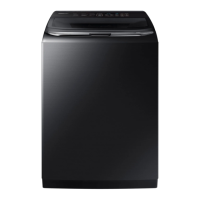
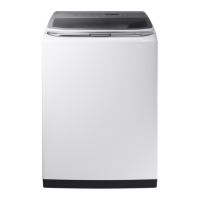
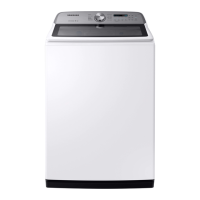
Samsung WA54M8750 Series - User Manual

Samsung WA54M8750 Series
228 pages
Print Icon
To Next Page IconTo Next Page
Loading...
Washer
User manual
WA54M8750A*
WA8700M_DC68-03774B-04_EN.indd 1 2019-02-14  5:37:08

Table of Contents

Questions and Answers

  • B
    Brett LawsonJul 29, 2025
    What to do if my Samsung WA54M8750 Washer does not start?
    • R
      Rebecca RodriguezJul 29, 2025
      If your Samsung Washer isn't starting, here are some things to check: * Ensure the door is completely closed. * Verify that the water taps are open. * Press the START/PAUSE button to initiate the wash cycle. * Confirm that Child Lock is deactivated. * If the door was opened during the spin cycle, close it and press START/PAUSE. * The machine may be in Standby or a soaking cycle, so allow it to complete. * Check the fuse or reset the circuit breaker.
  • J
    John RivasAug 5, 2025
    How to fix a Samsung WA54M8750 that does not turn on?
    • M
      matthew78Aug 5, 2025
      If your Samsung Washer isn't turning on, please check the following: * Ensure your home's electrical system provides the correct power to the washer. * Confirm the power cord is fully plugged into the outlet. * Inspect the fuse or reset the circuit breaker.
  • T
    Theresa PowellAug 13, 2025
    Why is water not being supplied to my Samsung WA54M8750 Washer?
    • R
      richardsbethAug 14, 2025
      If water isn't being supplied to your Samsung Washer, consider the following: * Ensure you press START/PAUSE after selecting your cycle and options. * Check that the water taps are fully open. * Inspect and clean the mesh filters in the water inlets using a toothbrush. * Verify that the water supply isn't cut off; if it is, close the tap and power off the washer. * Make sure the water supply hoses are straight and not kinked. * Try opening and closing the door, then press START/PAUSE. * Note that low water pressure can extend the wash start time. * Adjust the water level using the level selector if it appears too low.
  • M
    melissameyersAug 21, 2025
    What to do if detergent remains in the dispenser after a Samsung WA54M8750 Washer cycle?
    • B
      Brian CherryAug 21, 2025
      If detergent remains in the automatic dispenser of your Samsung Washer after a cycle, try these steps: * Ensure the washing machine is running with sufficient water pressure. * Verify that the detergent drawer is properly inserted. * Remove and clean the detergent drawer before trying again.

Summary

Safety Information

Essential Safety Instructions

Crucial safety information, symbols, and precautions for operating the washer safely.

Installation and Usage Safety

Warnings and cautions for installation, operation, and potential hazards during use.

Cleaning and Maintenance Safety

Safety guidelines and warnings specific to cleaning the washer and its components.

Installation Guide

Unpacking and Overview

Steps for unpacking the washer and identifying its parts and components.

Location, Electrical, and Grounding

Guidelines for choosing an installation location, electrical requirements, and grounding.

Water, Drain, and Power Connections

Detailed instructions for connecting water supply, drain hose, and powering the washer.

Leveling, Test Cycle, and Calibration

Procedures for leveling, running a test cycle, and calibrating the washer.

Operating Your Washer

Loading and Starting a Wash

Steps for loading clothes, adding detergent, and initiating a wash cycle.

Control Panel and Cycle Selection

Explanation of the control panel, its functions, and how to select wash cycles.

Advanced Washing Options

Features like Child Lock, My Cycle, Delay End, and Smart Control for enhanced operation.

Washer Maintenance

Exterior, Interior, and Filter Cleaning

Instructions for cleaning the washer's exterior, interior, and water inlet mesh filter.

Dispenser and Self-Clean Cycle

Procedures for cleaning the detergent dispenser and performing the Self Clean cycle.

Troubleshooting and Specifications

Common Problems and Solutions

Solutions for frequent washer issues like not starting, water supply problems, and excessive noise.

Information Codes and Error Resolution

Explanation of error codes displayed by the washer and troubleshooting steps.

Fabric Care and Cycle Charts

Garment care symbols, wash cycles, temperature, and special instructions.

Product Technical Specifications

Technical data including dimensions, pressure, spin, and power ratings.

Warranty Information

US and Canadian Warranty Details

Details of the limited warranty coverage for the Samsung washer in the US and Canada.

Samsung WA54M8750 Series Specifications

General IconGeneral
TypeTop Load Washer
Capacity5.4 cu. ft.
Energy Star CertifiedYes
Wash Cycles12
Max Spin Speed800 RPM
Smart FeaturesYes
SteamYes
VRT TechnologyYes
DispenserYes
Self CleanYes
Smart ControlYes
Steam WashYes
Self Clean+Yes
VRT Plus TechnologyYes
ColorWhite

Related product manuals