EasyManua.ls Logo

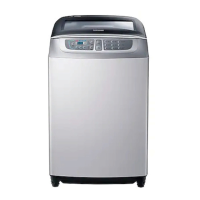
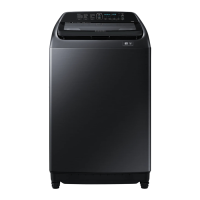
Samsung WA85F5S3 - User Manual

Samsung WA85F5S3
24 pages
Print Icon
To Next Page IconTo Next Page
Loading...
Washing Machine
user manual
imagine the possibilities
Thank you for purchasing a Samsung
product.
To receive a more complete service, please
register your product at
www.samsung.com/register
WA85F5S3
This manual is made with 100% recycled paper.
F500S_W3050_WA10F5-03273L_EN(SP).indd 1F500S_W3050_WA10F5-03273L_EN(SP).indd 1 2013-03-22  11:17:292013-03-22  11:17:29

Questions and Answers

  • J
    John ColemanAug 15, 2025
    How to troubleshoot a Samsung WA85F5S3 Washer that won't turn on?
    • A
      Angela RamosAug 15, 2025
      If your Samsung Washer isn't working, please check the following: * Ensure the water tap is open. * Verify the washer is properly plugged in. * Check for any power outages. * Confirm there is an adequate water supply.
  • T
    Theresa JenningsAug 18, 2025
    How to clear a Child Lock error on a Samsung WA85F5S3 Washer?
    • B
      Brian MartinAug 18, 2025
      To clear the “CL” display on your Samsung Washer, ensure the draining is complete, close the washer door, turn the power off, and then turn it back on.
  • S
    Susan JenkinsAug 21, 2025
    What to do if water does not drain from my Samsung WA85F5S3?
    • M
      Maria RhodesAug 21, 2025
      If your Samsung Washer won't drain water, several factors could be at play. First, ensure the drain hose is properly positioned—it should be down if there's no pump. Check if the drain hose is frozen or clogged. Also, if the water doesn't drain within 30 minutes, the washer will sound a buzzer, and the display will show '5E'.
  • K
    Kimberly SanchezAug 25, 2025
    How to fix a Child Lock error on a Samsung WA85F5S3 Washer?
    • B
      Brian SimmonsAug 26, 2025
      If you're seeing a 'CL' or 'dE' message blinking on your Samsung Washer, it indicates the Child Lock function is activated. This feature drains water and sounds an alarm to prevent accidents. Once draining is complete, turn the power off and then on to resume normal operation. To clear the 'CL' display, ensure the door is closed after draining, then power cycle the machine. Also, check if the Start/Pause button has been pressed.
  • S
    Samuel WillisAug 28, 2025
    Why is the spinning function not working on my Samsung WA85F5S3 Washer?
    • C
      crosbyrichardAug 28, 2025
      If your Samsung Washer isn't spinning, make sure the laundry is spread evenly inside the washer. Also, check that the washer is placed on a sturdy, flat surface.
  • F
    Frank CochranAug 31, 2025
    What to do if there's a water leakage error in my Samsung WA85F5S3?
    • B
      Brendan WilliamsAug 31, 2025
      If you notice a water leakage error with your Samsung Washer, first, check that the end of the drain hose is correctly positioned above the pump hose guide and not resting on the floor. Then, inspect the drain hose for any blockages caused by foreign substances. If the problem continues, it is recommended to contact a service center.
  • W
    wrighthectorSep 4, 2025
    How to troubleshoot a Samsung WA85F5S3 Washer that won’t work?
    • K
      Kyle FullerSep 4, 2025
      To troubleshoot why your Samsung Washer isn’t working, check the following: Is the water tap opened? Is the washer properly plugged in? Is there a power outage? Is there enough water supply?
  • A
    andrew22Sep 7, 2025
    What to do if Samsung Washer is overflowing?
    • A
      anthonygraySep 7, 2025
      If water is overflowing in your Samsung Washer, restart the appliance after the spinning cycle. If the error sign persists, it is suggested to call agency.
  • R
    Robert MurphySep 10, 2025
    Why is water not being supplied to my Samsung WA85F5S3 Washer?
    • U
      uhaynesSep 12, 2025
      If your Samsung Washer isn't supplying water, check a few things: Ensure the water tap is fully open and that the water supply isn't cut off. Inspect the water supply hose and its connections for any clogs. Also, verify that the water tap isn't frozen. If the water supply isn't completed within 1 hour, or if there's no water level change after 5 minutes (10 minutes for some models), the buzzer will sound, and '4E' will appear on the display.

Summary

Washing Machine Features

Key Washing Technologies

Covers Wobble Technology, Digital Inverter Motor, Diamond Drum, and Fuzzy Control for enhanced washing performance.

Convenience and Maintenance Functions

Includes Child Lock, Air Turbo, Eco Tub Clean, Dual Display, and Last Setting Function for user convenience and upkeep.

Safety Instructions

Important Safety Precautions

Critical warnings to reduce risk of fire, electric shock, or injury, especially regarding children and appliance usage.

General Safety Warnings

Additional warnings about handling power cords, avoiding hazardous materials, and operational safety.

Cautions for Safe Operation

Important cautions regarding installation, usage, cleaning agents, and electrical safety.

Setting Up Your Washer

Description of Parts

Identifies and explains the various components of the washing machine.

Garment Care and Detergent Use

Guidelines for checking clothes, identifying non-washable items, and using detergents correctly.

Automatic Washing Procedures

Explains the first wash, automatic sensing, and how to add detergent and softener.

Control Panel Functions

Details the function of each button and display on the washing machine's control panel.

Manual Functions

Selecting Washing Programs

Guides on how to select and operate different washing programs like Wash Only, Rinse Only, and Spin Only.

Combined Washing Cycles

Explains the operation of combined cycles such as Wash and Rinse, Rinse and Spin, and Wash, Rinse and Spin.

Installation and Maintenance

Environment and Levelling

Provides guidance on optimal installation location and ensuring the machine is properly levelled.

Connecting Water Supply Hose

Step-by-step instructions for connecting the water supply hose to the tap and the machine.

Connecting Drain Hose and Filter Cleaning

Details on drain hose connection, changing direction, and cleaning filters.

Adding Detergent and Softener

Guidance on correctly adding detergent and fabric softener, including cautions.

Troubleshooting

Washing Machine Not Working

Addresses issues where the washing machine does not start or operate, checking power and water supply.

Water Supply and Drainage Issues

Troubleshoots problems related to water not draining or not being supplied to the machine.

Spinning, Overflow, and Error Codes

Helps resolve problems with spinning, water overflow, and error messages like Child Lock.

Frozen Hoses, Leaks, and Noises

Provides solutions for frozen hoses, water leaks, and causes of loud noises and vibrations.

Specifications

Technical Specifications

Lists key technical details including capacity, power consumption, dimensions, weight, and water pressure.

Samsung WA85F5S3 Specifications

General IconGeneral
BrandSamsung
ModelWA85F5S3
CategoryWasher
LanguageEnglish

Related product manuals