EasyManua.ls Logo

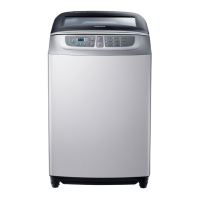
Samsung WA85F7S6 - User Manual

Samsung WA85F7S6
28 pages
Print Icon
To Next Page IconTo Next Page
Loading...
Washing Machine
user manual
imagine the possibilities
Thank you for purchasing a Samsung
product.
To receive a more complete service, please
register your product at
www.samsung.com/register
WA85F7S6
This manual is made with 100% recycled paper.
W3050_WA18F7-03271G-02_EN.indd 1
DC68-03271G-02

Questions and Answers

  • A
    Amber FosterAug 1, 2025
    Why is my Samsung Washer not draining?
    • P
      paige72Aug 1, 2025
      If your Samsung Washer isn't draining water, consider the following: * Ensure the drain hose is not positioned downwards if your washer doesn't have a pump. * Check if the drain hose is frozen or clogged. Also, be aware that if the water doesn't drain within 30 minutes, the washer will sound a buzzer, and the display will show '5E'.
  • C
    choistephanieAug 6, 2025
    What to do if my Samsung WA85F7S6 Washer is leaking water?
    • P
      Philip CareyAug 7, 2025
      If your Samsung Washer is leaking water, check the following: * Make sure the end of the drain hose is correctly positioned over the pump-hose guide and not placed directly on the floor. * Inspect the drain hose for any blockages caused by foreign substances.
  • T
    Tony Brown Jr.Aug 12, 2025
    Why is my Samsung Washer not spinning?
    • T
      Tony BowersAug 13, 2025
      If your Samsung Washer isn’t spinning, make sure that: * The laundry is spread evenly inside the washer. * The washer is placed on a firm, level surface.
  • C
    Christopher TannerAug 18, 2025
    Why is my Samsung Washer not supplying water?
    • D
      David PorterAug 18, 2025
      If your Samsung Washer isn't filling with water, check these items: * Ensure the water tap is fully opened. * Verify that the water supply hasn't been cut off. * Inspect the water supply hose and its connections for any clogs. * Confirm that the water tap isn't frozen. Also, the washer will alert you with a buzzer and display '4E' if the water supply isn't completed within 1 hour, or if there's no change in the water level after 5 minutes (10 minutes for some models) from when the water supply started.
  • S
    Samuel MclaughlinAug 26, 2025
    What to do if my Samsung Washer shows a Child Lock error?
    • J
      Joshua OlsonAug 26, 2025
      If your Samsung Washer displays the error message 'CL' or 'dE', accompanied by a blinking light and alarm, it indicates the Child Lock function has been triggered. This safety feature prevents accidents. To resolve this: * Ensure draining is complete. * Close the washing machine door. * Turn the power off, then on again. Also, verify if the Start/Pause button was accidentally pressed.

Summary

Safety Instructions

Important Safety Precautions

Basic precautions to reduce the risk of fire, electric shock, or injury when using the appliance.

Setting Up Your Washer

Control Panel

Detailed explanation of the washing machine's control panel and button functions.

Child Lock

Function to protect children, elderly, and frail individuals from accidental operation.

Installation & Maintenance

Leveling

Instructions on how to ensure the washing machine is stable and level.

Connecting the Water Supply Hose

Step-by-step guide for connecting the water supply hose to the tap and machine.

How to Connect the Drain Hose (Option)

Instructions for connecting the drain hose for both pump-drained and general washers.

Troubleshooting

Samsung WA85F7S6 Specifications

General IconGeneral
BrandSamsung
ModelWA85F7S6
CategoryWasher
LanguageEnglish

Related product manuals