EasyManua.ls Logo

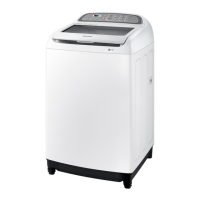
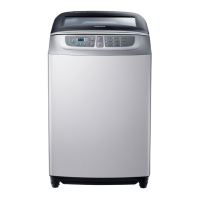
Samsung WA85J675 series - User Manual

Samsung WA85J675 series
44 pages
Print Icon
To Next Page IconTo Next Page
Loading...
Washing Machine
User manual
WA85J675***
WA6700JS(PREMIUM)-03515T-01_EN (Australia).indd 1 2015-12-28  11:49:54

Questions and Answers

  • T
    Timothy LewisSep 8, 2025
    Why does my Samsung WA85J675 Washer spinning not work?
    • M
      Ms. Barbara Rojas MDSep 9, 2025
      If the spinning function isn't working on your Samsung Washer, make sure the laundry is spread out evenly inside the drum. Check that the washing machine is on a flat, stable surface. Redistribute the load, especially if you're washing only one item of clothing, as this can cause imbalance and an 'Ub' error message.
  • C
    carrkennethAug 23, 2025
    What to do if my Samsung Washer does not start?
    • C
      Candice DixonAug 23, 2025
      If your Samsung Washer isn't starting, make sure the door is fully closed and the water taps are open. Press the Start/Pause button. Ensure Child Lock is not activated. Also, remember the machine clicks and does a quick drain before filling. If the door was opened during spinning, close it and press Start/Pause. The machine might be in Standby or soaking; wait briefly. Finally, check the fuse or reset the circuit breaker.
  • K
    Kimberly BakerAug 25, 2025
    Why is my Samsung WA85J675 Washer leaking water?
    • B
      Brendan FloresAug 26, 2025
      If your Samsung Washer is leaking, first ensure all hose connections are tight and the water supply hose's rubber packing is correctly positioned. Make sure the drain hose is correctly inserted and secured. Avoid overloading the machine and use high-efficiency (HE) detergent. Check that the water supply hose isn't kinked. If the water supply is too strong, close the water tap a little. Finally, check if the water tap itself is leaking and repair if necessary.
  • M
    Megan BurnettAug 27, 2025
    What to do if my Samsung WA85J675 does not drain and/or spin?
    • D
      Destiny LeeAug 27, 2025
      If your Samsung Washer isn't draining or spinning, check the fuse or reset the circuit breaker. Ensure the electrical voltage is normal and the washer is plugged in. Make sure the drain hose is pointed downward (for natural drain models) and is not clogged or kinked; straighten it if necessary. Close the door and press Start/Pause. If there's a drain restriction, call for service.
  • K
    Keith WilliamsAug 27, 2025
    What to do if the door (lid) of my Samsung WA85J675 Washer is locked or will not open?
    • J
      Jeremy MoralesAug 27, 2025
      If the door (lid) of your Samsung Washer is locked or won't open, press Start/Pause to stop the washing machine. It may take a few moments for the door lock mechanism to disengage.
  • P
    Paul RobinsonSep 23, 2025
    How to turn off the Tub Clean alarm on my Samsung Washer?
    • R
      Robert HartmanSep 23, 2025
      When your Samsung Washer needs cleaning, the Tub Clean indicator will blink for an hour, recurring six times until you run the Tub Clean cycle. This is normal and not a system failure. To maintain a clean tub, run the cycle every 1-3 months.
  • O
    oandersonSep 16, 2025
    Why does water drain out of my Samsung WA85J675 Washer immediately?
    • C
      christopher13Sep 16, 2025
      If water drains out of your Samsung Washer immediately, ensure the drain hose is not clogged and is hung over the drain hose hook. Fill the spin basket halfway with water, and try spinning again. You can also lift the end of the drain hose to prevent water from draining, fill the spin basket halfway, and then run spinning after releasing the drain hose. Make sure the drain hose is installed correctly.
  • L
    Lisa HortonSep 18, 2025
    Why does my Samsung WA85J675 Washer have odours?
    • A
      Austin PetersonSep 18, 2025
      Odors in your Samsung Washer can be caused by excessive suds collecting in recesses. Run cleansing cycles periodically to sanitize the machine. Dry the washing machine interior after each cycle.
  • I
    Isaiah HarrisSep 7, 2025
    Why does detergent remain in the automatic dispenser of my Samsung WA85J675 Washer after a cycle?
    • R
      Rebekah RiveraSep 7, 2025
      If detergent remains in the automatic dispenser of your Samsung Washer after a cycle, ensure the washing machine is running with sufficient water pressure. Check that the detergent drawer is properly inserted. Try removing and cleaning the detergent drawer before trying again.
  • R
    Ronald FreySep 4, 2025
    Why is water not supplied to my Samsung WA85J675?
    • M
      Megan WilliamsSep 4, 2025
      If water isn't being supplied to your Samsung Washer, ensure you press Start/Pause after selecting the water supply and that the water taps are fully open. Check if the filter net at the water supply hose connector is clogged; clean it with a toothbrush if needed. Verify that the water supply isn't cut off. Straighten any kinks in the water supply hoses. Open and close the door, then press Start/Pause. Note that low water pressure can extend the wash start time. Adjust the water level using the level selector if it's lower than expected.

Samsung WA85J675 series Specifications

General IconGeneral
Capacity8.5 kg
Tempered Glass WindowYes
Child LockYes
Delay EndYes
Fuzzy Logic ControlYes
Digital DisplayYes
Digital Inverter MotorYes
Drum typeDiamond

Related product manuals