- 7 -
HOW TO WASH AUTOMATICALLY
DEPENDS ON THE LAUNDRY
Before starting washing, check the following;
• Connect the water supply hose to the water tap. Leave a tap open. Plug the
power cord in. Make sure to lay down the drain hose.
■ WASHING FOR THE FIRST TIME
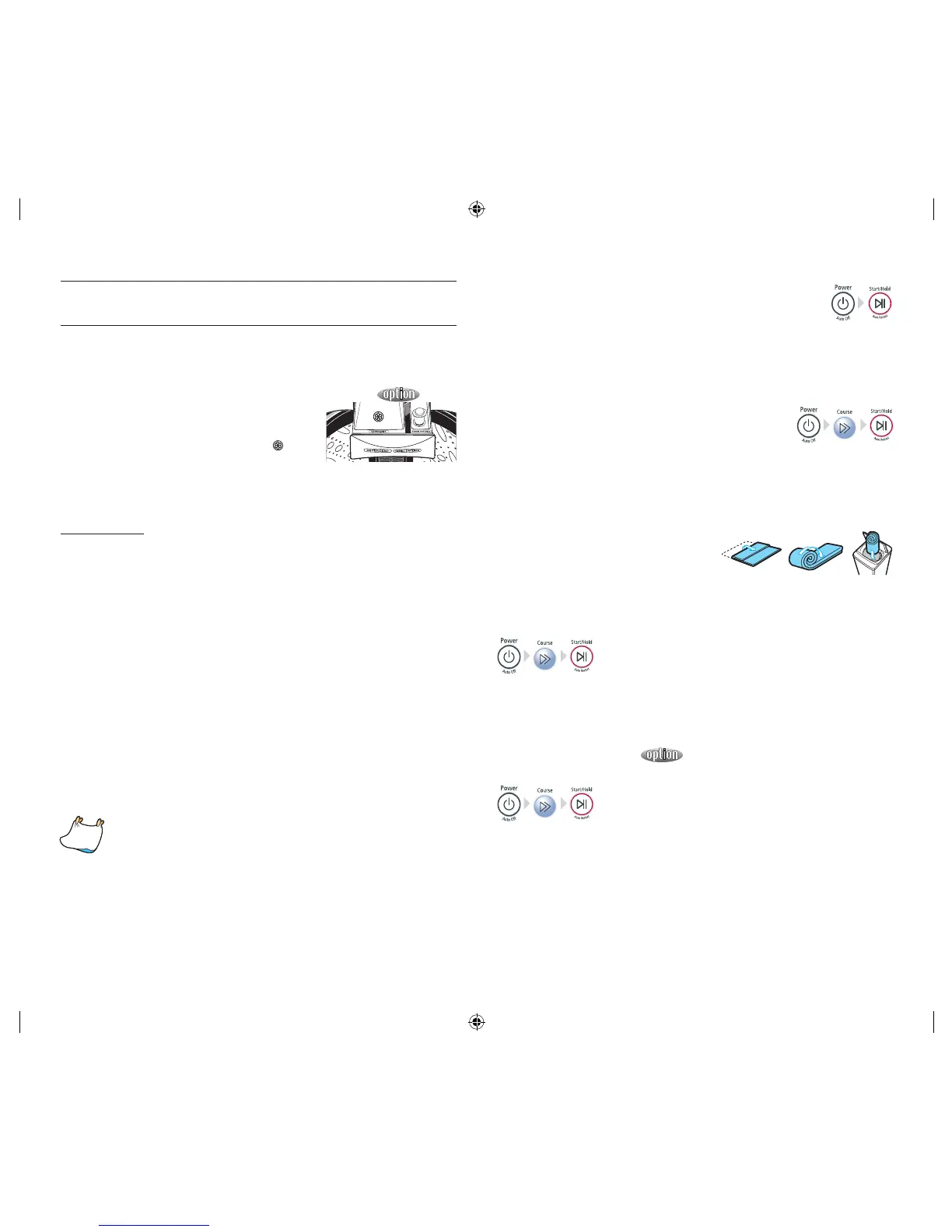
Before washing clothes for the first time, you must run
a complete cycle without clothes. To do this:
1. Press the POWER button.
2. Pour a little detergent into compartment
in the
detergent drawer.
3. Turn on the water supply to the washing machine.
4. Press the Start/Hold button.
This will remove any water from the manufacturer’s test run remaining in the
machine.
SPECIAL NOTES!
Automatic Sensing Function
• At every course (except, wool course) the amount of laundry is automatically
sensed and then appropriate water level, washing time, rinsing cycle, and
spinning time are automatically selected for automatic washing.
• After the power is on, a course is selected and Start/Hold button is pressed.
Then, the washing board starts spinning without water. This action senses
how much laundry is in the washing basket, not a machine problem. After this
sensing process, water supplies automatically.
Adding Detergent and Softener
• It senses the amount of laundry and indicates the water level and amount of
detergent. Then, it starts water supply right away.
• During the water supply, it is possible to open the detergent box and add
detergent. However, it is better to press Start/Hold button to stop water supply
and add detergent. Close the lid and press Start/Hold button again. This way is
much more convenient.
• If the softener is inserted in the softener dispenser, it automatically adds in at
the last rinsing cycle.
Put the laundry into the washer and add detergent, too.
• Be careful not to overload. Use right detergent for the fabrics you are washing.
• If the lid is open while running, the washing machine is stopped
automatically for safety. (Except, water supply continues while the lid
is open.)
• When hot water is selected, both cold and hot water are supplied for
the first 20 seconds in order to protect the clothes.
• Possible to control the washing time, rinsing cycle, and spinning time
at every course during the washing.
■ DIGITAL(FUZZY) COURSE
Selects the best washing course automatically.
1. Press the POWER Button to “ON”.
2. Press the START/HOLD button.
Water level is selected automatically. Washing rinsing, and spinning follow. If
you want to pause, press the START/HOLD button again. You can change the
course when paused.
3. Close the lid.
■ BLANKET/HEAVY COURSE
(Big volume laundry like blanket and bed cover sheets)
1. Press the power button to “ON”.
2. Press the course select button once.
3. Press the START/HOLD button.
Water level is selected automatically. Washing, rinsing, and spinning follow. If
you want to pause, press the START/HOLD button again. You can change the
course when paused.
4. Close the lid.
• Fold those big volume laundry (blanket
and bed cover sheets) in the following
way before adding into the spin basket.
• Do not wash the electric blanket and
carpets.
• Get a laundry net for those light and big volume laundry (eg. Cashmeres)
because they might rise in the water and get damaged.
■ SOAK COURSE
1. Press the POWER button.
2. Press the course select button twice.
3. Press the START/HOLD button once.
Water level is selected automatically. Washing, rinsing, and spinning follow.
4. Close the lid.
■ SUPER CLEAN COURSE
Operates only in cold water
1. Press the power button to “ON”.
2. Press the course select button three times.
3. Press the START/HOLD button and put the proper amount of detergent into
tub.
Water level is selected automatically.
Water level is only selected MAXIMUM ~ MED-LOW.
4. Close the lid.
e washing finishes by the time you reserved.
Note!



 To Next Page