EasyManua.ls Logo

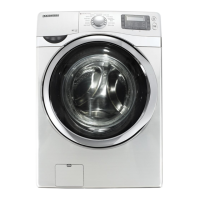
Samsung WD53DBA900HZ - User Manual

Samsung WD53DBA900HZ
92 pages
Print Icon
To Next Page IconTo Next Page
Loading...
Laundry Combo
User manual
WD53DBA9**H*
Untitled-14 1 2024-02-07  3:53:30

Questions and Answers

  • T
    Tracey BurtonSep 23, 2025
    What does it mean when my Samsung WD53DBA900HZ Washer/Dryer says 'Check filter is inserted correctly'?
    • R
      Rebecca SullivanSep 23, 2025
      If you are getting a 'Check filter' message on your Samsung Washer/Dryer, check if the filter is inserted correctly, then tap Start to restart the Laundry Combo.
  • M
    Mary WardAug 23, 2025
    What to do if the Samsung Washer/Dryer door does not open?
    • F
      Frank CaldwellAug 25, 2025
      If your Samsung Washer/Dryer door does not open, tap to stop the Laundry Combo. It may take a few moments for the door lock mechanism to disengage. The door will not open until 3 minutes after the Laundry Combo has stopped or the power has been turned off. Ensure all the water in the drum is drained. If water remains, drain the drum and open the door manually. Make sure the door lock light is off. If necessary, power off and restart the unit.
  • S
    Sarah SullivanAug 25, 2025
    Why is my Samsung Washer/Dryer load still wet after a cycle?
    • J
      Janet JonesAug 26, 2025
      If your Samsung Washer/Dryer load is wet at the end of a cycle, use the High or Extra High spin speed. Use high-efficiency (HE) detergent to reduce oversudsing. Note that a load that is too small can cause this issue. Make sure the drain hose is not kinked or clogged.
  • S
    sydney41Aug 27, 2025
    Why does my Samsung Washer/Dryer keep stopping?
    • E
      Erica HurstAug 27, 2025
      If your Samsung Washer/Dryer stops, plug the power cord into a live electrical outlet. Check the fuse or reset the circuit breaker. Close the door, and tap and hold to start the Laundry Combo. Note that there may be a pause or soak period in the cycle. Make sure the mesh filter of the water supply hose at the water taps is not clogged. If the Laundry Combo is not supplied with sufficient power, the Laundry Combo will temporarily not drain or spin.
  • S
    Stephen BartonAug 27, 2025
    Why does my Samsung WD53DBA900HZ leave lint on the clothes?
    • B
      Benjamin PooleAug 27, 2025
      If the clothes have lint on them after using your Samsung Washer/Dryer, always make sure the lint filter is clean before putting items into the Laundry Combo. Some fabrics (such as white towels) cause more lint and should be dried separately from fabrics that lint attaches to easily. Check the inside of the pockets to make sure they are empty before drying.
  • K
    kennethrodriguezSep 15, 2025
    Why doesn't the "Needs refill" message disappear on my Samsung WD53DBA900HZ Washer/Dryer after refilling detergent/softener?
    • T
      Timothy MooreSep 15, 2025
      If the "Needs refill" message does not disappear after refilling the detergent/softener in your Samsung Washer/Dryer, close the detergent drawer after refilling the Auto dispenser and Flex auto dispenser, and then tap and hold. Depending on the type of detergent/softener, the message may not disappear immediately.
  • L
    Lisa FerrellSep 12, 2025
    Why does my Samsung WD53DBA900HZ Washer/Dryer have odors?
    • M
      mortonjaniceSep 12, 2025
      If your Samsung Washer/Dryer has odors, excessive suds collect in recesses and can cause foul odors. Run cleansing cycles to sanitise periodically. Clean the door seal (diaphragm). Do not attempt to dry wet items after leaving them in the Laundry Combo for a long time. The Laundry Combo circulates ambient air inside and outside during the drying process to cool the system. Ensure proper ventilation when using the drying function. Dry the interior of the Laundry Combo after a cycle has finished.
  • D
    David DavisSep 14, 2025
    What does it mean when my Samsung Washer/Dryer displays a message that the dispenser is open?
    • R
      robert14Sep 14, 2025
      If a message appears on the display of your Samsung Washer/Dryer alerting that the dispenser is open, check if the detergent drawer is closed properly. Open the detergent drawer and close it again.
  • J
    John FullerSep 5, 2025
    How to prevent excessive suds in my Samsung WD53DBA900HZ Washer/Dryer?
    • A
      Ashley BrewerSep 5, 2025
      If your Samsung Washer/Dryer has excessive suds, make sure you are using the recommended types of detergent as appropriate. Use high-efficiency (HE) detergent to prevent oversudsing, and reduce the detergent amount for soft water, small loads, or lightly soiled loads. Non-HE detergent is not recommended.
  • N
    nbrownSep 2, 2025
    Why is my Samsung WD53DBA900HZ Washer/Dryer excessively vibrating or making noise?
    • D
      Diana HicksSep 2, 2025
      If your Samsung Washer/Dryer is making excessive vibrations or noise, make sure it is installed on a level, solid, and non-slippery floor. Adjust the height using the leveling feet if the floor is uneven. Ensure the shipping bolts have been removed and that the Laundry Combo isn't touching any other objects. Check that the laundry load is balanced, and redistribute it if necessary. Remove any items stuck inside the lint filter. Note that the motor can cause noise during normal operation, and metal objects like coins or clothes with metallic decorations can also cause noise.

Summary

Safety Information

What you need to know about the safety instructions

Explains the importance of reading safety instructions for safe operation of the appliance.

Important safety precautions

Lists essential precautions to reduce risks like fire, electric shock, and injury.

Critical installation warnings

Highlights critical warnings related to the appliance's installation by qualified technicians.

Installation cautions

Offers cautionary advice for installing the appliance on a stable floor and avoiding vibrations.

Critical usage warnings

Details critical warnings regarding appliance flooding, strange noises, smoke, or gas leaks.

Usage cautions

Provides cautions for operating the appliance, including handling foreign substances and water leaks.

Critical cleaning warnings

Warns against spraying water directly or using harsh cleaning agents on the appliance.

Installation

Electrical supply and grounding

Specifies the electrical requirements, grounding procedures, and warnings for safe power connection.

Water supply

Details the required water pressure, tap accessibility, and leak checks for the water connection.

Step-by-step installation

Guides through the essential steps of selecting a location and removing shipping bolts.

Before you start

Laundry guidelines

Provides instructions on sorting laundry, emptying pockets, and using laundry nets.

Add the correct detergent type

Guides on selecting and using the appropriate detergent, emphasizing HE detergents.

Detergent drawer guidelines

Explains the function and usage of different detergent dispensers and compartments.

Operations

Operating a cycle

Guides the user through selecting and starting a wash and dry cycle on the appliance.

Cycle overview

Provides descriptions of various wash and dry cycles available on the appliance.

Settings

Special features

Smart Control

Details how to connect and use the SmartThings app for remote control of the appliance.

SmartThings

Covers Wi-Fi connection, app download, and logging into the SmartThings ecosystem.

Maintenance

Self Clean+

Explains the Self Clean+ cycle for drum cleaning and odor prevention.

Self Dry

Details the Self Dry cycle for sterilizing and drying the drum to prevent odors.

Troubleshooting

Checkpoints

Offers a checklist of common problems and suggested actions to resolve them.

Information codes

Lists error codes displayed on the LCD screen and their corresponding solutions for troubleshooting.

Specifications

Samsung WD53DBA900HZ Specifications

General IconGeneral
BrandSamsung
ModelWD53DBA900HZ
CategoryWasher/Dryer
LanguageEnglish

Related product manuals