EasyManua.ls Logo

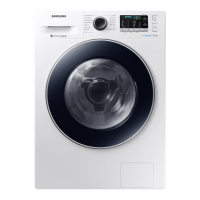
Samsung WD80J6 series - User Manual

Samsung WD80J6 series
64 pages
Print Icon
To Next Page IconTo Next Page
Loading...
Washing Machine
User manual
WD90J6***** / WD80J6*****
SSEC SEC
WD80J6410AX-DC68-03591A-03_EN.indd 1 2015/12/3 14:38:26

Questions and Answers

  • D
    Deborah MooreSep 4, 2025
    What to do if Samsung Washer has excessive vibrations or makes noise?
    • S
      Scott FloresSep 4, 2025
      If your Samsung washing machine is vibrating excessively or making unusual noises, ensure it's installed on a level, solid, and non-slippery floor. Make sure that all shipping bolts have been removed. Check that the washing machine isn't touching any other objects. Finally, ensure that the laundry load is balanced evenly inside the drum.
  • M
    Matthew EverettSep 18, 2025
    Why does detergent remain in the detergent drawer of my Samsung WD80J6 Washer after a cycle?
    • Y
      Yolanda MillerSep 18, 2025
      If detergent remains in the detergent drawer of your Samsung washer after a cycle, ensure that the washing machine is running with sufficient water pressure. Make sure the detergent is added to the centre of the detergent drawer. Check that the rinse cap is inserted correctly. If using granular detergent, make sure the detergent selector is in the upper position. Remove the rinse cap and clean the detergent drawer.
  • M
    michaelvegaSep 16, 2025
    What to do if Samsung WD80J6 shows The Water Level sensor is not working properly (1C code)?
    • A
      Ann VillegasSep 16, 2025
      If your Samsung washer displays a 1C code indicating the water level sensor isn't working properly, try powering off the machine and restarting the cycle. Check the Water Level Sensor wire harness.
  • J
    Joseph RoweSep 14, 2025
    Why Samsung Washer Wi-Fi does not work (Wi-Fi models only)?
    • P
      Paul HendrixSep 14, 2025
      If the Wi-Fi on your Samsung washer (Wi-Fi models only) isn't working, ensure that your home's internet connection is properly established. Check that the router is turned on and operating normally. Also, verify that you have installed the latest version of the Smart Control App.
  • M
    Michelle JonesSep 13, 2025
    Why Samsung WD80J6 cannot apply additional detergent?
    • P
      Paula MaySep 13, 2025
      If you're unable to add more detergent to your Samsung washer, ensure that the remaining amount of detergent and fabric softener is not over the limit. Also, make sure the Auto Dispense function is activated, with both the Water Hardness and Concentration settings properly specified.
  • L
    Lori WestSep 12, 2025
    Why Samsung WD80J6 Washer has odours?
    • E
      Emily KeySep 12, 2025
      If your Samsung washer has unpleasant odors, try these solutions: Run cleansing cycles periodically to sanitize the machine. Clean the door seal (diaphragm) thoroughly. After each cycle, dry the washing machine's interior to prevent odors from developing.
  • K
    Kristen PerezSep 9, 2025
    What to do if Samsung WD80J6 shows Water is not draining (5C code)?
    • L
      Lance IngramSep 9, 2025
      If your Samsung washer displays a 5C code, indicating it is not draining, ensure that the drain hose is not frozen or clogged. Make sure the drain hose is correctly positioned, depending on the connection type. Clean the debris filter as it may be clogged.
  • J
    Joseph AguilarSep 7, 2025
    What to do if Samsung WD80J6 Washer fills with the wrong water temperature?
    • L
      Lisa OlsonSep 8, 2025
      If your Samsung washer is filling with the wrong water temperature, fully open both the hot and cold water taps. Make sure the temperature selection on your machine is correct. Flush the water lines. Ensure your water heater is set to supply a minimum of 120 °F (49 °C) hot water at the tap. Disconnect the hoses and clean the mesh filter.
  • M
    Melissa RuizSep 5, 2025
    Why Samsung WD80J6 Washer load is wet at the end of a cycle?
    • K
      kimberly80Sep 5, 2025
      If your laundry is still wet after a wash cycle in your Samsung washer, try using the High or Extra High spin speed. Use high efficiency (HE) detergent to reduce excessive suds. Also, ensure that the drain hose is not kinked or clogged.
  • H
    harriswalterAug 21, 2025
    Why Samsung WD80J6 does not start?
    • T
      Theresa ThomasAug 21, 2025
      There are several reasons why your Samsung washer might not be starting. First, ensure that the washing machine is properly plugged into a working electrical outlet. Also, check that the door is completely closed. Make sure the water taps are fully open. Press the Start/Pause button to initiate the cycle. Verify that the Child Lock feature is not enabled. Finally, inspect the fuse or reset the circuit breaker.

Summary

Safety Information

Important Safety Precautions

Details crucial safety measures to prevent injury, electric shock, fire, and property damage.

Installation

Installation Requirements

Specifies necessary electrical, water supply, and drain conditions for safe installation.

Step-by-Step Installation

Provides detailed instructions for correctly installing the washing machine.

Before You Start

Operations

Control Panel

Overview of the washing machine's control panel buttons and display functions.

Maintenance

Troubleshooting

Checkpoints

A guide to common problems and their solutions, covering operational and water issues.

Information Codes

Explanation of error codes displayed on the screen and recommended actions.

Specifications

Samsung WD80J6 series Specifications

General IconGeneral
Capacity (Washing)8 kg
Spin Speed1400 rpm
Energy Efficiency Class (Drying)B
ColorWhite
Drum TypeDiamond

Related product manuals