EasyManua.ls Logo

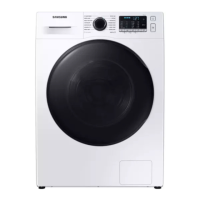
Samsung WD9 T4 Series - User Manual

Samsung WD9 T4 Series
124 pages
Print Icon
To Next Page IconTo Next Page
Loading...
Washing Machine
User manual
WD9*T4*****
WD95T4046CE_04215J-00_EN.indd 1 2021/3/4 9:39:05

Table of Contents

Questions and Answers

  • B
    Bryan MartinAug 7, 2025
    What to do if my Samsung WD9 T4 Washer does not start?
    • R
      Ryan DiazAug 7, 2025
      If your Samsung Washer isn't starting, there are several things to check: * Ensure the washer is plugged in and receiving power. * Verify the door is completely closed and that no laundry is obstructing it. * Confirm the water taps are fully open. * Press the Start/Pause button to initiate the cycle. * Deactivate Child Lock if it's enabled. * Inspect the fuse or reset the circuit breaker. * If a 'Low voltage detected' error appears, double-check the power cord connection.
  • J
    John BakerAug 17, 2025
    Why is there no water coming into my Samsung Washer?
    • F
      Frank DyerAug 17, 2025
      If your Samsung Washer isn't getting enough water, or no water at all, consider the following: * Ensure the water tap is fully open. * Make sure the door is properly closed. * Check that the water supply hose isn't frozen, kinked, or clogged. * Verify sufficient water pressure in your home. * Confirm the cold and hot water taps are correctly connected. * Clean the mesh filter, as it might be blocked.
  • K
    Karen SmithAug 27, 2025
    How to prevent detergent from remaining in the drawer of my Samsung Washer?
    • S
      Stephanie HernandezAug 27, 2025
      If detergent remains in the drawer of your Samsung Washer after a cycle, try these solutions: * Ensure the washing machine has sufficient water pressure. * Add detergent to the center of the detergent drawer. * Make sure the rinse cap is properly inserted. * If using granular detergent, position the detergent selector to the upper setting. * Remove the rinse cap and clean the detergent drawer.

Summary

Safety Information

Important Safety Symbols

Explains the meaning of hazard and caution symbols used in the manual.

Key Safety Precautions

Crucial precautions to reduce risks of fire, electric shock, and injury when using the appliance.

Critical Installation Warnings

Vital warnings for safe and correct installation by qualified personnel.

Critical Usage Warnings

Essential warnings for safe and correct operation and usage of the washing machine.

Critical Cleaning Warnings

Warnings to observe when cleaning the washing machine to avoid hazards.

Installation

Installation Requirements

Details necessary electrical, grounding, and water supply requirements for installation.

Step-by-Step Installation Process

Provides a sequential guide for installing the washing machine correctly.

Before You Start

Initial Setup and Calibration

Guides on performing initial settings like calibration for optimal performance.

Laundry Preparation Guidelines

Instructions on sorting laundry, emptying pockets, and preparing clothes for washing.

Detergent Drawer Usage

Explains how to correctly use the detergent dispenser for different types of detergents.

Operations

Control Panel Overview

Description of the washing machine's control panel buttons and display functions.

Simple Steps to Start a Wash

A quick guide to starting a wash cycle on the washing machine.

Drying Only Function

Instructions on how to use the drying function of the washing machine.

Cycle Selection Guide

Details standard and dry cycles, their descriptions, and maximum load capacities.

Available Options and Features

Explains additional options like Intensive, Pre Wash, Rinse+, Bubble Soak, and Dry Options.

Machine Settings Customization

Covers features like Child Lock and sound on/off for customizing the machine's behavior.

Maintenance and Care

Drum Cleaning Procedure

Instructions for performing the Drum Clean cycle to maintain hygiene and performance.

Smart Check Diagnostic Feature

Guide to using the Smart Washer app for self-diagnosis and troubleshooting.

Emergency Water Drain

Procedure to drain water from the drum in case of a power failure.

Cleaning the Exterior and Filters

Instructions for cleaning the exterior, mesh filter, and debris filter.

Recovery from Freezing

Steps to take if the washing machine freezes due to low temperatures.

Troubleshooting

Problem Checkpoints and Actions

Table of common problems and their corresponding troubleshooting actions.

Understanding Information Codes

Explains various error codes displayed on the machine and their solutions.

Specifications

Garment Care Label Guide

Symbols and explanations for garment care instructions.

Technical Specifications Details

Detailed technical data including dimensions, power, and capacity.

Samsung WD9 T4 Series Specifications

General IconGeneral
TypeWasher Dryer
Washing Capacity9 kg
Spin Speed1400 rpm
Energy Efficiency Class WashingA
Noise Level Washing53 dB
AI ControlYes
AddWashYes
Hygiene SteamYes
Drum CleanYes
Digital Inverter TechnologyYes
Energy RatingA
Noise Level (Wash)53 dB
Digital DisplayYes
Delay StartYes
Child LockYes
Noise Level (Spin)72 dB
Dimensions (HxWxD)850 x 600 x 600 mm

Related product manuals