EasyManua.ls Logo

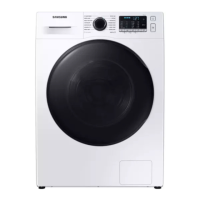
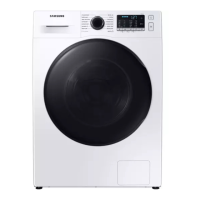
Samsung WD9 TA Series - User Manual

Samsung WD9 TA Series
68 pages
Print Icon
To Next Page IconTo Next Page
Loading...
Washing Machine
User manual
WD9*TA***** / WD8*TA***** / WD7*TA*****
WD80TA046BE_04200B-03_EN(Indicative).indd 1 2021/2/24 14:58:12

Questions and Answers

  • M
    Matthew WhiteAug 4, 2025
    Why Samsung WD9 TA Washer does not start?
    • L
      Lynn DeleonAug 4, 2025
      If your Samsung washer isn't starting, here are a few things to check: * Ensure the washing machine is plugged in and power is supplied properly. Also, check the fuse or reset the circuit breaker. * Confirm the door is properly closed and that laundry isn't caught in the door. * Make sure the water taps are open. * Tap Start/Pause to start the washing machine. * Ensure Child Lock is not activated. * Note that before filling, the washer will make clicking noises and do a quick drain to check the door lock. * If a low voltage is detected, check if the power cord is plugged in.
  • C
    cranesheilaAug 14, 2025
    What to do if Samsung WD9 TA water supply is insufficient?
    • V
      Valerie WalkerAug 14, 2025
      If the water supply to your Samsung washer is insufficient, try the following: * Fully open the water tap. * Ensure the door is properly closed. * Check that the water supply hose is not frozen, kinked, or clogged. * Make sure there is sufficient water pressure. * Verify that the cold and hot water taps are properly connected. * Clean the mesh filter, as it may be clogged.
  • L
    Laura GoldenAug 25, 2025
    How to fix Samsung Washer if detergent remains in the drawer?
    • L
      Lindsey LaraAug 25, 2025
      If detergent remains in the drawer of your Samsung washer after a cycle, consider these points: * Ensure the washing machine is running with sufficient water pressure. * Make sure the detergent is added to the centre of the detergent drawer. * Verify that the rinse cap is inserted properly. * If using granular detergent, ensure the detergent selector is in the upper position. * Try removing the rinse cap and cleaning the detergent drawer.

Summary

Safety Information

Important Safety Precautions

General safety rules to reduce risk of fire, electric shock, or injury.

Critical Installation Warnings

Warnings related to improper appliance installation and electrical safety.

Critical Usage Warnings

Safety guidelines for operating the washing machine to prevent hazards.

WEEE & Ecodesign Information

Guidelines for proper disposal and environmental information.

Installation Guide

Whats Included in the Box

List of parts included in the product package.

Installation Requirements

Key requirements for electrical supply, grounding, water supply, and drain setup.

Step-by-Step Installation Process

Detailed instructions for selecting a location and removing shipping bolts.

Washing Machine Operations

Control Panel Overview

Explanation of the washing machine's control panel buttons and display.

Simple Steps to Start Washing

Basic procedure for turning on and starting a wash cycle.

Cycle Overview and Options

Detailed descriptions of standard and dry cycles with load capacities and options.

Machine Settings

How to use functions like Child Lock and Sound On/Off.

Maintenance and Troubleshooting

Drum Clean & Smart Check

Procedures for drum cleaning and using the Smart Check diagnostic function.

Cleaning Filters and Drawer

Instructions for cleaning mesh filters, debris filter, and detergent drawer.

Troubleshooting Checkpoints

Common problems and their solutions for starting and operation issues.

Error Information Codes

Table of error codes and troubleshooting steps.

Samsung WD9 TA Series Specifications

General IconGeneral
Washing Capacity9 kg
Spin Speed1400 rpm
AI ControlYes
AddWashYes
QuickDriveYes
Hygiene SteamYes
ColorWhite
TypeWasher Dryer
Noise Level (Spinning)72 dB
Water Consumption50 L
Dimensions (HxWxD)85 x 60 x 55 cm

Related product manuals