EasyManua.ls Logo

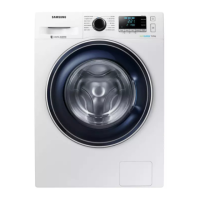
Samsung WW9 TA Series - User Manual

Samsung WW9 TA Series
64 pages
Print Icon
To Next Page IconTo Next Page
Loading...
Washing Machine
User manual
WW9*TA*****/WW8*TA*****/WW7*TA*****
Untitled-13 1 2021-02-03  11:25:41

Questions and Answers

  • B
    Beth DicksonSep 12, 2025
    What to do if water supply is insufficient in Samsung Washer?
    • C
      Charles WilsonSep 12, 2025
      If your Samsung Washer isn't getting enough water, make sure the water tap is fully open and the door is properly closed. Check that the water supply hose isn't frozen, kinked, or clogged. Also, ensure there's sufficient water pressure.
  • S
    Stanley ParkerAug 25, 2025
    What to do if my Samsung Washer does not drain and/ or spin?
    • M
      millerrebeccaAug 25, 2025
      If your Samsung Washer isn't draining or spinning, make sure the drain hose is straightened, the debris filter isn't clogged, and the door is closed before pressing Start/Pause. Also, ensure the drain hose isn't frozen or connected to a clogged drain system, and that the laundry is spread evenly inside.
  • A
    Alicia BrownAug 25, 2025
    Why is my Samsung Washer leaking water?
    • K
      Karina SmithAug 26, 2025
      If your Samsung Washer is leaking water, check that the door is properly closed and all hose connections are tight. Also, ensure the drain hose is correctly inserted and secured to the drain system, and avoid overloading the machine.
  • R
    Robert MarshallSep 23, 2025
    How to prevent detergent from remaining in the drawer of my Samsung WW9 TA?
    • J
      Jennifer OsborneSep 23, 2025
      To prevent detergent from remaining in the detergent drawer of your Samsung Washer, ensure the washing machine is running with sufficient water pressure. Add detergent to the center of the drawer and make sure the rinse cap is properly inserted. If using granular detergent, position the detergent selector to the upper setting. You may also need to remove the rinse cap and clean the detergent drawer.
  • S
    Sean HarringtonSep 13, 2025
    Why is my Samsung Washer vibrating excessively or making noise?
    • W
      Wesley SmithSep 13, 2025
      To address excessive vibrations or noise in your Samsung Washer, ensure it's installed on a level, solid, and non-slippery floor. Verify that the shipping bolts have been removed, the washer isn't touching anything else, and the laundry load is balanced.
  • M
    Michael BrownSep 18, 2025
    Why does detergent remain in the detergent drawer of my Samsung WW9 TA Washer after a cycle?
    • L
      Lisa ByrdSep 18, 2025
      If detergent remains in the detergent drawer of your Samsung Washer after a cycle, try these solutions: * Ensure the washing machine is running with sufficient water pressure. * Add detergent to the center of the detergent drawer. * Make sure the rinse cap is properly inserted. * If using granular detergent, position the detergent selector in the upper position. * Remove the rinse cap and clean the detergent drawer.
  • S
    Susan LewisSep 6, 2025
    Why is there insufficient water supply in my Samsung Washer?
    • M
      Megan RileySep 6, 2025
      If your Samsung Washer isn't getting enough water, here are a few things to check: * Make sure the water tap is fully open. * Ensure the door is properly closed. * Check that the water supply hose isn't frozen, kinked, or clogged. * Also, confirm that there's sufficient water pressure.
  • K
    Kristina PetersonSep 7, 2025
    What to do if my Samsung WW9 TA Washer vibrates excessively or makes noise?
    • W
      William ParkerSep 7, 2025
      If you notice excessive vibrations or noise coming from your Samsung Washer, consider the following: * Ensure the washing machine is on a level, solid, and non-slippery floor. Adjust the height using the leveling feet if needed. * Confirm that the shipping bolts have been removed. * Make sure the washing machine isn't touching anything else. * Check that the laundry load is balanced. The motor can cause noise during normal operation. Also, overalls or metal-decorated clothes can cause noise while being washed. Metal objects such as coins can cause noise. After washing, remove these objects from the drum or filter case.
  • X
    xmillerSep 23, 2025
    Why is my Samsung WW9 TA Washer filling with wrong water temperature?
    • S
      simmonsvickieSep 23, 2025
      If your Samsung Washer is filling with the wrong water temperature, consider the following: * Fully open both taps. * Ensure the temperature selection is correct. * Make sure the hoses are connected to the correct taps. * Flush water lines. * Ensure the water heater is set to supply a minimum 120 °F (49 °C) hot water at the tap. * Disconnect the hoses and clean the mesh filter. * While the washing machine fills, the water temperature may change as the automatic temperature control feature checks incoming water temperature.
  • C
    Christy NolanAug 30, 2025
    What to do if the door of my Samsung Washer does not open?
    • D
      davidmarshAug 30, 2025
      If your Samsung Washer door won't open, try these steps: * Press Start/Pause to stop the washing machine. * Allow a few moments for the door lock mechanism to disengage. * Remember that the door will not open until 3 minutes after the washing machine has stopped or the power is turned off. * Ensure all water in the drum has drained. * Check that the door lock light is off.

Summary

Troubleshooting

Checkpoints

Common problems and their troubleshooting solutions.

Information codes

Explains error codes displayed on the washing machine.

Specifications

Fabric care chart

Symbols and guidelines for washing, bleaching, and drying clothes.

Ironing

Guidelines for ironing clothes based on fabric type and care symbols.

Professional care

Symbols and guidelines for professional dry cleaning and wet cleaning.

Specification sheet

Technical data, dimensions, and power specifications for the washing machine.

EPREL information

Information on accessing EU energy labelling data via EPREL.

Indicative information

Detailed energy and water consumption data for various wash cycles.

Safety information

What you need to know about the safety instructions

General guidance on understanding safety instructions in the manual.

Important safety symbols

Explains the meaning of warning and caution symbols used in the manual.

Important safety precautions

Crucial precautions to reduce risks of fire, electric shock, or injury.

Critical installation warnings

Warnings related to the safe installation of the washing machine.

Installation cautions

Cautions to follow during the installation process.

Critical usage warnings

Critical warnings to follow during the operation of the washing machine.

Usage cautions

Cautions to follow during the usage of the washing machine.

Critical cleaning warnings

Warnings to follow when cleaning the washing machine.

Instructions about the WEEE

Ecodesign

Installation

Whats included

Lists all the parts included in the product package.

Accessories (not supplied)

Lists optional accessories that can be purchased separately.

Installation requirements

Details electrical, grounding, water supply, and drain requirements.

Flooring

Guidelines for installing the washing machine on different floor types.

Water temperature

Precautions regarding water temperature to prevent freezing damage.

Alcove or closet installation

Minimum clearance requirements for installing the machine in an alcove or closet.

Step-by-step installation

Detailed instructions for installing the washing machine.

Before you start

Initial settings

Steps for initial setup, including running the calibration cycle.

Laundry guidelines

Instructions on how to sort laundry before washing.

Laundry capsules

Instructions for using laundry capsules for best results.

Detergent recommendation

Recommendations for detergent type based on cycle and temperature.

Detergent drawer guidelines

How to use the three-compartment detergent dispenser correctly.

Operations

Control panel

Explanation of the washing machine's control panel buttons and display.

Simple steps to start

A quick guide on how to start using the washing machine.

Cycle overview

Details of standard wash cycles, their descriptions, and maximum load capacities.

Options

Explanation of additional wash options like Prewash, Intensive, and Delay End.

Settings

Child Lock

Feature to lock buttons to prevent accidental use by children.

Sound On;Off

How to mute or unmute the machine's sounds.

Maintenance

Drum clean

Instructions on how to perform a drum cleaning cycle.

Smart Check

Using the app for self-diagnosis and troubleshooting.

Emergency drain

How to drain water in case of power failure or other emergencies.

Cleaning

Instructions for cleaning the washing machine surface and mesh filter.

Debris filter

How to clean the debris filter to prevent clogging.

Detergent drawer

How to remove and clean the detergent drawer and its components.

Recovery from freezing

Steps to take if the washing machine freezes.

Care against an extended time of disuse

How to prepare the machine for periods of inactivity.

Troubleshooting

Checkpoints

A table listing problems and suggested actions for troubleshooting.

Does not drain and;or spin

Common issues related to draining and spinning with solutions.

Excessive suds

Reasons for excessive suds and how to prevent them.

Stops

Reasons why the washing machine may stop unexpectedly and how to resolve.

Fills with the wrong water temperature

Troubleshooting steps when the machine fills with incorrect water temperature.

Leaks water

Common causes of water leaks and how to fix them.

Has odours

How to address and prevent unpleasant odours in the washing machine.

Information codes

Specifications

Fabric care chart

Symbols and guidelines for washing, bleaching, and drying clothes.

Ironing

Guidelines for ironing clothes based on fabric type and care symbols.

Professional care

Symbols and guidelines for professional dry cleaning and wet cleaning.

Specification sheet

Technical data, dimensions, and power specifications for the washing machine.

EPREL information

Information on accessing EU energy labelling data via EPREL.

Indicative information

Detailed energy and water consumption data for various wash cycles.

Protecting the environment

Spare parts guarantee

Questions or Comments?

Samsung WW9 TA Series Specifications

General IconGeneral
BrandSamsung
ModelWW9 TA Series
CategoryWasher
LanguageEnglish

Related product manuals