EasyManua.ls Logo

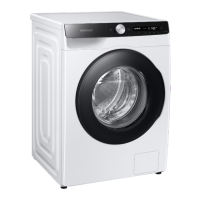
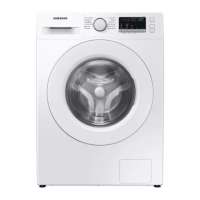
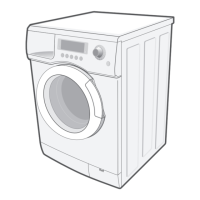
Samsung WD8 T4 Series - User Manual

Samsung WD8 T4 Series
76 pages
Print Icon
To Next Page IconTo Next Page
Loading...
Washing Machine
User manual
WD1*T******/WD9*T******/WD8*T******/WD7*T******
U-PJT_COMBO-MD_SimpleUX_WEB_SSEC-02__EU_English.indd 1 2022/4/19 19:45:29

Questions and Answers

  • C
    Charles WilsonSep 18, 2025
    Why detergent remains in the drawer after Samsung WD8 T4 cycle?
    • K
      Kimberly PhamSep 18, 2025
      If detergent remains in the drawer after a Samsung Washer cycle, ensure the washer is running with sufficient water pressure. Make sure the detergent is added to the center of the drawer and that the rinse cap is inserted properly. If using granular detergent, ensure the detergent selector is in the upper position. Remove the rinse cap and clean the detergent drawer.
  • J
    Jeanne YuAug 25, 2025
    What to do if my Samsung Washer does not drain and/or spin?
    • C
      Connie ObrienAug 25, 2025
      If your Samsung Washer is not draining or spinning, ensure the drain hose is straightened and not clogged. Check the debris filter for any blockages and clean it if necessary. Make sure the door is closed completely and then press the Start/Pause button. The washer won't spin if the door isn't properly closed for safety reasons. Also, ensure the drain hose isn't frozen or connected to a clogged drain system. If the washer isn't getting enough power, it may temporarily halt draining or spinning; it will resume normal operation once sufficient power is restored. Finally, confirm that the drain hose is correctly positioned based on your connection type.
  • L
    lallenAug 26, 2025
    How to stop a Samsung WD8 T4 Washer from leaking water?
    • J
      John MorenoAug 26, 2025
      If your Samsung Washer is leaking water, start by ensuring the door is properly closed and that all hose connections are tight. Verify that the end of the drain hose is correctly inserted and securely connected to the drain system, and avoid overloading the machine. It's also recommended to use high-efficiency (HE) detergent to prevent excessive suds. Inspect the drain hose for any damage or clogs, and make sure the end of the drain hose is not placed directly on the floor.
  • A
    Andrew MiddletonAug 26, 2025
    What to do if the Samsung WD8 T4 door does not open?
    • S
      scott73Aug 27, 2025
      If the door of your Samsung Washer won't open, press the Start/Pause button to stop the machine. Allow a few moments for the door lock mechanism to disengage; it may take up to 3 minutes after the machine has stopped or the power has been turned off. Ensure all the water in the drum has been drained. If water remains, drain the drum manually. Check if the door lock light is off, as it turns off once the washer has drained.
  • A
    Aaron McleanSep 18, 2025
    How to eliminate odors from Samsung WD8 T4?
    • H
      Henry BarrSep 18, 2025
      To eliminate odors from your Samsung Washer, know that excessive suds can collect in recesses and cause foul odors. Run cleansing cycles periodically to sanitize the machine. Clean the door seal (diaphragm) and dry the washer's interior after each cycle.
  • W
    Wendy KingDec 1, 2025
    What to do if my Samsung Washer does not start?
    • J
      Jessica WallaceDec 1, 2025
      If your Samsung Washer isn't starting, there are several things to check: * Ensure the washing machine is plugged in correctly. * Confirm that the door is completely closed. * Verify that the water taps are fully open. * Press and hold the start button to initiate the cycle. * Check that Child Lock is not activated. * Examine the fuse or reset the circuit breaker. * Confirm that power is being supplied properly to the washer. * Make sure no laundry is caught in the door. * If your model has an AddWash door, ensure it's closed properly. If the “AddWash door is open” message appears, close the door and press and hold the start button. To add laundry, open the AddWash door, insert the items, close it completely, and then tap and hold the start button to resume operation. A...
  • H
    heidifischerSep 9, 2025
    Why is my Samsung Washer excessively vibrating or making noise?
    • E
      Elijah SandovalSep 10, 2025
      If your Samsung Washer is vibrating excessively or making unusual noises, ensure it's installed on a level, solid floor that isn't slippery. Remove the shipping bolts if you haven't already. Make sure the washer isn't touching any other objects. Ensure the laundry load is balanced inside the drum. Keep in mind that the motor can create noise during normal operation. Also, items like overalls or clothes with metallic decorations can cause noise, as can metal objects like coins left in the drum or filter case. If you're washing only one or two items, redistribute the load to prevent an unbalanced condition.
  • M
    Megan EvansSep 12, 2025
    Why does my Samsung WD8 T4 Washer fill with the wrong water temperature?
    • N
      Nancy RiceSep 12, 2025
      If your Samsung Washer fills with the wrong water temperature, fully open both the hot and cold water taps. Ensure that the temperature selection on the machine is correct and that the hoses are connected to the correct taps. Flush the water lines. Make sure your water heater is set to supply a minimum of 49 °C hot water at the tap, and check its capacity and recovery rate. Disconnect the hoses and clean the mesh filter, as it may be clogged. Note that the water temperature may change as the automatic temperature control feature checks the incoming water temperature, and you might notice only hot or cold water going through the dispenser when cold or warm temperatures are selected.
  • V
    Valerie KellySep 4, 2025
    How to fix Samsung Washer with insufficient water supply?
    • S
      singletonkeithSep 4, 2025
      To address insufficient water supply in your Samsung Washer, fully open the water tap. Ensure the door is properly closed. Check that the water supply hose is not frozen, kinked, or clogged. Verify sufficient water pressure. Ensure the cold and hot water taps are correctly connected. Clean the mesh filter, as it may be clogged.
  • S
    sherrychaseSep 2, 2025
    How to reduce excessive suds in my Samsung Washer?
    • A
      Angela PerkinsSep 2, 2025
      To resolve excessive suds in your Samsung Washer, use the recommended types of detergent as appropriate. High-efficiency (HE) detergent is recommended to prevent oversudsing. Reduce the amount of detergent used for soft water, small loads, or lightly soiled loads. Non-HE detergent is not recommended.

Samsung WD8 T4 Series Specifications

General IconGeneral
Washing Capacity8 kg
Spin Speed1400 rpm
ColorWhite
Digital Inverter MotorYes
Eco Bubble TechnologyYes
AddWash DoorYes
Quick WashYes
Delay StartYes
Child LockYes
Dimensions (HxWxD)85 cm x 60 cm x 60 cm
ProgramsCotton, Synthetics, Wool, Delicate

Related product manuals