EasyManua.ls Logo

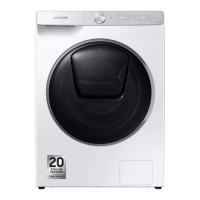
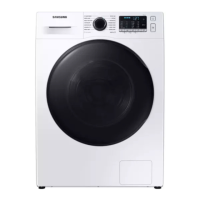
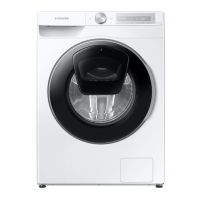
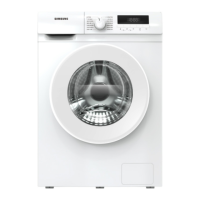
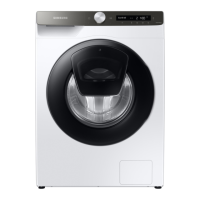
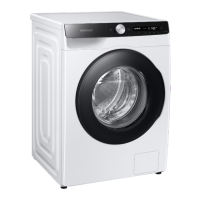
Samsung WD8 T Series - User Manual

Samsung WD8 T Series
80 pages
Print Icon
To Next Page IconTo Next Page
Loading...
Washing Machine
User manual
WD1*T******/WD9*T******/WD8*T******/WD7*T******
U-PJT_COMBO-AD_SimpleUX_WEB_SSEC-02__EU_English.indd 1 2022/4/16 11:05:15

Other manuals for Samsung WD8 T Series

Questions and Answers

  • J
    Jill MooneySep 14, 2025
    How to get rid of odors in Samsung WD8 T Washer?
    • O
      omorganSep 14, 2025
      If your Samsung Washer has odors, excessive suds collect in recesses and can cause foul odors. Run cleansing cycles to sanitize periodically. Clean the door seal (diaphragm) and dry the washing machine interior after a cycle has finished.
  • S
    sullivanbrianAug 25, 2025
    How to fix Samsung Washer that does not start?
    • E
      Elizabeth MonroeAug 26, 2025
      If your Samsung Washer doesn't start, ensure it's plugged in, the door is properly closed, and the water taps are open. Tap and hold to start the washing machine. Also, verify that Child Lock is not activated. Check the fuse or reset the circuit breaker, and confirm that power is supplied properly. If the low voltage was detected, check if the power cord is plugged in. Ensure laundry isn't caught in the door. If the AddWash door is open, close it properly and tap and hold to resume operation.
  • L
    Lauren MurrayAug 26, 2025
    What to do if Samsung WD8 T Washer does not drain or spin?
    • E
      Elizabeth MillsAug 26, 2025
      If your Samsung Washer doesn't drain or spin, ensure the drain hose is straightened and not frozen or clogged. Make sure the debris filter is not clogged. Close the door and tap and hold. Also, ensure the drain hose is connected to a drain system that is not clogged and is positioned correctly, depending on the connection type. If the washing machine is not supplied with sufficient power, the washing machine will temporarily not drain or spin. As soon as the washing machine regains sufficient power, it will operate normally. If you encounter a drain problem, call for service.
  • I
    imcdanielNov 22, 2025
    What to do if my Samsung Washer does not start?
    • M
      mcguiretaylorNov 22, 2025
      If your Samsung Washer isn't starting, there are several things to check: * Ensure the washing machine is plugged in correctly. * Confirm that the door is completely closed. * Verify that the water taps are fully open. * Press and hold the start button to initiate the cycle. * Check that Child Lock is not activated. * Examine the fuse or reset the circuit breaker. * Confirm that power is being supplied properly to the washer. * Make sure no laundry is caught in the door. * If your model has an AddWash door, ensure it's closed properly. If the “AddWash door is open” message appears, close the door and press and hold the start button. To add laundry, open the AddWash door, insert the items, close it completely, and then tap and hold the start button to resume operation. A...
  • K
    Kimberly LunaSep 14, 2025
    What does dispenser open message mean on Samsung Washer?
    • S
      Samantha WellsSep 14, 2025
      If a message appears on the display of your Samsung Washer alerting that the dispenser is open, check if the detergent drawer is closed properly. Open the detergent drawer and close it again, making sure it’s closed properly.
  • A
    Andrew DavisSep 23, 2025
    How to eliminate odors from Samsung WD8 T?
    • H
      Haley GibbsSep 23, 2025
      To eliminate odors from your Samsung Washer, know that excessive suds can collect in recesses and cause foul odors. Run cleansing cycles periodically to sanitize the machine. Clean the door seal (diaphragm) and dry the washer's interior after each cycle.
  • A
    Allison OwensSep 7, 2025
    Why does detergent remain in the drawer of Samsung WD8 T after cycle?
    • L
      Luis FoxSep 7, 2025
      If detergent remains in the detergent drawer of your Samsung Washer after a cycle, ensure the washing machine is running with sufficient water pressure. Make sure the detergent is added to the center of the detergent drawer and the rinse cap is inserted properly. If using granular detergent, make sure the detergent selector is in the upper position. Remove the rinse cap and clean the detergent drawer.
  • K
    Kristine HillSep 7, 2025
    How to fix Samsung Washer with insufficient water supply?
    • L
      lisafinleySep 7, 2025
      To address insufficient water supply in your Samsung Washer, fully open the water tap. Ensure the door is properly closed. Check that the water supply hose is not frozen, kinked, or clogged. Verify sufficient water pressure. Ensure the cold and hot water taps are correctly connected. Clean the mesh filter, as it may be clogged.
  • R
    Richard FarmerSep 23, 2025
    Why no bubbles are seen in my Samsung Bubble Washer?
    • A
      Adam VaughnSep 23, 2025
      If you don't see bubbles in your Samsung Bubble Washer, it may be due to too many items in the drum or severely contaminated laundry.
  • J
    Jeffrey JonesAug 31, 2025
    Why is the water supply insufficient in my Samsung WD8 T Washer?
    • S
      Shirley LewisAug 31, 2025
      If your Samsung Washer isn't getting enough water, or no water at all, consider the following: * Fully open the water tap. * Ensure the door is properly closed. * Check that the water supply hose isn't frozen, kinked, or clogged. * Make sure there's sufficient water pressure. * Verify that the cold and hot water taps are correctly connected. * Clean the mesh filter, as it may be clogged.

Summary

Safety Information

Important safety precautions

Lists essential precautions to reduce risks of fire, electric shock, or injury when using the appliance.

Critical installation warnings

Highlights crucial warnings for appliance installation by qualified technicians to prevent hazards.

Critical usage warnings

Details critical warnings for safe operation of the washing machine to prevent injury or damage.

Installation Guide

Installation requirements

Details electrical supply, grounding, water supply, and drain requirements for proper installation.

Connect the water hose

Guides on connecting the water hose to the tap and the washing machine, checking for leaks.

Position the drain hose

Details the three ways to position the drain hose for proper drainage, ensuring stability and preventing siphoning.

Before You Start

Detergent drawer guidelines

Explains the function of the three-compartment detergent dispenser for auto and manual use.

Operations

Control panel

Describes the functions of each button and dial on the washing machine's control panel.

Operating a cycle

Step-by-step guide on how to select a cycle, adjust settings, and start the washing machine.

Cycle overview

Details descriptions and maximum load capacities for various wash cycles like Eco 40-60, Cotton, Synthetics.

AddWash

Instructions for adding laundry during a wash cycle via the AddWash door.

Smart Control

Guides on connecting the washing machine to the SmartThings app for remote control.

SmartThings Setup

Maintenance

Emergency drain

Procedure for draining water from the drum in case of a power failure before removing laundry.

Mesh filter

Instructions on cleaning the mesh filter of the water hose to prevent clogging and ensure proper water supply.

Debris filter

Guide on cleaning the debris filter every 2 months to prevent clogging and maintain performance.

Detergent drawer

Steps for cleaning the detergent drawer to prevent residue buildup and maintain hygiene.

Troubleshooting

Checkpoints

A table listing common problems and suggested actions to resolve them, such as "Does not start" or "Water supply insufficient".

Does not drain and;or spin

Troubleshooting steps for issues related to the machine not draining or spinning properly.

The door does not open

Explains why the door might not open and how to resolve it, ensuring it's drained and unlocked.

Leaks water

Solutions for water leaks, checking door closure, hose connections, and drain hose placement.

Information Codes

Check drainage

Explains codes related to drainage issues, like clogged hoses or filters, and their solutions.

Check water supply

Guides on resolving "Check water supply" codes, ensuring taps are open and filters are clean.

Unbalanced laundry detected

Addresses the "Unbalanced laundry detected" code, recommending load redistribution.

Specifications

Specification sheet

Presents technical specifications like dimensions, water pressure, net weight, and load capacity.

Contact Information

Samsung WD8 T Series Specifications

General IconGeneral
BrandSamsung
ModelWD8 T Series
CategoryWasher
LanguageEnglish

Related product manuals