EasyManua.ls Logo

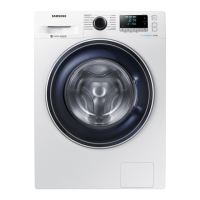
Samsung WW7-T Series - User Manual

Samsung WW7-T Series
76 pages
Print Icon
To Next Page IconTo Next Page
Loading...
Washing Machine
User manual
WW1*T******/WW9*T******/WW8*T******/WW7*T******
Untitled-35 1 2021-02-17  4:07:35

Other manuals for Samsung WW7-T Series

Questions and Answers

  • M
    Maria CookAug 6, 2025
    Why is my Samsung Washer not draining?
    • R
      Ricky KennedyAug 6, 2025
      If your Samsung Washer isn't draining properly, start by clearing the drain pump filter, as it may be dirty. Also, check the drainage pipe for any blockages and dredge it if necessary. If the issue continues, the drain pump itself may have failed and require replacement. Inspect the drain pump wiring harness plug to ensure it's firmly connected; replace the wiring harness if it's faulty. In some cases, a computer board or water level sensor failure could be the cause, necessitating their replacement.
  • P
    perkinsdeniseAug 12, 2025
    Why is my Samsung WW7-T not filling with water?
    • A
      anitagutierrezAug 12, 2025
      If your Samsung Washer is not supplying water, first ensure that the faucet is fully turned on and that the water flow is adequate. Check that the drainage pipe is properly suspended. Air level sensor or air collection tube leaks can also cause water supply issues, so inspect the water level sensor and gas manifold assembly. If these steps don't resolve the problem, the inlet valve may be damaged or the computer board may be faulty, requiring replacement. A faulty water level sensor can also cause continuous water level maintenance, so consider replacing it.
  • C
    Christina CoxAug 17, 2025
    How to fix water level problem in Samsung WW7-T?
    • L
      lcareyAug 17, 2025
      If the water level in your Samsung Washer is incorrect, it could be due to several reasons. A common cause is a failure of the inlet valve, which would require replacement. Another potential issue is a faulty computer board, specifically a short-circuited SCR of the water inlet valve, which would necessitate replacing the computer board. Additionally, a malfunctioning water level sensor, indicated by readings outside the normal range (less than 20KHz or more than 50KHz), should be replaced. Finally, ensure that the terminal of the water level sensor is securely plugged in and that the wiring harness is in good condition; replace the wiring harness if necessary.
  • R
    Ryan PowellAug 25, 2025
    What to do if my Samsung WW7-T motor is not working?
    • B
      Brandi KellyAug 25, 2025
      If your Samsung Washer experiences a motor issue, start by checking the wiring harness terminals to ensure they are firmly connected. If they are loose or the wiring harness is faulty, replace the wiring harness. Also, if the clothes are too much or stuck, the motor temperature might rise too high, activating thermal protection. In this case, power off the washer and allow it to cool before turning it on again. If the issue persists, the motor itself or the computer board might be faulty, requiring replacement. For variable frequency variants, a UVW short circuit or disconnected wiring could be the cause; inspect the wiring harness or consider replacing the motor. Poor heat dissipation can also be a factor; allow the unit to cool down.
  • M
    Mackenzie WaltersAug 29, 2025
    What to do if Samsung WW7-T shows communication error?
    • T
      Thomas SimmonsAug 29, 2025
      If your Samsung Washer displays communication errors, check the wiring harness terminals to ensure they are firmly connected; replace the wiring harness if it's faulty. A power computer board or display board failure may also be the cause, requiring replacement. In some cases, the computer board or inverter board could be faulty, necessitating their replacement. If you have a motherboard variant, ensure it matches the inverter model and reset variants if necessary.

Summary

Safety Information

What You Need to Know About Safety Instructions

Explains the importance of reading safety instructions for safe operation.

Important Safety Symbols

Explains the meaning of icons and signs used in the manual for warnings.

Important Safety Precautions

Basic precautions to reduce the risk of fire, electric shock, or injury.

Critical Installation Warnings

Warnings related to the proper installation of the appliance by qualified technicians.

Installation Cautions

Cautions regarding the positioning and installation of the washing machine.

Critical Usage Warnings

Critical warnings to prevent injury or damage during appliance usage.

Usage Cautions

Cautions to follow during the normal use of the washing machine.

Critical Cleaning Warnings

Warnings about cleaning the appliance safely without causing damage or shock.

Instructions About the WEEE

Guidance on the correct disposal of the product as electrical equipment.

Installation

Whats Included

List of parts included in the product package to ensure completeness.

Accessories (Not Supplied)

Information about optional accessories that are not included with the appliance.

Installation Requirements

Details on electrical supply, grounding, and water supply requirements for installation.

Flooring and Alcove Installation

Guidelines for floor type, water temperature, and clearance for alcove installation.

Step-by-Step Installation

Detailed guide on selecting a location and removing shipping bolts.

Connect the Water Hose

Instructions on how to connect the water hose to threaded and non-threaded taps.

Position the Drain Hose

Guidance on how to position the drain hose for proper drainage.

Power On

Final step to plug in the power cord and turn on the washing machine.

Before You Start

Initial Setup and Calibration

Steps for first-time setup, including language, calibration, and tutorial.

Laundry Guidelines

Steps for sorting laundry, emptying pockets, and using a laundry net.

Detergent Recommendation

Recommendations for detergent types and usage based on cycles and temperature.

Detergent Drawer Guidelines

Instructions on how to use the three-compartment detergent dispenser correctly.

To Use Liquid Detergent Manually

Specific instructions for manually adding liquid detergent using a container.

Operations

Control Panel and Icons

Description of control panel elements and their meanings.

Operating a Cycle

Step-by-step guide on how to select and start a wash cycle.

Cycle Overview

Detailed list of available wash cycles with descriptions and load capacities.

Additional Functions

How to use extra functions like Quick Drive, Prewash, and Intensive.

System Functions

Guide to accessing and using system functions like AI Pattern, Alarm, and Calibration.

Special Features

Information on advanced features like AddWash for adding laundry mid-cycle.

SmartThings Connectivity

Steps for connecting your appliance to the SmartThings app for remote control.

Maintenance

Drum Clean+

Instructions for performing the self-cleaning cycle to maintain drum hygiene.

Emergency Drain

Procedure to drain water from the drum in case of power failure.

Cleaning

General cleaning instructions for the washing machine surface and AddWash door.

Filter Cleaning

Steps for cleaning the mesh filter and debris filter to ensure proper operation.

Detergent Drawer Maintenance

Instructions on how to remove, clean, and reinsert the detergent drawer.

Machine Care

Procedures for defrosting and storing the machine during extended disuse.

Troubleshooting

Checkpoints and Common Issues

Table of common problems (e.g., not starting, no water) and suggested actions.

Specific Error Codes

Explanation of information codes displayed on the screen and troubleshooting steps.

Specifications

Fabric Care Symbols

Symbols and guidelines for washing, bleaching, drying, and ironing garments.

Environmental Protection & Spare Parts

Advice on environmental impact, spare parts guarantee, and usage.

Technical Specifications

Detailed technical data including dimensions, water pressure, power, and spin speeds.

Indicative Information (EU)

Energy and water consumption data for various cycles according to EU regulations.

EPREL Information

Instructions on how to access the product's EPREL registration information.

Contact Information

Customer Support Contacts

Contact details for customer support, including phone numbers and websites by country.

Samsung WW7-T Series Specifications

General IconGeneral
Washing Capacity7 kg
Spin Speed1200 rpm
ColorWhite
Digital Inverter MotorYes
Eco Bubble TechnologyYes
Quick WashYes
Delay StartYes
Child LockYes
Energy Efficiency ClassA+++
Energy RatingA+++
Dimensions (HxWxD)850 x 600 x 550 mm

Related product manuals