EasyManua.ls Logo

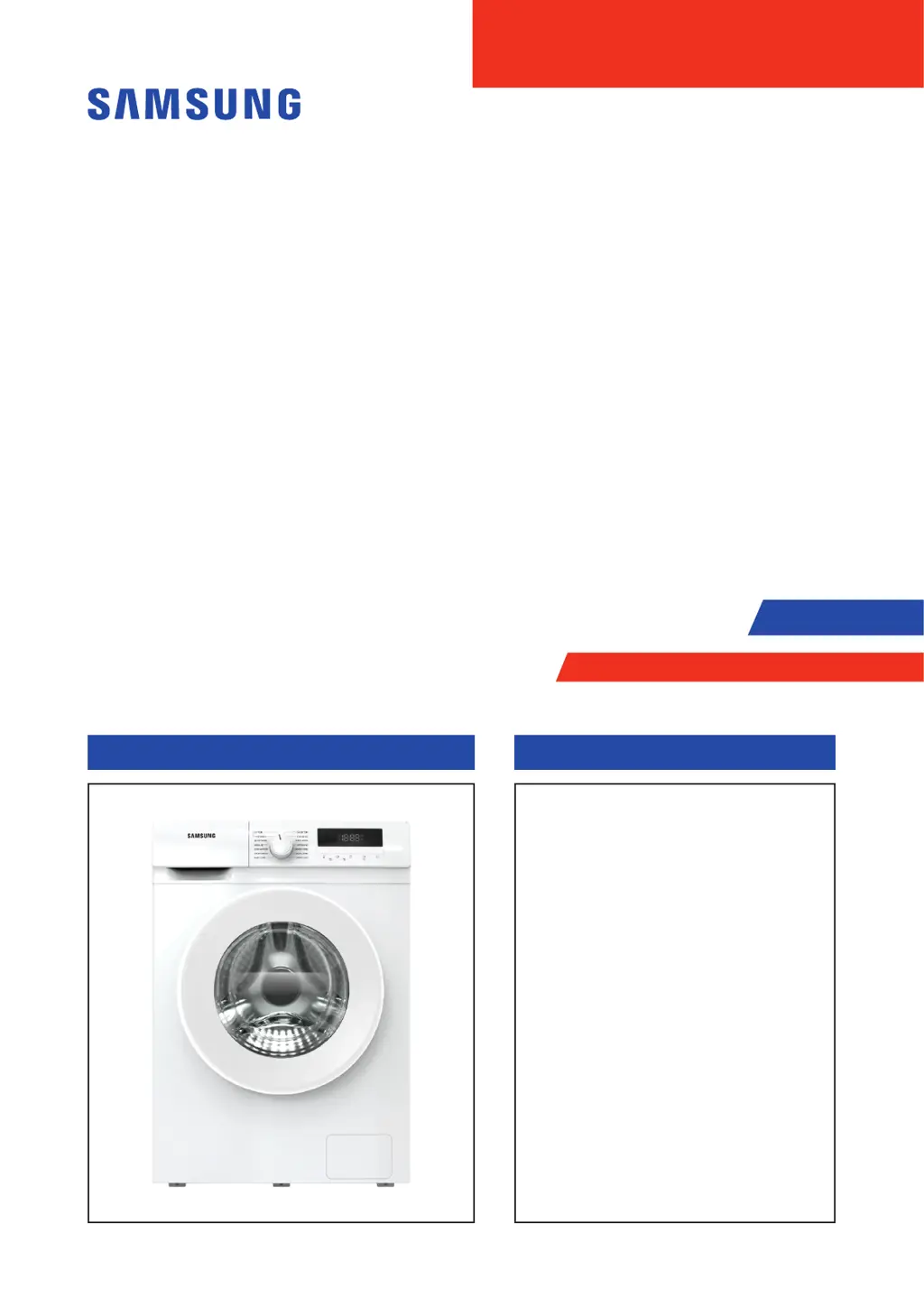
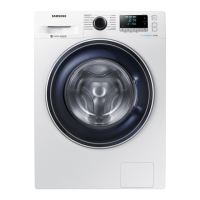
Samsung WW70T304MBW - User Manual

Samsung WW70T304MBW
35 pages
Print Icon
To Next Page IconTo Next Page
Loading...
WASHING MACHINE
DRUM TYPE
WASHING MACHINE (DRUM) CONTENTS
SERVICE
Manual
REPAIR GUIDE
1. Safety Instructions
2. FeaturesandSpecications
3. Disassembly and Reassembly
4. Troubleshooting
5. Wiring Diagram
6. Reference
The model code is on the next page.

Questions and Answers

  • C
    Courtney OdonnellAug 9, 2025
    Why is my Samsung WW70T304MBW Washer not draining?
    • T
      thomasmichelleAug 9, 2025
      If your Samsung Washer isn't draining properly, start by clearing the drain pump filter, as it may be dirty. Also, check the drainage pipe for any blockages and dredge it if necessary. If the issue continues, the drain pump itself may have failed and require replacement. Inspect the drain pump wiring harness plug to ensure it's firmly connected; replace the wiring harness if it's faulty. In some cases, a computer board or water level sensor failure could be the cause, necessitating their replacement.
  • J
    judithwhiteAug 15, 2025
    Why is my Samsung Washer not filling with water?
    • Q
      qmurphyAug 16, 2025
      If your Samsung Washer is not supplying water, first ensure that the faucet is fully turned on and that the water flow is adequate. Check that the drainage pipe is properly suspended. Air level sensor or air collection tube leaks can also cause water supply issues, so inspect the water level sensor and gas manifold assembly. If these steps don't resolve the problem, the inlet valve may be damaged or the computer board may be faulty, requiring replacement. A faulty water level sensor can also cause continuous water level maintenance, so consider replacing it.
  • S
    Suzanne JonesAug 21, 2025
    How to fix water level problem in Samsung WW70T304MBW?
    • H
      Heather RoweAug 21, 2025
      If the water level in your Samsung Washer is incorrect, it could be due to several reasons. A common cause is a failure of the inlet valve, which would require replacement. Another potential issue is a faulty computer board, specifically a short-circuited SCR of the water inlet valve, which would necessitate replacing the computer board. Additionally, a malfunctioning water level sensor, indicated by readings outside the normal range (less than 20KHz or more than 50KHz), should be replaced. Finally, ensure that the terminal of the water level sensor is securely plugged in and that the wiring harness is in good condition; replace the wiring harness if necessary.
  • K
    Kaitlyn WardAug 27, 2025
    What to do if my Samsung Washer motor is not working?
    • R
      robert15Aug 27, 2025
      If your Samsung Washer experiences a motor issue, start by checking the wiring harness terminals to ensure they are firmly connected. If they are loose or the wiring harness is faulty, replace the wiring harness. Also, if the clothes are too much or stuck, the motor temperature might rise too high, activating thermal protection. In this case, power off the washer and allow it to cool before turning it on again. If the issue persists, the motor itself or the computer board might be faulty, requiring replacement. For variable frequency variants, a UVW short circuit or disconnected wiring could be the cause; inspect the wiring harness or consider replacing the motor. Poor heat dissipation can also be a factor; allow the unit to cool down.
  • J
    jamiedavisSep 2, 2025
    What to do if Samsung WW70T304MBW shows communication error?
    • O
      Olivia GrahamSep 2, 2025
      If your Samsung Washer displays communication errors, check the wiring harness terminals to ensure they are firmly connected; replace the wiring harness if it's faulty. A power computer board or display board failure may also be the cause, requiring replacement. In some cases, the computer board or inverter board could be faulty, necessitating their replacement. If you have a motherboard variant, ensure it matches the inverter model and reset variants if necessary.

Summary

Safety Instructions

Before Servicing Safety

Safety precautions to take before beginning any service work.

While Servicing Safety

Safety precautions to take during service operations.

After Servicing Safety

Safety precautions to take after completing service work.

General Cautions

General cautions and warnings for product handling and usage.

Features and Specifications

Specifications

Detailed technical specifications and physical dimensions of washing machine models.

Comparing Specifications with Existing Models

Comparative analysis of features and specifications against older models.

Accessories

List and description of included accessories provided with the washing machine.

Disassembly and Reassembly

Tools for Disassembly and Reassembly

Essential tools required for the disassembly and reassembly procedures.

Standard Disassembly Drawings

Visual guide with diagrams illustrating the steps for product disassembly and reassembly.

Troubleshooting

Information Code

Explanation of information codes, their causes, and corrective actions.

Problem Check Point

Checkpoints for common problems with corresponding solutions.

Wiring Diagram

Wiring Diagram

Schematic diagrams illustrating electrical connections within the washing machine.

Reference

WW3000 TM Project Name

Details on project naming conventions and model code interpretation.

Terminology

Definitions of technical terms used throughout the service manual.

Samsung WW70T304MBW Specifications

General IconGeneral
TypeFront Load
Washing Capacity (kg)7
Energy Efficiency ClassA+++
Spin Speed1400 RPM
Noise Level (Spin)74 dB
Noise Level (Washing)54 dB
Water Consumption45 L
Dimensions (H x W x D)850 x 600 x 550 mm
Weight65 kg
ColorWhite
Digital Inverter MotorYes
Eco Bubble TechnologyYes
Quick WashYes
Delay StartYes
Child LockYes

Related product manuals