EasyManua.ls Logo

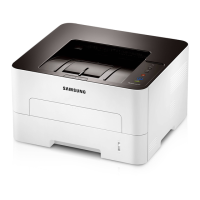
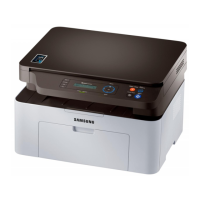
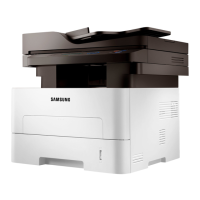
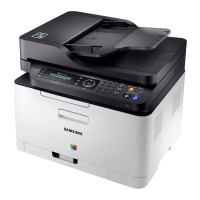
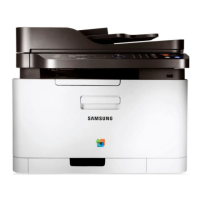
Samsung xpress m282 series - User Manual

Samsung xpress m282 series
232 pages
Print Icon
To Next Page IconTo Next Page
Loading...
BASIC
User’s Guide
BASIC
User’s Guide
This guide provides information concerning the installation, basic operation
and troubleshooting on windows.
ADVANCED
This guide provides information about the installation, advanced configuration, operation
and troubleshooting on various OS environments.
Some features may not be available depending on models or countries.

Table of Contents

Other manuals for Samsung xpress m282 series

Questions and Answers

  • D
    David NashAug 14, 2025
    What to do if my Samsung Printer says toner is low?
    • B
      Bryan Escobar Jr.Aug 15, 2025
      If your Samsung Printer indicates that a small amount of toner is left in the cartridge and the estimated cartridge life is almost over, prepare a new cartridge for replacement. You can temporarily increase the printing quality by redistributing the toner.
  • C
    Christopher BrooksAug 17, 2025
    Why is my Samsung xpress m282 All in One Printer saying the toner cartridge is low?
    • A
      Anna GarciaAug 18, 2025
      Your Samsung All in One Printer indicates that the toner cartridge has almost reached its estimated cartridge life. It is recommended to replace the toner cartridge.
  • S
    savannah63Aug 21, 2025
    What to do if my Samsung Printer says there is no paper?
    • K
      Kristin NguyenAug 21, 2025
      If your Samsung Printer is not printing because there is no paper in the tray, load paper into the tray.
  • A
    Ashley BuckleyAug 25, 2025
    What to do if my Samsung xpress m282 stops due to a major error?
    • N
      nicoletapiaAug 25, 2025
      If your Samsung All in One Printer stops due to a major error, reboot the power and try the printing job again. If the problem persists, please call for service.
  • D
    danielle45Aug 28, 2025
    What to do if my Samsung xpress m282 says imaging unit is low?
    • C
      Charles CobbAug 28, 2025
      If your Samsung All in One Printer indicates that an imaging unit has almost reached its estimated cartridge life, it is recommended to replace the imaging unit.
  • J
    John JohnsonAug 31, 2025
    What to do if my Samsung All in One Printer has no paper?
    • N
      Nicholas PetersenAug 31, 2025
      If your Samsung All in One Printer shows there is no paper in the tray when receiving or printing data, load paper in the tray.
  • C
    Christian JacksonSep 3, 2025
    What to do if my Samsung xpress m282 cover is opened?
    • C
      Carolyn VegaSep 3, 2025
      If the cover of your Samsung All in One Printer is opened, close the cover.
  • K
    kimberly06Sep 7, 2025
    What does it mean when my Samsung All in One Printer has a minor error?
    • D
      Deborah BergerSep 7, 2025
      If your Samsung All in One Printer indicates a minor error, the machine is waiting for the error to be cleared. When the problem is cleared, the machine resumes.
  • K
    kaylaperezSep 10, 2025
    What to do if my Samsung xpress m282 has small amount of toner?
    • H
      Hailey HernandezSep 10, 2025
      If your Samsung All in One Printer has a small amount of toner left in the cartridge, prepare a new cartridge for replacement.

Samsung xpress m282 series Specifications

General IconGeneral
FunctionsPrint, Copy, Scan
Duplex PrintingManual
Processor600 MHz
Memory128 MB
Printer TypeLaser
Input Capacity250 sheets
Media Sizes SupportedLetter, Legal, Executive, A4, A5, B5
ConnectivityUSB 2.0, Ethernet
Mobile Printing CapabilityYes
Copy Speed (Black)Up to 28 cpm
Copy FeaturesID Copy / N-up Copy
Scan ResolutionUp to 1200 x 1200 dpi
Scan FeaturesScan to PC
Operating SystemsWindows, Mac, Linux

Related product manuals