EasyManua.ls Logo

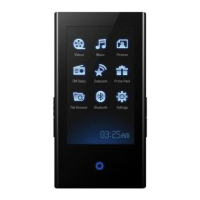
Samsung YP-P2JEB - User Manual

Samsung YP-P2JEB
146 pages
Print Icon
To Next Page IconTo Next Page
Loading...
MP3 Player
user manual
imagine the possibilities
Thank you for purchasing this Samsung product.
To receive more complete service, please
register your product at
www.samsung.com/global/register
YP-P2

Table of Contents

Questions and Answers

  • J
    James RomanAug 19, 2025
    How to fix a Samsung YP-P2JEB that will not turn on?
    • A
      antoniorichardsonAug 20, 2025
      If your Samsung MP3 Player isn't turning on, the battery might be completely drained. Try recharging the battery and then turn the power on again. Alternatively, try pressing the Reset hole.
  • L
    lyonsstevenAug 21, 2025
    Why does my Samsung YP-P2JEB keep turning off?
    • M
      Michelle KingAug 21, 2025
      If your Samsung MP3 Player's power keeps turning off, it could be due to a completely drained battery. Recharge the battery. Alternatively, check if is selected in ? . If it is, turn the Player on.
  • C
    Carrie DixonAug 25, 2025
    How to fix Bluetooth connection issues on a Samsung MP3 Player?
    • S
      Stacey JohnsonAug 25, 2025
      If you're experiencing issues with Bluetooth connections on your Samsung MP3 Player, check if the stereo headset is Bluetooth-certified. If you turned the player or stereo headset off and on, try to connect again. If you want to talk on your mobile phone, check if you have set off the Bluetooth connections between player and stereo headset. If the player is set to , you won’t find the player on your mobile phone.
  • T
    tylerallenAug 26, 2025
    Why is my Samsung YP-P2JEB MP3 Player so hot?
    • A
      Antonio JordanAug 26, 2025
      If your Samsung MP3 Player feels hot, this is because heat is generated during recharging. This has no effect on the product life or functions.
  • K
    Katherine BrownAug 27, 2025
    What to do if the buttons on my Samsung YP-P2JEB MP3 Player do not work?
    • C
      Catherine MartinezAug 28, 2025
      If your Samsung MP3 Player buttons aren't working, first check if the switch is in the direction of the arrow. Make sure you press the correct button and icon. You can also try pressing the Reset hole.
  • S
    Stefanie FitzpatrickAug 29, 2025
    Why is my Samsung YP-P2JEB not playing music?
    • K
      Kelsey WallsAug 29, 2025
      If your Samsung MP3 Player isn't playing, ensure the file is saved in the memory. Also, verify that the music file isn't damaged and that there is enough battery power.
  • J
    John HolmesAug 31, 2025
    How to troubleshoot file upload issues on a Samsung YP-P2JEB MP3 Player?
    • A
      Anthony WarrenSep 1, 2025
      If your Samsung MP3 Player isn't uploading files, check if the USB cable is securely connected and reconnect if necessary. Also, see if the memory is full and try pressing the Reset hole.
  • M
    Mrs. Sophia GibsonSep 3, 2025
    Why is the file transfer rate so slow on my Samsung YP-P2JEB?
    • J
      Jonathan BarreraSep 3, 2025
      If the file transfer rate to your Samsung MP3 Player is too slow, it might be because you're running multiple programs, including , on your PC. Exit any unnecessary programs and try transferring the files again.
  • J
    Joshua HuntSep 4, 2025
    What to do if my Samsung YP-P2JEB MP3 Player screen will not turn on?
    • K
      Kevin MichaelSep 5, 2025
      If your Samsung MP3 Player screen will not turn on, remember that the screen may not be visible under direct sunlight. Also, check if is selected from ? . If it is, tap any button or on the screen to see if it turns on.
  • A
    Angela MillerSep 6, 2025
    Why are files missing from my Samsung YP-P2JEB MP3 Player?
    • D
      David LoveSep 6, 2025
      If you are missing files or data on your Samsung MP3 Player, check if the USB cable was disconnected during file or data transmission.

Samsung YP-P2JEB Specifications

General IconGeneral
Display Size3.0 inches
Resolution480 x 272 pixels
TouchscreenYes
Supported Audio FormatsMP3, WMA, OGG, AAC
Supported Video FormatsMPEG4, WMV
Battery Life (Audio)Up to 30 hours
Battery Life (Video)Up to 5 hours
ConnectivityUSB 2.0
Display TypeTFT
Storage Capacity8 GB

Related product manuals