EasyManua.ls Logo

Samsung YP-W1 - User Manual

Samsung YP-W1
29 pages
Print Icon
To Next Page IconTo Next Page
Loading...
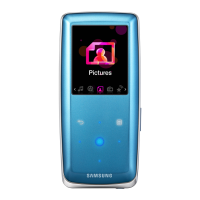
YP-W1
Thank you for purchasing this Samsung
product. To receive a more complete
service, please register your product at
www.samsung.com/register
Digital Audio Player
user manual
imagine the possibilities

Questions and Answers

  • T
    teresalongJul 30, 2025
    What to do if my Samsung MP3 Player will not turn on?
    • A
      Ashley HernandezJul 30, 2025
      If your Samsung MP3 Player doesn't turn on, it might be because the battery is completely drained. Try recharging the battery and then turn the player on again. Alternatively, you can press the reset hole.
  • T
    tanyapayneAug 4, 2025
    Why is Samsung YP-W1 MP3 Player battery life shorter than expected?
    • T
      thomasmicheleAug 5, 2025
      The battery runtime of your Samsung MP3 Player may vary depending on your sound settings or the file format being played. Also, the battery running time may decrease if your player is left in a location with a high or low temperature.
  • E
    Emily RothAug 9, 2025
    How to fix Samsung YP-W1 when I cannot download files?
    • X
      xmonroeAug 9, 2025
      If you're unable to download files to your Samsung MP3 Player, first ensure that the PC connector is correctly connected; try reconnecting it. Also, verify that the memory isn't full. If problems persist, try pressing the reset hole.
  • R
    Randy GarciaAug 14, 2025
    Why Samsung YP-W1 will not play any files?
    • B
      Brianna Harris MDAug 14, 2025
      If your Samsung MP3 Player isn't playing any files, there might be a few reasons. First, check to ensure that there are playable files stored on your player. Next, verify that the files themselves aren't damaged. Finally, make sure that the battery is adequately charged.
  • M
    medinakennethAug 19, 2025
    What to do if buttons do not work on Samsung YP-W1 MP3 Player?
    • R
      Ryan AlvarezAug 20, 2025
      If the buttons on your Samsung MP3 Player aren't working, first check if the buttons are locked. Also, ensure that the buttons you're pressing correspond to the functions you're trying to activate. If neither of these is the issue, try pressing the reset hole.
  • D
    Danielle CarterAug 25, 2025
    Why is file transfer so slow on Samsung MP3 Player?
    • J
      Jeremy TateAug 25, 2025
      If the file transfer to your Samsung MP3 Player is too slow, try ending all programs you are not currently using. Running multiple programs simultaneously can reduce the file transfer rate.

Summary

Safety Information

Cautionary Warnings

Details safety warnings and precautions for potential hazards during product use.

Serious Safety Warnings

Highlights severe warnings about product use that could cause injury or death.

Battery Safety Precautions

Provides specific guidelines for handling and using the product's battery safely.

Use Basic Functions

Player Component Identification

Identifies and explains the various parts and buttons of the audio player.

Connecting to PC and Charging

Provides step-by-step instructions for connecting the player to a PC for battery charging.

Powering On;Off and Button Lock

Managing Music Files

Downloading Files via Removable Disk

Details how to transfer music files by using the player as a storage device.

Playing Music

Troubleshooting Common Issues

Product Specifications

Samsung YP-W1 Specifications

General IconGeneral
BrandSamsung
ModelYP-W1
CategoryMP3 Player
LanguageEnglish

Related product manuals