EasyManua.ls Logo

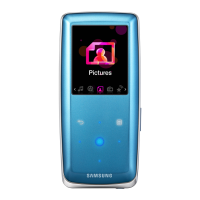
Samsung YP-F1 - User Manual

Samsung YP-F1
28 pages
Print Icon
To Next Page IconTo Next Page
Loading...
YP-F1
AH68-01755A (Rev 0.0)
- MP3, WMA , Audio ASF and Ogg Playback
- Removable Storage Device
- FM Reception
- SRS WOW Surround Sound
- USB 2.0 Support
- Upgradable
- Built-In Rechargeable Li-Polymer Battery
- Voice Recording Function
YP-F1-Eng-Cover 4/20/05 8:58 AM Page 1

Other manuals for Samsung YP-F1

Question and Answer IconNeed help?

Do you have a question about the Samsung YP-F1 and is the answer not in the manual?

Summary

Samsung YP-F1 Digital Audio Player Overview

Key Product Features

Highlights core functionalities like audio playback, storage, FM, and voice recording.

Safety and Device Usage Guidelines

General Safety Precautions

Covers device handling, earphone safety, traffic warnings, and environmental disposal.

Product Features and Capabilities

Audio Playback and Connectivity

Details supported audio formats, SRS surround sound, USB 2.0, and battery life.

Player Components and Initial Setup

Included Accessories and Model Variants

Lists package contents and compares YP-F1 model specifications.

Player Controls and Reset Procedure

Identifies player controls and explains how to reset the device.

Understanding Player Interface

Player Control Identification

Details the function of each button and port on the device.

Display Screen Overview

Explains the elements shown on the player's display screen.

Getting Started: Charging and Software

Charging the Device Battery

Instructions on connecting the player to a PC for battery charging.

Software Installation for PC Connection

Guides through installing the essential USB driver for PC connectivity.

Connecting to Your Computer

Completing Software Installation Wizard

Steps to finalize the software installation process.

Connecting Player via USB Cable

Instructions for physically connecting the player to the computer using a USB cable.

USB Driver Installation and Verification

Checking USB Driver Status

Explains how to verify if the USB driver is correctly installed on your PC.

Manual USB Driver Installation Guide

Provides detailed instructions for manually installing the USB driver.

Manual USB Driver Installation Steps

Step-by-Step Driver Installation

Detailed walkthrough of the manual driver installation process.

File Transfer and Removable Disk Usage

Using Player as a Removable Disk

Details how to transfer files using Windows Explorer.

Downloading and Uploading Files

Instructions for copying files to and from the player.

Removable Disk Operations

Safely Disconnecting USB Devices

Covers the correct procedure for safely removing the player from your PC.

Formatting the Player on Your PC

Explains how to format the device's internal memory.

Installing Music Studio Software

Music Studio Installation Process

Step-by-step guide to install the companion Music Studio application.

Music Studio Help and Playback Basics

Accessing Music Studio Help Files

Instructions on how to view the help documentation for Music Studio.

Basic Music Playback Operations

Explains how to turn the player on/off, play, pause, and adjust volume.

Audio Recording and File Searching

Voice Recording and File Management

Instructions for recording voice memos and searching audio files.

Searching and Track Skipping

Details how to search for specific parts and change tracks during playback.

FM Radio Operations

Tuning and Storing FM Frequencies

Covers manual/auto search, storing, and deleting FM stations.

FM Radio Functions: Mute and Presets

Explains the mute function and managing preset stations.

Advanced Features and Menu Navigation

Recording FM Broadcasts and Loop Playback

Details how to record FM radio and set up loop playback.

Understanding Menu Options and Navigation

Provides an overview of the player's main menu categories and navigation.

Player Navigation and Mode Switching

Navigating Files and Folders

Guides on using the navigation function to browse files and folders.

Changing Player Modes (Voice to Music)

Instructions for switching between different playback modes.

Folder Management and Playlist Creation

Entering and Exiting Folders

Explains how to navigate into and out of device folders.

Setting and Playing Custom Playlists

Guides on creating and playing user-defined playlists.

Customizing Playback Settings

Accessing Advanced Settings

Details how to access various settings like play mode, sound, display, and language.

Selecting Playback Modes

Explains different playback modes such as Normal, Shuffle, and Repeat.

Audio Enhancement: Sound Settings

Preset EQ and Bass Booster Configuration

Configuring equalizer presets, bass boost, and SRS WOW sound.

Display Configuration

Screen Saver and Contrast Adjustment

Adjusting screen saver options, timer, and display contrast.

System Configuration: Language and Radio

Menu and Tag Language Customization

Setting the player's menu and ID3-Tag language.

FM Region and Sensitivity Settings

Configuring FM region for broadcast reception and tuner sensitivity.

Time-Based Functionality Settings

Auto Off and Sleep Timer Configuration

Setting automatic power-off and sleep timers.

Time Setting and Intro Playback Options

Adjusting the device's clock and setting intro playback duration.

File Management and System Configuration

File Deletion and Player Formatting

Procedures for deleting files and formatting the device's memory.

System Settings: Resume, Volume, and Search

Configuring playback resume, default volume, and search speed.

System Settings and Device Information

Skip Interval and Beep Sound Settings

Customizing skip interval for tracks and enabling/disabling button beep sounds.

Accessing Device Information and Menu Table

Viewing software version, capacity, and the menu structure.

Troubleshooting Common Issues

Resolving Software and Playback Errors

Solutions for software malfunctions, no playback, and display issues.

Addressing Connection and Control Problems

Guidance for PC connection errors and unresponsive buttons.

Technical Specifications

Device Model and Performance Metrics

Lists model variants, memory, playing time, dimensions, and key performance indicators.

Audio, FM, and File Format Support

Details supported audio codecs, FM band, and file format compatibility.

Summary

Samsung YP-F1 Digital Audio Player Overview

Key Product Features

Highlights core functionalities like audio playback, storage, FM, and voice recording.

Safety and Device Usage Guidelines

General Safety Precautions

Covers device handling, earphone safety, traffic warnings, and environmental disposal.

Product Features and Capabilities

Audio Playback and Connectivity

Details supported audio formats, SRS surround sound, USB 2.0, and battery life.

Player Components and Initial Setup

Included Accessories and Model Variants

Lists package contents and compares YP-F1 model specifications.

Player Controls and Reset Procedure

Identifies player controls and explains how to reset the device.

Understanding Player Interface

Player Control Identification

Details the function of each button and port on the device.

Display Screen Overview

Explains the elements shown on the player's display screen.

Getting Started: Charging and Software

Charging the Device Battery

Instructions on connecting the player to a PC for battery charging.

Software Installation for PC Connection

Guides through installing the essential USB driver for PC connectivity.

Connecting to Your Computer

Completing Software Installation Wizard

Steps to finalize the software installation process.

Connecting Player via USB Cable

Instructions for physically connecting the player to the computer using a USB cable.

USB Driver Installation and Verification

Checking USB Driver Status

Explains how to verify if the USB driver is correctly installed on your PC.

Manual USB Driver Installation Guide

Provides detailed instructions for manually installing the USB driver.

Manual USB Driver Installation Steps

Step-by-Step Driver Installation

Detailed walkthrough of the manual driver installation process.

File Transfer and Removable Disk Usage

Using Player as a Removable Disk

Details how to transfer files using Windows Explorer.

Downloading and Uploading Files

Instructions for copying files to and from the player.

Removable Disk Operations

Safely Disconnecting USB Devices

Covers the correct procedure for safely removing the player from your PC.

Formatting the Player on Your PC

Explains how to format the device's internal memory.

Installing Music Studio Software

Music Studio Installation Process

Step-by-step guide to install the companion Music Studio application.

Music Studio Help and Playback Basics

Accessing Music Studio Help Files

Instructions on how to view the help documentation for Music Studio.

Basic Music Playback Operations

Explains how to turn the player on/off, play, pause, and adjust volume.

Audio Recording and File Searching

Voice Recording and File Management

Instructions for recording voice memos and searching audio files.

Searching and Track Skipping

Details how to search for specific parts and change tracks during playback.

FM Radio Operations

Tuning and Storing FM Frequencies

Covers manual/auto search, storing, and deleting FM stations.

FM Radio Functions: Mute and Presets

Explains the mute function and managing preset stations.

Advanced Features and Menu Navigation

Recording FM Broadcasts and Loop Playback

Details how to record FM radio and set up loop playback.

Understanding Menu Options and Navigation

Provides an overview of the player's main menu categories and navigation.

Player Navigation and Mode Switching

Navigating Files and Folders

Guides on using the navigation function to browse files and folders.

Changing Player Modes (Voice to Music)

Instructions for switching between different playback modes.

Folder Management and Playlist Creation

Entering and Exiting Folders

Explains how to navigate into and out of device folders.

Setting and Playing Custom Playlists

Guides on creating and playing user-defined playlists.

Customizing Playback Settings

Accessing Advanced Settings

Details how to access various settings like play mode, sound, display, and language.

Selecting Playback Modes

Explains different playback modes such as Normal, Shuffle, and Repeat.

Audio Enhancement: Sound Settings

Preset EQ and Bass Booster Configuration

Configuring equalizer presets, bass boost, and SRS WOW sound.

Display Configuration

Screen Saver and Contrast Adjustment

Adjusting screen saver options, timer, and display contrast.

System Configuration: Language and Radio

Menu and Tag Language Customization

Setting the player's menu and ID3-Tag language.

FM Region and Sensitivity Settings

Configuring FM region for broadcast reception and tuner sensitivity.

Time-Based Functionality Settings

Auto Off and Sleep Timer Configuration

Setting automatic power-off and sleep timers.

Time Setting and Intro Playback Options

Adjusting the device's clock and setting intro playback duration.

File Management and System Configuration

File Deletion and Player Formatting

Procedures for deleting files and formatting the device's memory.

System Settings: Resume, Volume, and Search

Configuring playback resume, default volume, and search speed.

System Settings and Device Information

Skip Interval and Beep Sound Settings

Customizing skip interval for tracks and enabling/disabling button beep sounds.

Accessing Device Information and Menu Table

Viewing software version, capacity, and the menu structure.

Troubleshooting Common Issues

Resolving Software and Playback Errors

Solutions for software malfunctions, no playback, and display issues.

Addressing Connection and Control Problems

Guidance for PC connection errors and unresponsive buttons.

Technical Specifications

Device Model and Performance Metrics

Lists model variants, memory, playing time, dimensions, and key performance indicators.

Audio, FM, and File Format Support

Details supported audio codecs, FM band, and file format compatibility.

Samsung YP-F1 Specifications

Memory IconMemory
built-in memory capacity256MB(YP-F1 V), 512MB(YP-F1 X), 1GB(YP-F1 Z)
Power IconPower
voltage3.7V
playing time10 hours
Sound IconSound
noise ratio92dB with 20KHz LPF
earphones jack output power14mW(France 5mW/CH) (16 Ω)
output frequency range20Hz~20KHz
Operating Environment IconOperating Environment
operating temperature range-5 ~ +35°C(23~95°F)
FM Radio IconFM Radio
fm frequency87.5 ~ 108.0 MHz
fm signal to noise ratio58dB
fm t.h.d1%
Weight and Dimensions IconWeight and Dimensions
dimensions29 X 63.5 X 15 mm
weight32 g

Related product manuals