EasyManua.ls Logo

Samsung YP-S3 - User Manual

Samsung YP-S3
101 pages
Print Icon
To Next Page IconTo Next Page
Loading...
MP3 Player
user manual
imagine the possibilities
Thank you for purchasing this Samsung product.
To receive more complete service, please
register your product at
www.samsung.com/global/register
YP-S3

Table of Contents

Other manuals for Samsung YP-S3

Questions and Answers

Summary

Safety Information

Understanding Warning Icons

Explains the meaning of various warning, caution, and note icons used in the manual.

Protect Yourself

Provides essential safety guidelines to prevent personal injury.

Protect Your MP3 Player

Offers instructions to prevent damage to the device.

The Basics

Music Playback

Details loading, playing, and controlling music volume.

File Browsing and Deletion

Instructs on navigating, browsing, and deleting files using the File Browser.

Changing Settings and Preferences

Sound Settings

Details how to adjust EQ, beep sound, and volume limit.

System Settings

Covers sleep timer, start mode, auto power off, and format options.

Resetting the System

Provides instructions to re-initialize the player's system.

Samsung Media Studio

Transferring Files to the Player

Explains how to transfer music, videos, and other files using Media Studio.

Listening to Music

Listening by Category

Details how to browse and play music by artist, album, genre, etc.

Playlist Management

Covers creating, adding files, transferring, playing, and deleting playlists.

Using the Music Menu

Explains various music playback options and settings.

Listening to FM Radio

Upgrading Firmware

Firmware Upgrade Process

Step-by-step instructions for updating the player's firmware.

Troubleshooting

Common Problems and Solutions

Lists common issues and their corresponding solutions.

File Transfer and Battery Issues

Addresses problems related to file transfer speed and battery life.

Player and Data Issues

Covers troubleshooting for playback, file upload, and missing data.

Warranty

Warranty Terms and Conditions

Outlines the warranty period, coverage, and required proof of purchase.

Summary

Safety Information

Understanding Warning Icons

Explains the meaning of various warning, caution, and note icons used in the manual.

Protect Yourself

Provides essential safety guidelines to prevent personal injury.

Protect Your MP3 Player

Offers instructions to prevent damage to the device.

The Basics

Music Playback

Details loading, playing, and controlling music volume.

File Browsing and Deletion

Instructs on navigating, browsing, and deleting files using the File Browser.

Changing Settings and Preferences

Sound Settings

Details how to adjust EQ, beep sound, and volume limit.

System Settings

Covers sleep timer, start mode, auto power off, and format options.

Resetting the System

Provides instructions to re-initialize the player's system.

Samsung Media Studio

Transferring Files to the Player

Explains how to transfer music, videos, and other files using Media Studio.

Listening to Music

Listening by Category

Details how to browse and play music by artist, album, genre, etc.

Playlist Management

Covers creating, adding files, transferring, playing, and deleting playlists.

Using the Music Menu

Explains various music playback options and settings.

Listening to FM Radio

Upgrading Firmware

Firmware Upgrade Process

Step-by-step instructions for updating the player's firmware.

Troubleshooting

Common Problems and Solutions

Lists common issues and their corresponding solutions.

File Transfer and Battery Issues

Addresses problems related to file transfer speed and battery life.

Player and Data Issues

Covers troubleshooting for playback, file upload, and missing data.

Warranty

Warranty Terms and Conditions

Outlines the warranty period, coverage, and required proof of purchase.

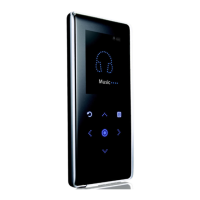
Samsung YP-S3 Specifications

General IconGeneral
Player media typeFlash memory
Total storage capacity4 GB
EqualizerYes
Built-in speaker(s)No
Audio formats supportedMP3, WMA
Display diagonal1.8 \
Display resolution176 x 220 pixels
USB cableUSB
Dimensions (WxDxH)44 x 10 x 95 mm
Compatible operating systemsXP Vista (+2000)
Dimensions (W x D x H) (imperial)1.73 x 0.39 x 3.74 \
Product colorWhite
Continuous audio playback time50 h
Continuous video playback time8 h
Weight and Dimensions IconWeight and Dimensions
Depth10 mm
Width44 mm
Height95 mm
Weight50 g

Related product manuals