Manage music files > Download music files
17
Download files using your
player as a removable disk
Connect the USB plug to the USB port of your
PC.
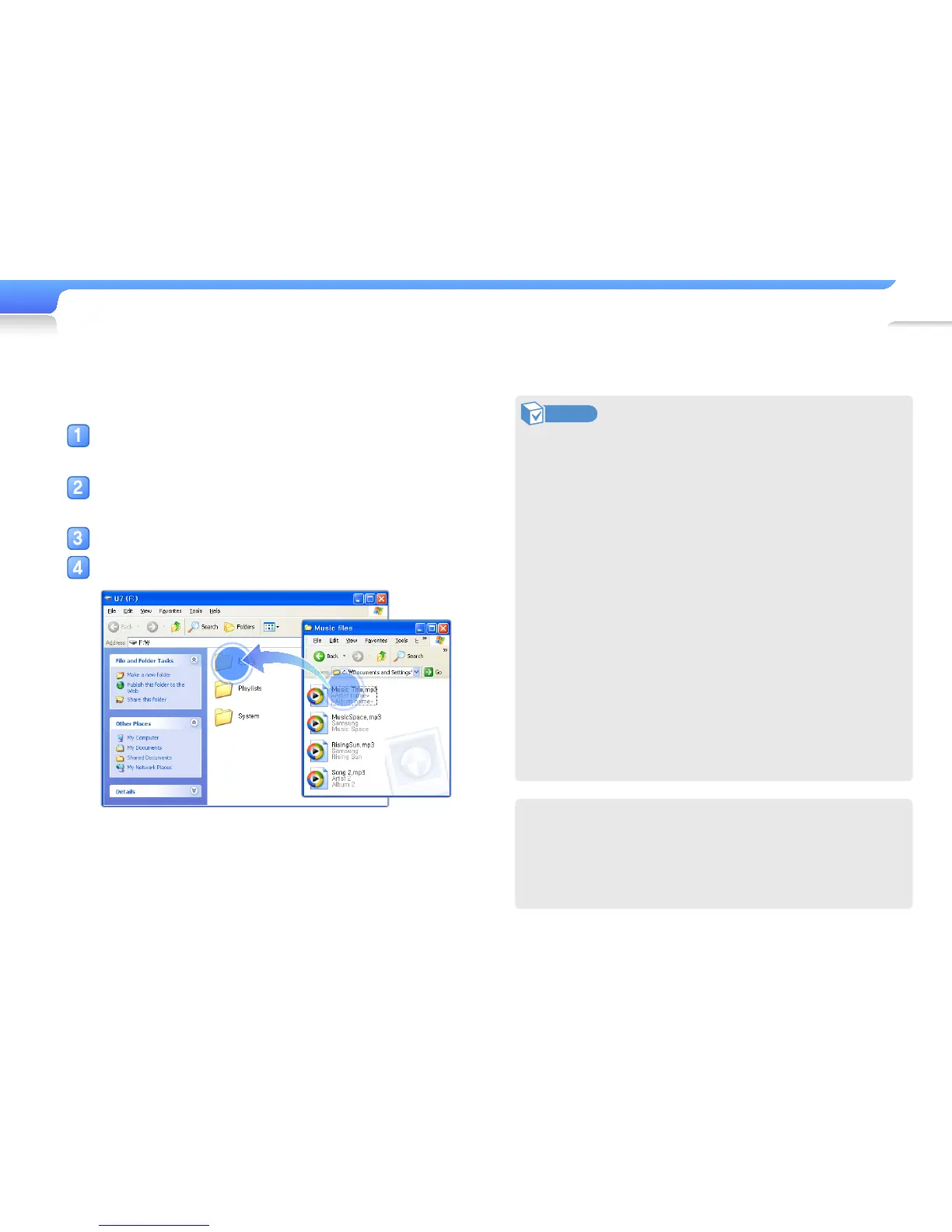
On your PC, open <My Computer> and
then the <U7> folder.
Select a folder you want.
Copy files from the PC to your player.
Note
• The order of files on your PC will differ from the order of
files in your player.
• Your player restricts playback of files protected by a DRM
(Digital Rights Management) system.
• You cannot use your player when connected to a PC.
• If you connect your player to a PC when the player's
battery is low, the battery charges for a few minutes before
your player links to the PC and Kies launches.
• Connect the player directly to the USB port of your PC.
If you connect through a USB hub or a USB extension
cable, your player may not work properly.
• When you format your player on a PC, use the FAT32
system. In Windows Vista/7, click <Restore device
defaults> and then format your player.
• You can easily download various media files with Kies.
For information about installing Kies on a PC, refer to the
Quick Start Guide supplied with your player.
Refer to http://www.samsung.com for installation
precautions and installation details.
What is DRM?
Digital Rights Management (DRM) is a technology and service
that prevents the illegal copying of digital contents and
protects the profit and rights of copyright holders or content
producers.



 To Next Page