26
FM Radio
You can listen to the FM
radio as well as save radio
stations.
Note
• The FM radio may be
unavailable depending on the
region you purchased.
• You must connect the
earphones to your player to
listen to the FM radio. The
earphones serve as a radio
antenna.
Listen to the FM radio
In the main menu, select <
FM Radio
>.
■
The first time you turn on the FM radio, it will start automatic tuning and switch to
preset mode.
Press b to move to another preset station.
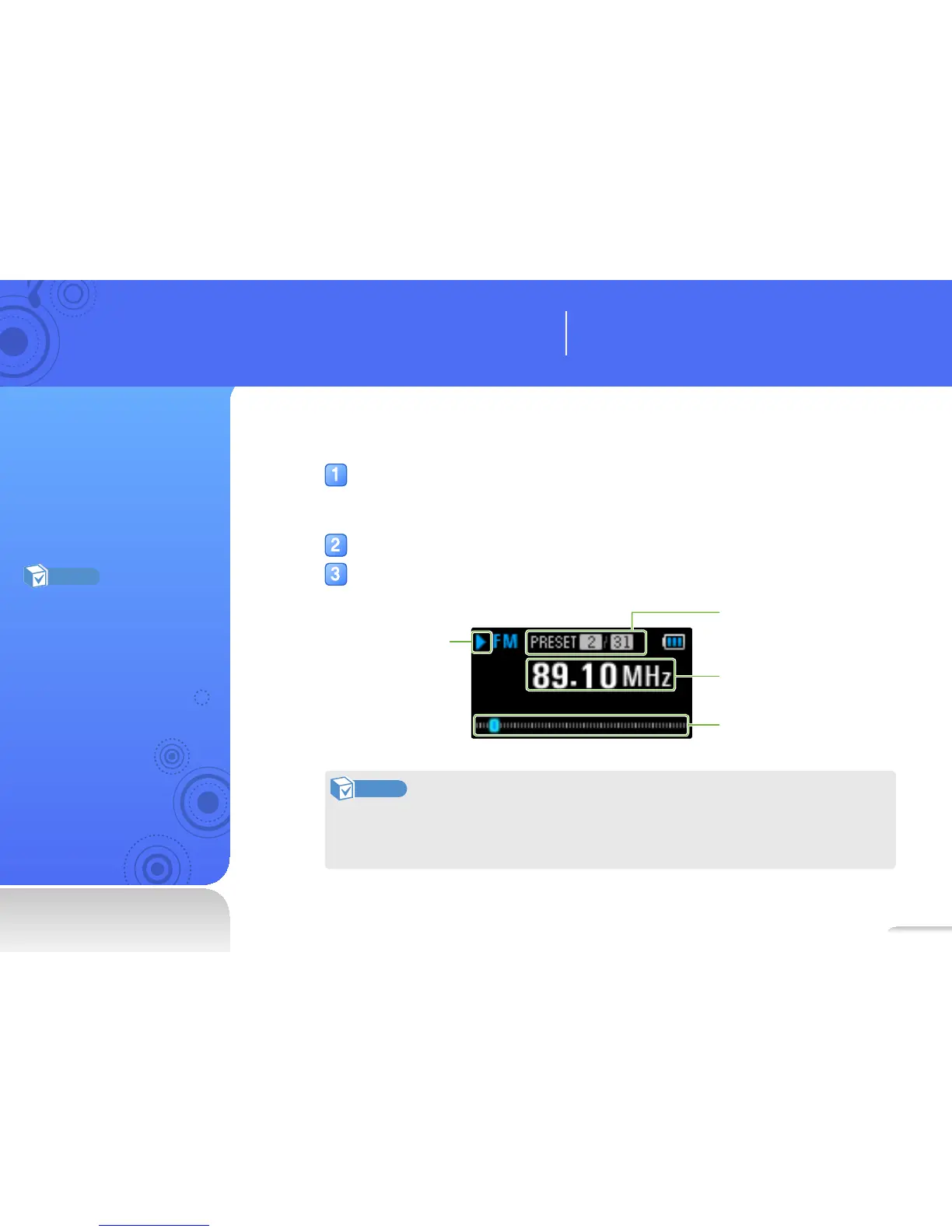
Listen to the FM radio.
Playing status
PRESET station/
Total presets
Frequency bar
Frequency for the
current station
Note
• The FM radio may not tune frequencies for stations correctly depending on the signal
strength and transmitting conditions in your current region.
• Press o to stop or resume the FM radio.
Learn how to work with your player’s additional
applications.
Use additional applications



 To Next Page