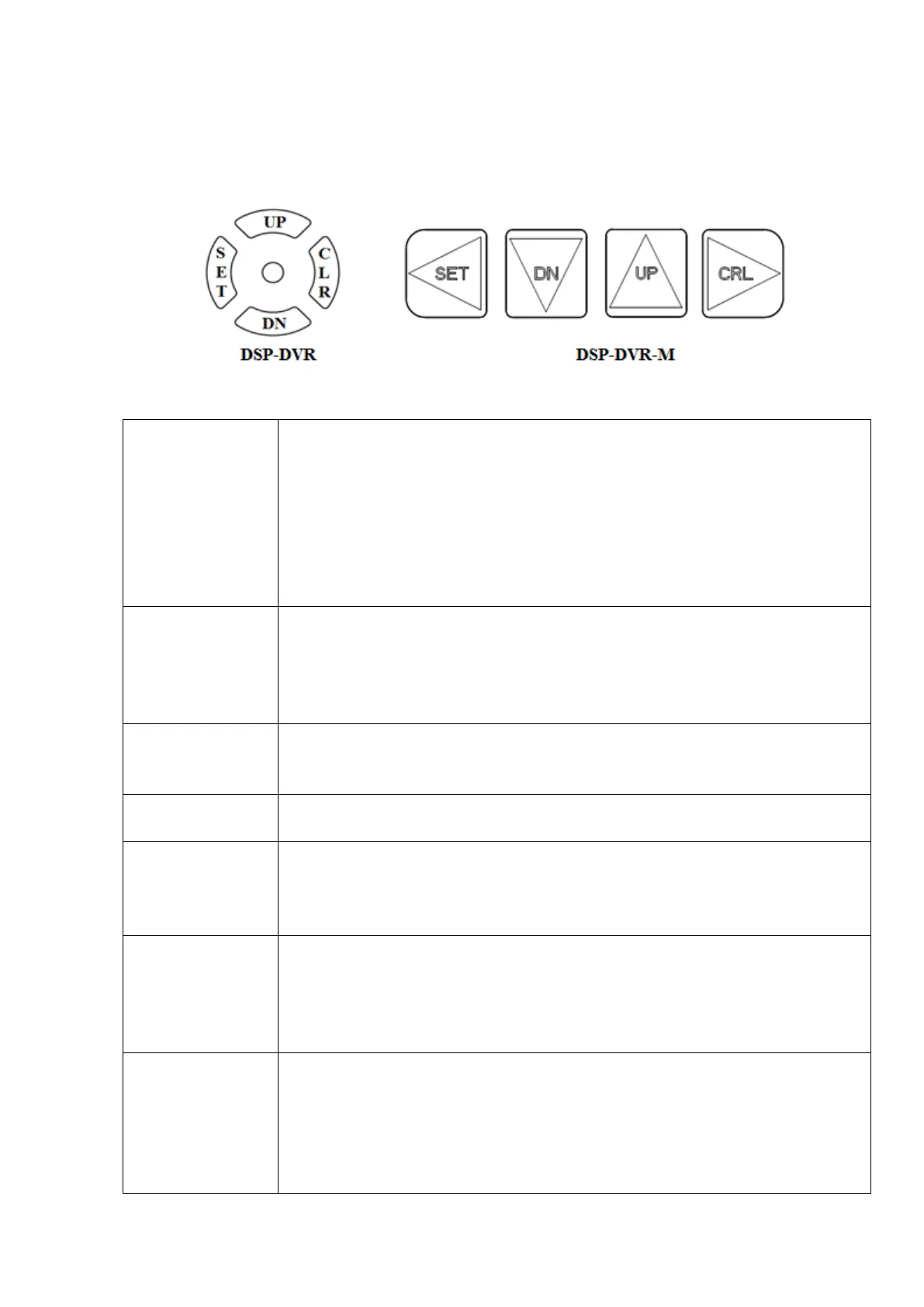
9.Control key Operation
*Note: trip will be occurred after completing preset process if trip condition is happened
during preset process
*Press "SET" Key to enter into setting mode, then "P000"/”P0000” (factory
default password) is shown
*Move cursor from first digit to right end digit by pressing "CLR" key,
finally press once more if password is not changed from factory default
value, but if password is changed, then make required digit by using
"UP","DN" key untill operator meets changed password.
*If there is no input for 15sec or pressing both "SET" and "CLR"key, it can
be entered into operating condition.
2. Changed
feature of Setting
Key
*After entering into possible state for preset , each key acts its job as
follows :SET→backward direction ,CLR→foward direction ,UP,DN→
able to select number or character in preset mode.
*The previous mode based on setting mode is come out as pressing "SET"
key during doing a prest job
3."SET" Key &
"CLR" Key/ to
select MODE
*Possible to select Mode by using "SET" or "CLR" key
4."UP" key &
"DN"Key/Adjust
*Possible to preset required value as selection a character or number by
using UP/DOWN
5."SET" &
"CLR"Key/
Store
*The storage for preset data is completed by pressing both SET and CLR
key in the same time or after 15sec is elapsed
*The character and/or a number that is already preset in the above preset
process is stored in one times.
*While each factor is rotated, one of rotated factor is fixed by pressing
"CLR" key and released as pressing once more
*After fixing a operating factor, the operator is able to rotate manually one
by one as pressing "UP"(forwardly), "DN" (reversely)
*Average voltage is shown without rotating if average voltage is selected.
To check and/or
change preset
value of each
mode during
operation
*possible to check preset and/or change value of each mode as pressing
“SET” key once during operation,
*”P000”/”P0000” is shown as pressing “SET” key
*preset value and mode are appeared alternatively and to check an/or change
preset value
*next mode as pressing “CLR” Key



 To Next Page