SAMWONTECH
4st Edition of TEMI2000_Series IM : Aug. 18. 2009 Page 15 / 55
3.3 PROGRAM Operation
3.3.1 PROGRAM STOP screen
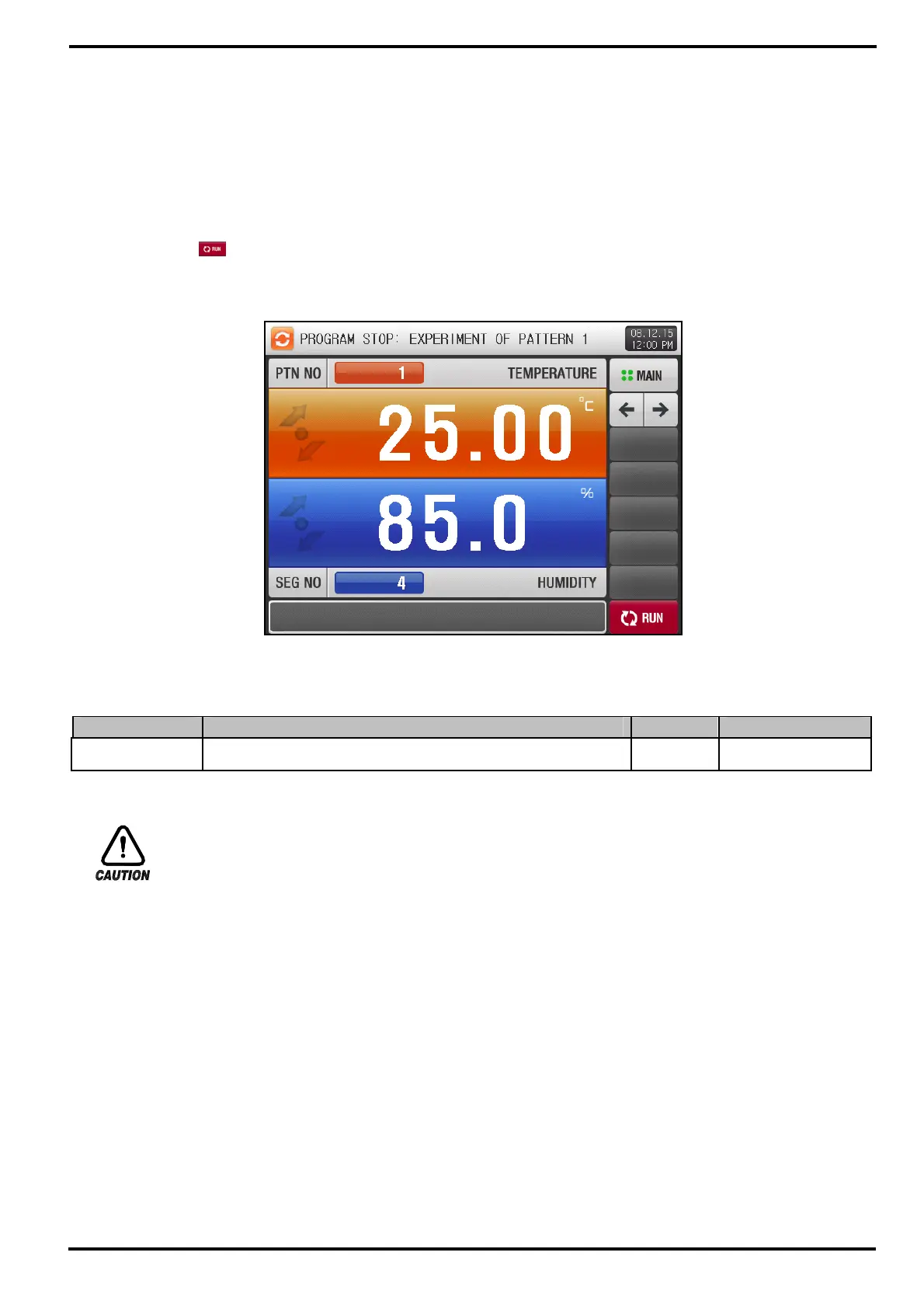
▶ Under setting ‘PROG’ operation at ‘OPERATION MODE’ on [4. FUNCTION & FIX OPERATION setting],
when you press [OPER. SCREEN] section on the MAIN MENU screen, this PROGRAM STOP screen
will appear.
▶ For program settings, refer to [5. Program PATTERN].
▶ Press the
(RUN) button on [Figure 3-9 PROGRAM STOP screen] to start running operation and
move to [Figure 3-10 The 1
st
PROGRAM Screen].
Table 3-2. PROGRAM STOP Screen Parameters
Parameter Range Units Default
Pattern No. 1~120 ABS 1
※ Operation Precautions
▶ Operation will not start running without setting program input at displayed pattern number.
☞ Refer to [5.1 Program PATTERN]
[Figure 3-9] PROGRAM STOP Screen



 To Next Page