GB-6
Settings
Basic Operation
PreparationsIntroduction and
Product Overview
Troubleshooting
and Specication
Safety Warnings
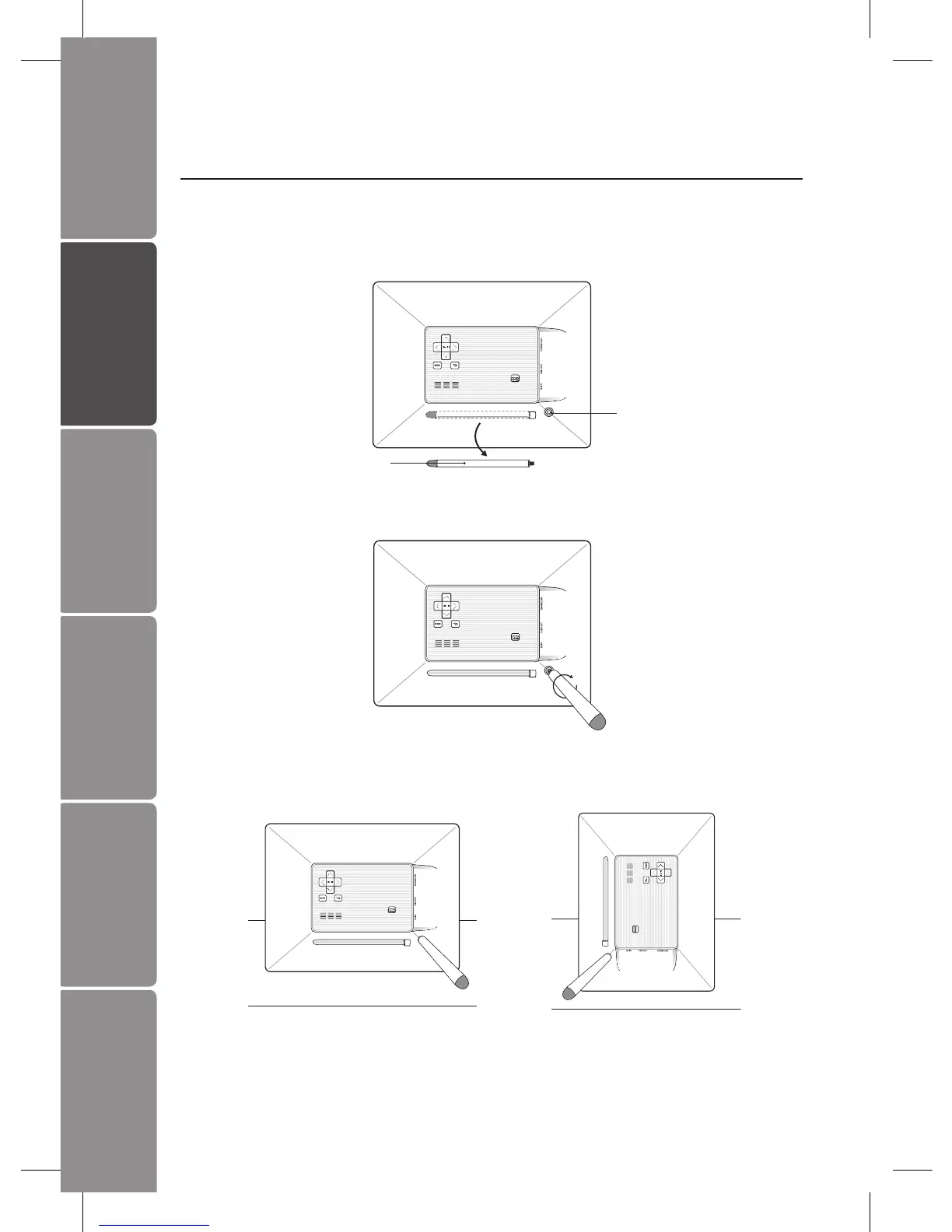
2. Screw in the stand into the stand receptacle.
3. Now the stand is xed, you can choose to display your photo frame in a landscape
or portrait position.
To take o the stand, unscrew it from its receptacle.
Preparations
Attaching the Stand
1. Take out the stand attached at the back of the photo frame.
Stand
Stand Receptacle
Landscape Position
Portrait Position


 To Next Page