DAB Operation
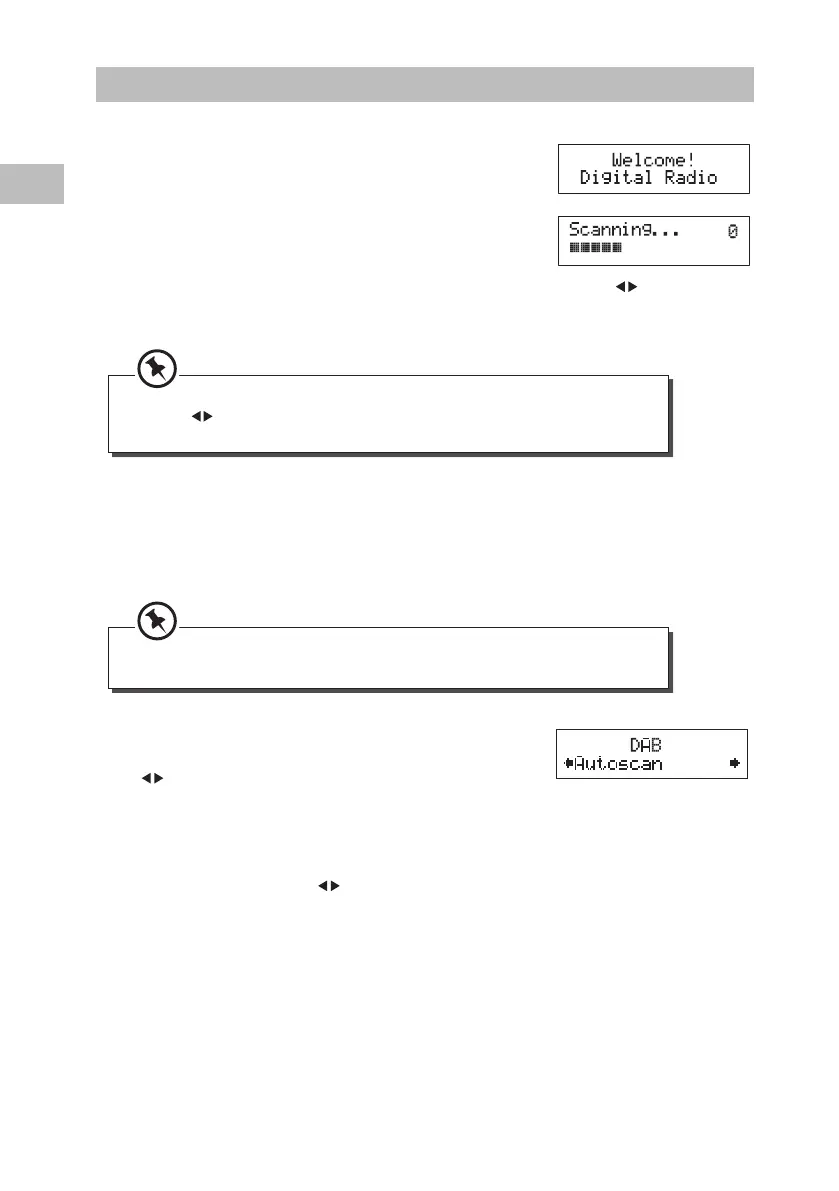
If the unit is connected to the mains power and then switched
on from standby for the rst time, the unit will automatically
enter into the DAB mode and perform the auto scan function.
During the scan the display will show “Scanning ...” together
with a slide bar that indicates the progress of the scan and the
amount of stations that have been found so far.
Once the scan has nished, the unit will select the rst
alphanumerically found station. To explore the found stations, press the
buttons. When
you nd a station that you would like to listen to, press the SELECT button.
1. To activate auto scan, press the MENU button to
enter into the Tune Select Menu, then press the
buttons to select “Autoscan”. Press the SELECT
button to conrm and the display will show
“Scanning …” and a progressing slide bar.
2. All the stations that have been found will be stored
automatically. To explore and select listening to the
found stations, press the
buttons and then press
the SELECT button to conrm.
DAB Auto Scan
The auto scan will search for the entire DAB Band channels. After the scan has nished, the
rst alphanumerically found station will be automatically selected.
If no stations are found after auto scan, the unit will then enter into the Tune Select Menu.
Press the buttons and then press the SELECT button to select manual tune or auto
scan modes for stations.
Full auto scan will not replace the preset DAB stations in the memory. If you want to
remove all the previously scanned stations, system reset is required.
16
GB
S1DAB11E_IB_5L_RC_130820_Zell.indb 16 20/8/13 9:28 AM





 To Next Page