Connecting Headphones
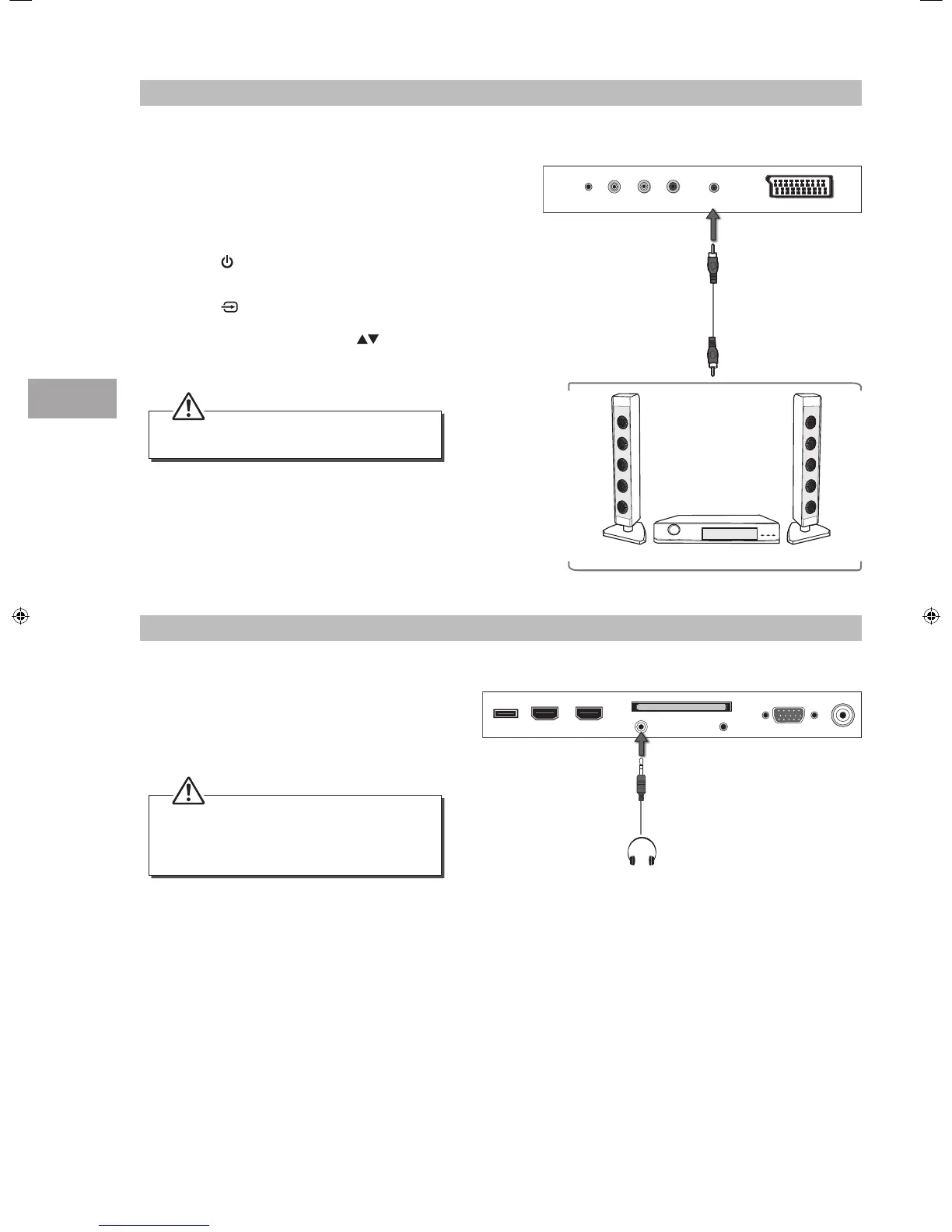
Connect your headphones to the TV’s HEADPHONE
socket.
Before putting on the headphones, turn the volume
down then put the headphones on and slowly
increase the volume until you reach a comfortable
listening level.
Long-term exposure to loud music may cause
hearing damage. It is best to avoid extreme
volume when using headphones, especially for
extended periods.
The TV’s volume will not be affected. You may
control the audio level via the Audio Receiver.
Connecting a Coaxial Audio Receiver
For better sound quality, you may want to play the audio through your multi-channel audio receiver.
1. Use an audio cable (not included) to connect the
TV’s SPDIF OUT output socket to an external audio
receiver’s audio coaxial input socket.
2. Plug the connected devices into the mains socket
before switching on the TV.
3. Press the
button on the right side panel of the
TV or on the remote control to turn on your TV.
4. Press the
button on the right side panel of the
TV or the INPUT button on the remote control
to display the Source List. Use the
buttons
on the remote control to select any desired input
source and then press the OK button to confirm.
Rear Right Side View of TV
USB HDMI2 HDMI1(ARC) PC IN RF
COMMON INTERFACE (CI)
HEADPHONE PC AUDIO
Earphones Cable
(not included)
Rear Right Bottom View of TV
RLVIDEO
SCART
YPbPr SPDIF OUTPUT
Audio Cable
(not included)
Audio Receiver
S32HED13_IB_RC130906_Annie.indd 18 6/9/13 3:58 PM


 To Next Page