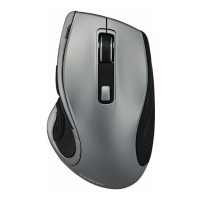
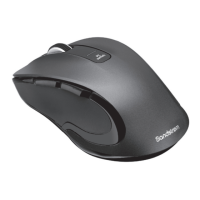
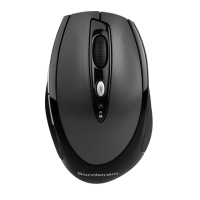
This document describes the Sandstrøm Long-life Hyper-scroll Mouse, model SMWLHYP15 V2, a wireless mouse designed for general computer use.
Function Description:
The Sandstrøm Long-life Hyper-scroll Mouse is a wireless input device for computers, featuring a hyper-scroll function for rapid navigation and adjustable sensitivity (DPI). It connects to a computer via a Nano Dongle plugged into a USB port. The mouse is powered by two AA batteries and includes an ON/OFF switch to conserve energy when not in use. It is designed for indoor use.
Important Technical Specifications:
- Model: SMWLHYP15 V2
- Wireless Frequency: 2.4GHz
- Operating Range: < 10 m (open space)
- Frequency Band(s): 2400 – 2482 MHz
- Max. Radio Frequency Power Transmitted: Mouse: 2 dBm, Dongle: 2 dBm
- Resolution (DPI): 1000 / 1600 / 2400 dpi (adjustable)
- Battery Type: 2 x AA Battery
- Dimensions (L x W x H): 125.5 x 75 x 45 mm
- Net Weight: 95 g
- System Requirements:
- Operating Systems: Microsoft® Windows® 10/11, Mac OS 10/11/12/13
- Hardware: Available USB port
Usage Features:
The mouse offers several buttons and features for enhanced usability:
- Left Click and Right Click: Standard mouse buttons for primary and secondary actions.
- Scroll Wheel: For vertical scrolling.
- Forward / Backward Buttons: For navigating web pages or folders.
- DPI Button: Allows users to adjust the mouse sensitivity. Pressing this button repeatedly cycles through three resolution settings: 1000 dpi, 1600 dpi, and 2400 dpi. The LED indicator flashes red once, twice, or three times to indicate the current DPI setting.
- Hyperfast Scrolling Button: Toggles between normal scrolling speed and a rapid scrolling mode, useful for quickly navigating long documents or web pages.
- ON/OFF Switch: Located on the bottom of the mouse, this switch allows users to power the mouse on or off, helping to save battery life, especially during extended periods of non-use.
- Nano Dongle: A small USB receiver that plugs into the computer. The mouse automatically connects to this dongle when powered on.
Installation and Setup:
- Battery Installation: Lift the battery cover, insert two AA batteries, ensuring correct polarity (+/-), and close the cover. A flashing LED indicator signifies low battery.
- Dongle Connection: Remove the Nano Dongle from its storage compartment in the mouse and plug it directly into an available USB port on your computer.
- Activation: Slide the ON/OFF switch on the bottom of the mouse to the "ON" position. The mouse will automatically connect to the Nano Dongle.
Troubleshooting and Maintenance Features:
The manual provides hints and tips for resolving common issues:
- Mouse Not Working:
- Ensure the ON/OFF switch is in the "ON" position.
- Check battery installation and replace batteries if necessary.
- Verify that the Nano Dongle is properly inserted into a USB port. Try a different USB port if needed.
- If connection issues persist, repeat the connection procedure and move the mouse closer to the dongle.
- Ensure the dongle is within operating range (< 10m in open space) and not obstructed by multiple objects.
- If performance is slow or intermittent near a wireless network, remove and reinsert the dongle, then cycle the mouse's power off and on.
- If the mouse moves erratically, change the surface it operates on.
Safety and Environmental Considerations:
- Optical Safety: Never point the optical sensor towards the face, especially the eyes, to avoid injury. The optical light is visible to the naked eye when in use; avoid looking directly into the emitter hole.
- Battery Safety:
- Improper use can lead to fluid leakage, overheating, or explosion.
- Released battery fluid is corrosive, toxic, and can cause skin/eye burns or be harmful if swallowed.
- Keep batteries out of reach of children.
- Do not heat, open, puncture, mutilate, or dispose of batteries in fire.
- Do not mix new and old batteries or different types of batteries.
- Do not allow metal objects to touch battery terminals, as they can become hot and cause burns.
- Wireless Device Safety: Remove batteries from wireless devices before boarding aircraft or packing them in checked luggage, as they can transmit radio frequency (RF) energy when batteries are installed and the device is on.
- Disposal: The product and its batteries should not be disposed of with general household waste. Used batteries contain harmful chemicals and should be disposed of according to local laws and regulations. The product itself should be taken to a designated collection point for the recycling of waste electrical and electronic equipment to conserve natural resources and protect human health and the environment.
The device is a Class II or double insulated electrical appliance, meaning it does not require a safety connection to electrical earth. The manual also includes symbols for AC voltage and DC voltage.
For further support, customers can contact Currys.co.uk or visit Partmaster.co.uk for spares and accessories. The full UK Declaration of Conformity is available online at https://www.currys.co.uk.

 Need help?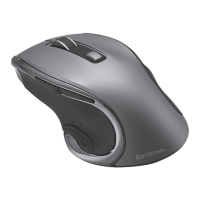

 To Next Page
 General