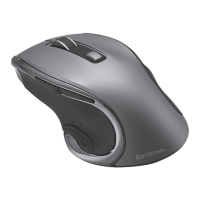
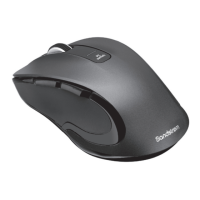
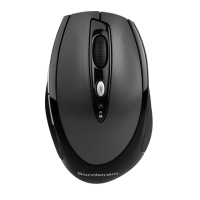
The Sandstrøm Long-life Hyper-scroll Mouse with Bluetrace (model SMWLHYP15) is a wireless optical mouse designed for extended use and versatile performance across various surfaces. This instruction manual provides comprehensive details on its features, installation, and maintenance.
Function Description:
The Sandstrøm SMWLHYP15 is a wireless mouse that connects to a computer via a Nano Dongle, utilizing a 2.4GHz wireless frequency. It offers a long-life design, hyper-scroll functionality, and Bluetrace technology for enhanced tracking on diverse surfaces. The mouse is designed for general computer navigation and includes features to optimize user experience and energy efficiency.
Important Technical Specifications:
- Model: SMWLHYP15
- Wireless Frequency: 2.4GHz
- Operating Range: 8 meters
- Resolution (DPI): Adjustable between 800 dpi and 800 - 1600 dpi (default). The LED indicator flashes once for 800 dpi and twice for 800-1600 dpi.
- Frequency Band(s): 2403 - 2479 MHz
- Max. Radio Frequency Power Transmitted: -4 dBm
- Dimensions (L x W x H): 124 x 75 x 44 mm
- Net Weight: 97 g
- Power Source: 2 x AA size batteries.
- System Requirements:
- Operating Systems: Microsoft® Windows® 7 / 8 / 10, MAC® OS X
- Hardware: 1 available USB port
Usage Features:
The mouse features a user-friendly design with several buttons and controls for efficient navigation:
- Top View Controls:
- Right Click: Standard right-click functionality.
- Scroll Wheel: For vertical scrolling.
- Left Click: Standard left-click functionality.
- Hyperfast Scrolling Button: Allows users to change the scrolling speed, enabling quick navigation through long documents or web pages.
- DPI Button: Located on the top of the mouse, this button allows users to adjust the mouse's resolution (DPI) between 800 dpi and 800-1600 dpi (default). This feature enables users to customize cursor sensitivity to suit their preferences or tasks.
- LED Indicator: Provides visual feedback, particularly for DPI settings and low battery status.
- Forward / Backward Buttons: Conveniently placed for quick navigation in web browsers or file explorers.
- Bottom View Controls:
- ON/OFF Switch: A physical switch to power the mouse on or off, helping to conserve battery life.
- Nano Dongle Storage: The Nano Dongle can be stored securely within the mouse's battery compartment when not in use, preventing loss.
- Battery Compartment: Houses two AA batteries.
- Bluetrace Technology: This advanced optical tracking technology allows the mouse to work on a wider variety of surfaces compared to traditional optical mice, including glass, marble, and carpet, offering greater flexibility in usage environments.
- Wireless Connectivity: The mouse connects wirelessly to your computer via a small USB Nano Dongle, providing a clutter-free workspace. The connection is automatic once the dongle is plugged in and the mouse is switched on.
Maintenance Features:
- Battery Installation and Replacement:
- The mouse requires two AA batteries.
- A flashing LED indicator signals low battery, prompting replacement.
- To install or replace batteries, lift the battery cover, insert the batteries ensuring correct polarity (+/-), and then close the cover.
- Energy Saving: The ON/OFF switch on the bottom of the mouse allows users to power it off when not in use, disconnecting it from the Nano Dongle and conserving battery life. It is recommended to switch off the mouse when transporting it or when it will not be used for an extended period.
- Troubleshooting Tips:
- Mouse not working: Check if the power switch is in the "on" position.
- Connectivity issues: Ensure the Nano Dongle is securely plugged into a functional USB port on the computer. If issues persist, try a different USB port or repeat the connection procedure, moving the mouse closer to the dongle.
- Battery issues: Verify correct battery installation and replace batteries if needed.
- Intermittent performance: If performance is slow or intermittent, especially near wireless networks, unplug and reinsert the Nano Dongle. Reactivate the mouse by cycling the ON/OFF switch.
- Erratic movement: If the mouse moves erratically, changing the working surface may resolve the issue.
- Disposal Information: The product and its batteries should not be disposed of with general household waste. Users are advised to follow local regulations for the recycling of waste electrical and electronic equipment and used batteries to protect human health and the environment.
The Sandstrøm SMWLHYP15 is a Class II, double-insulated electrical appliance designed for indoor use only. It complies with Radio Equipment Regulations 2017 (S.I. 2017/1206) in the UK.

 Need help?

 To Next Page
 General