13
GB
Remote Control
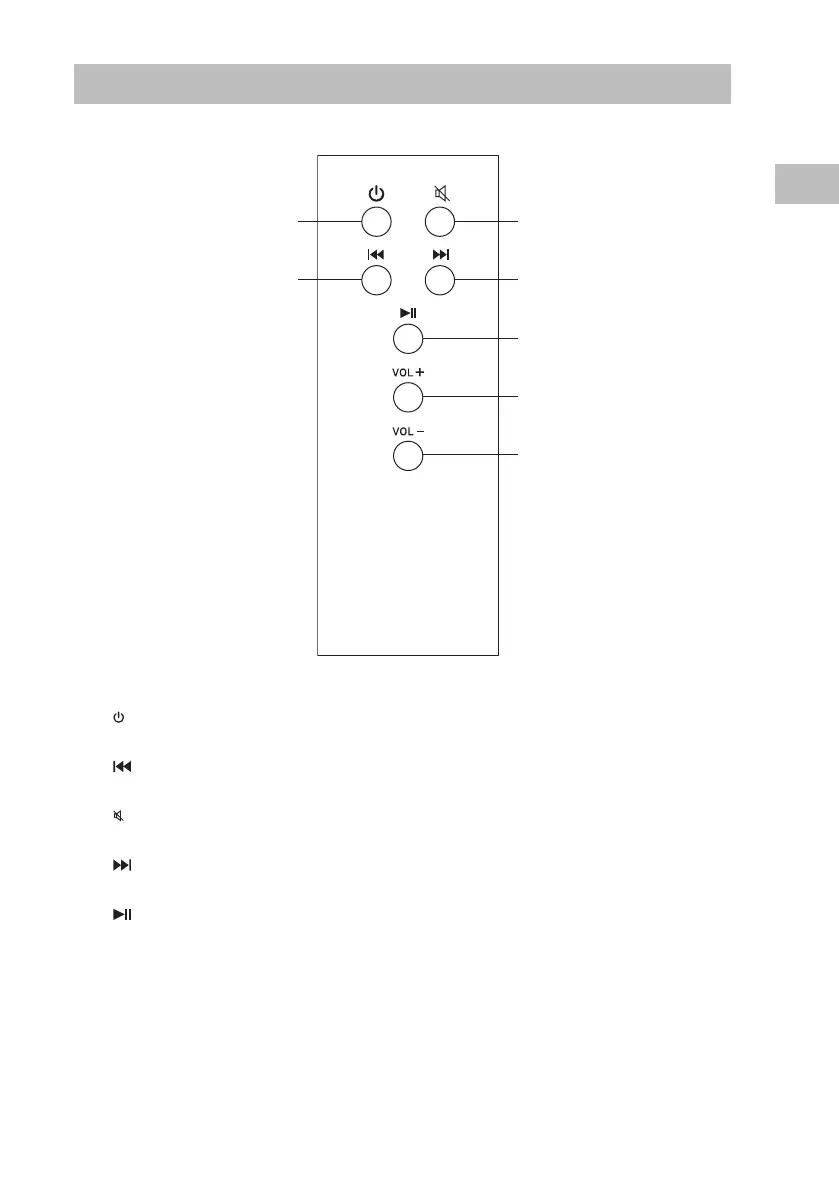
1. Button
Switch the unit between the ON and STANDBY modes.
2. Button (For Bluetooth mode)
Skip backwards to the beginning of the track or to the previous track.
3. Button
Silence the unit or restore the sound.
4. Button (For Bluetooth mode)
Skip forwards to the next track.
5. Button (For Bluetooth mode)
Play/pause/resume playback.
6. VOL + Button
Increase the volume.
7. VOL – Button
Decrease the volume.
3
4
5
6
7
1
2


 To Next Page