EasyManua.ls Logo

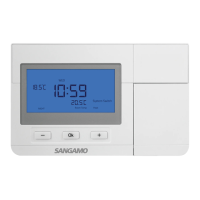
Sangamo CHPRSTATDP - User Manual

Sangamo CHPRSTATDP
2 pages
Print Icon
To Next Page IconTo Next Page
Loading...
Features1
Operation Guide
2
CHPRSTATDP is an accurate and very easy to use programmable
room thermostat. It provides you with time and temperature control,
so you remain comfortable but without wasting energy (and money).
24 hour or 7 day programmable
6 time/temperature events per day
Default adjustable program
Permanent hold temperature
Timed hold temperature
Temporary temperature override
Automatic Summer/Winter time change
Low battery voltage indication
Button press back-light operation
TPI control
Optimum Start/Delay Start, Optimum Stop
Open the front cover to show the hidden panel (as below), and
complete all the settings as per below operation guide.
The display will show Cr(cycle rate), within the control proportional
band, the output will be cycled several times per hour, to give precise
Before you set the thermostat, you should fix the time and date
Press and hold Set for 6 seconds.
Choose between °F and °C using+-and press Ok(°C as default).
Choose between 24hr and 12hr clock using+-and press Ok.
Set the Year using+-and press Ok.
Set the Month using+-and press Ok.
Set the Day using+-and press Ok.
Set the Hour using+-and press Ok.
Set the Minute using+-and press Ok.
Choose between 0.5°C and 1.0°C switching differential using+-
and press Ok.
Remark: Cycle Rate & Proportional band settings are only
required at initial installation.
1
The latest ESP product manuals
can be found on-line:
CHPRSTATDP
Digital Programmable Thermostat
User Instructions
4 dashes appear on the display, this can be used to set a reminder
to replace filters in an air conditioning system, press Ok to skip this.
So the thermostat do not need to turn on the load in advance, it only
needs to keep the temperature as 15.5after 8.30am.
The CHPRSTATDP comes preset with a default program so that
you can get up and running straight away. Each day is split into 6
parts. Each one can have its time or temperature changed to suit you.
When the DIP switch is set to Optimum Start, the default program
is as the Chart 1 below.Chart 1 shows the target time and target
temperature(i.e.when you require to be warm ).
When The DIP switch is set to Delayed Start, the default program
is as the Chart 2 below.Chart 2 shows the earliest start time and
target temperature. If the temperature of the previous program is
higher, the next program time means the target time. For example ,
the MORN temperature is 21, and the Day temperature is 15.5.
Press Ok to return to Run Mode.
1. SETTING THE TIME, DATE and PARAMETERS:
2. DEFAULT PROGRAM:
Within programming mode the thermostat will return to normal
operation if no buttons are pressed for 30 seconds.To exit
programming mode either wait 30 seconds or press Set x2 and Ok.
NB: Each day's end time is 11:59 in 12hr or 23:59 in 24hr formats.
P6 cannot be set for midnight.Each day of the week can be
programmed separately, starting with Monday (Mo) .
Press Set to enter programming mode.
Set Mo MORN temperature using+-and press Ok.
Set Mo MORN time using+-and press Ok.
Set Mo DAY temperature using+-and press Ok.
Set Mo DAY time using+-and press Ok.
Repeat procedure for all 6 set points in the day and continue on to
program each day of the week.
At any point Press Set x2 then Ok to return to Run Mode.
3. PROGRAMMING:
temperature control. This can be set to 3, 6 or 12 cycles depending
on the application, every cycle rate matches with different Minimum
ON/OFF time.Recommended settings and Cycle rate vs. Minimum
ON/OFF time are shown in the next table. The default cycle rate is 6
cycles/hour,set the Cycle Rate using+-and press Ok.
The display will show Pb(proportional band width),the default
proportional band width is 1.5 °C , set the proportional band width
using+-(from1.5 °C to 3.0 °C).
Specific Applications
Setting
Cycle Rate
Minimum
ON/OFF(min)
Gas Boiler(<30 kw
Oil Boiler
6
1
3
4
12
1
6
1
3
4
3
4
Thermal actuator
Zone Valve
Heat pump
Air Conditioner
Recommended
Settings
Mo-Fr Time
1:MORN
2:DAY
3:Noon
4:Break
5:EVEN
6:NIGHT
6:00am
8:30am
12:00pm
2:00pm
4:30pm
10:30pm
21
15.5
21
15.5
21
18.5
Sa-Su Time
1:MORN
2:DAY
3:Noon
4:Break
5:EVEN
6:NIGHT
7:00am
8:30am
12:00pm
2:00pm
4:30pm
10:30pm
21
21
21
21
21
18.5
Mo-Fr Time
1:MORN
2:DAY
3:Noon
4:Break
5:EVEN
6:NIGHT
5:00am
8:30am
11:00am
2:00pm
3:30pm
10:30pm
21
15.5
21
15.5
21
18.5
Sa-Su Time
1:MORN
2:DAY
3:Noon
4:Break
5:EVEN
6:NIGHT
6:00am
8:30am
12:00pm
2:00pm
4:30pm
10:30pm
21
21
21
21
21
18.5
Chart 1
Chart 2
140mm
88.6mm
Ok
Set
M
Reset
Question and Answer IconNeed help?

Do you have a question about the Sangamo CHPRSTATDP and is the answer not in the manual?

Summary

Product Features

Programmable Control Options

Offers 24hr/7day programming with 6 events per day, default programs, and hold features.

Advanced Thermostat Performance

Includes TPI control, Optimum Start/Delay Start, automatic time changes, and low battery indication.

Operation Guide

Setting Time, Date, and Parameters

Guide to setting clock, date, year, month, day, hour, minute, and differential settings.

Understanding Default Programs

Explains the factory preset program (Chart 1 & 2) for immediate use and customization.

Manual Programming Steps

Instructions for entering programming mode and setting daily time/temperature events for each day.

Advanced Operation Modes

Temporary & Timed Temperature Holds

Temporarily override temperature or hold it for a specific number of hours (max 23).

Permanent Hold & Holiday Mode

Hold temperature permanently or until a specific future date.

Unit Reset and Copy Functions

Procedure to reset unit to factory defaults and copy day programs for efficiency.

Safety and Compliance

Health and Safety Precautions

Mandates qualified installation, mains isolation, and adherence to wiring regulations.

Manufacturer Information

Details manufacturer contact, website, and CE/UKCA compliance marks.

Summary

Product Features

Programmable Control Options

Offers 24hr/7day programming with 6 events per day, default programs, and hold features.

Advanced Thermostat Performance

Includes TPI control, Optimum Start/Delay Start, automatic time changes, and low battery indication.

Operation Guide

Setting Time, Date, and Parameters

Guide to setting clock, date, year, month, day, hour, minute, and differential settings.

Understanding Default Programs

Explains the factory preset program (Chart 1 & 2) for immediate use and customization.

Manual Programming Steps

Instructions for entering programming mode and setting daily time/temperature events for each day.

Advanced Operation Modes

Temporary & Timed Temperature Holds

Temporarily override temperature or hold it for a specific number of hours (max 23).

Permanent Hold & Holiday Mode

Hold temperature permanently or until a specific future date.

Unit Reset and Copy Functions

Procedure to reset unit to factory defaults and copy day programs for efficiency.

Safety and Compliance

Health and Safety Precautions

Mandates qualified installation, mains isolation, and adherence to wiring regulations.

Manufacturer Information

Details manufacturer contact, website, and CE/UKCA compliance marks.

Overview

The Sangamo CHPRSTATDP is a digital programmable room thermostat designed for accurate and easy-to-use time and temperature control, aiming to provide comfort while optimizing energy usage.

Function Description:

The CHPRSTATDP offers comprehensive control over heating and cooling systems. It features a 24-hour or 7-day programmable schedule with up to 6 time/temperature events per day. The thermostat comes with a default adjustable program, allowing users to quickly set up their preferred schedule. It supports various temperature holding modes: permanent hold, timed hold, and temporary temperature override. Automatic Summer/Winter time change is integrated for convenience. The device includes a low battery voltage indication and button press back-light operation for ease of use in low-light conditions. Advanced control features include TPI (Time Proportional Integral) control, Optimum Start/Delay Start, and Optimum Stop, which intelligently adjust heating/cooling cycles for efficiency.

Important Technical Specifications:

The thermostat's temperature control can be set to 3, 6, or 12 cycles per hour, depending on the application. Each cycle rate corresponds to different minimum ON/OFF times. The default cycle rate is 6 cycles/hour. The device also allows adjustment of the proportional band width (Pb), with a default of 1.5 °C, adjustable from 1.5 °C to 3.0 °C. The switching differential can be set between 0.5 °C and 1.0 °C.

Usage Features:

Initial Setup (Time, Date, and Parameters):

Before programming, the thermostat requires initial setup of time, date, and core parameters.

  1. Access Setup: Press and hold "Set" for 6 seconds.
  2. Temperature Unit: Choose between °F and °C (default is °C) using "+" and "-" buttons, then press "Ok".
  3. Clock Format: Choose between 24hr and 12hr clock using "+" and "-" buttons, then press "Ok".
  4. Date Setting: Set the Year, Month, and Day sequentially using "+" and "-" buttons, pressing "Ok" after each.
  5. Time Setting: Set the Hour and Minute sequentially using "+" and "-" buttons, pressing "Ok" after each.
  6. Switching Differential: Choose between 0.5°C and 1.0°C using "+" and "-" buttons, then press "Ok".
  7. Cycle Rate (Cr): The display will show "Cr" (cycle rate). This controls how many times per hour the output is cycled within the proportional band for precise temperature control.
    • Set the Cycle Rate using "+" and "-" buttons, then press "Ok". Recommended settings are provided for specific applications:
      • Gas Boiler (<30 kW): 6 cycles/hour, 1 min minimum ON/OFF.
      • Oil Boiler: 3 cycles/hour, 4 min minimum ON/OFF.
      • Thermal Actuator: 12 cycles/hour, 1 min minimum ON/OFF.
      • Zone Valve: 6 cycles/hour, 1 min minimum ON/OFF.
      • Heat Pump: 3 cycles/hour, 4 min minimum ON/OFF.
      • Air Conditioner: 3 cycles/hour, 4 min minimum ON/OFF.
  8. Proportional Band Width (Pb): The display will show "Pb" (proportional band width). The default is 1.5 °C. Set the proportional band width using "+" and "-" buttons (from 1.5 °C to 3.0 °C).
  9. Filter Reminder: Four dashes will appear, which can be used to set a reminder for filter replacement in an air conditioning system. Press "Ok" to skip this.
  10. Return to Run Mode: Press "Ok" to return to Run Mode.
    • Remark: Cycle Rate & Proportional band settings are only required at initial installation.

Default Program:

The CHPRSTATDP comes with a preset default program to allow immediate use. Each day is divided into 6 programmable segments.

  • Optimum Start (DIP switch set): The default program follows Chart 1, showing target times and temperatures (when warmth is desired).
    • Mo-Fr: MORN (6:00am, 21°C), DAY (8:30am, 15.5°C), Noon (12:00pm, 21°C), Break (2:00pm, 15.5°C), EVEN (4:30pm, 21°C), NIGHT (10:30pm, 18.5°C).
    • Sa-Su: MORN (7:00am, 21°C), DAY (8:30am, 21°C), Noon (12:00pm, 21°C), Break (2:00pm, 21°C), EVEN (4:30pm, 21°C), NIGHT (10:30pm, 18.5°C).
  • Delayed Start (DIP switch set): The default program follows Chart 2, showing the earliest start times and target temperatures. If the previous program's temperature is higher, the next program time indicates the target time. For example, if MORN is 21°C and DAY is 15.5°C, the thermostat will not turn on the load in advance but will maintain 15.5°C after 8:30am.
    • Mo-Fr: MORN (5:00am, 21°C), DAY (8:30am, 15.5°C), Noon (11:00am, 21°C), Break (2:00pm, 15.5°C), EVEN (3:30pm, 21°C), NIGHT (10:30pm, 18.5°C).
    • Sa-Su: MORN (6:00am, 21°C), DAY (8:30am, 21°C), Noon (12:00pm, 21°C), Break (2:00pm, 21°C), EVEN (4:30pm, 21°C), NIGHT (10:30pm, 18.5°C).

Programming:

The thermostat will return to normal operation if no buttons are pressed for 30 seconds in programming mode. To exit programming mode, either wait 30 seconds or press "Set" twice and "Ok". Each day's end time is 11:59 (12hr) or 23:59 (24hr). P6 cannot be set for midnight. Each day of the week can be programmed separately, starting with Monday (Mo).

  1. Enter Programming Mode: Press "Set".
  2. Set Temperature: Set the Mo MORN temperature using "+" and "-" buttons, then press "Ok".
  3. Set Time: Set the Mo MORN time using "+" and "-" buttons, then press "Ok".
  4. Repeat: Repeat steps for all 6 set points in the day and continue for each day of the week.
  5. Exit Programming: At any point, press "Set" twice, then "Ok" to return to Run Mode.

Copy/Paste Day:

To speed up programming, a day's schedule can be copied to another day or multiple days.

  1. Enter Copy Mode: Press "Set" twice.
  2. Select Copy Day: Choose the day to copy using "+" and "-", then press "Ok".
  3. Select Paste Day: Choose the day to paste to using "+" and "-", then press "Ok".
  4. Repeat: Repeat as needed for additional paste days.
  5. Exit: At any point, press "Ok" twice to return to Run Mode.

Change the Temperature (Temporary Override):

To manually change the temperature temporarily, simply press the raise or lower buttons to the desired level. This setting will remain until the next programmed change, at which point it reverts to the original schedule.

  1. Set Desired Temperature: Use "+" and "-" buttons.
  2. Cancel: Press "Ok" to cancel early and return to normal operation.

Change the Temperature for a Set Number of Hours (Timed Hold):

The thermostat can be set to hold a specific temperature for a defined number of hours.

  1. Enter Override Mode: Press "M", then select the desired temperature using "+" and "-", and press "Ok".
  2. Set Hours: Select the number of hours (max 23 hours) using "+" and "-", and press "Ok".
  3. Display: "Comfort Override", "Temp. Set", and "Hours" (remaining) are shown.
  4. Cancel: Press "Ok" to cancel and return to normal operation.

Hold Temperature Permanently (Permanent Hold):

The thermostat can be held at a desired temperature until manually cancelled.

  1. Enter Permanent Override Mode: Press "M" twice, then select the desired temperature using "+" and "-", and press "Ok".
  2. Display: "Permanent Hold" and "Temp. Set" are shown.
  3. Cancel: Press "Ok" to cancel and return to normal operation.

Holiday Mode:

Hold the temperature at a desired set point until a specific date.

  1. Enter Holiday Mode: Press "M" three times, then select the desired temperature using "+" and "-", and press "Ok".
  2. Set Date: Select the Month, Year, and Day sequentially using "+" and "-", and press "Ok" after each.
  3. Display: "Hold Temp Until", "Temp. Set", and "Hours" are shown.
  4. Cancel: Press "Ok" to cancel and return to normal operation.

Maintenance Features:

Reset Unit:

To erase all current settings and return to factory default settings and programs.

  1. Initiate Reset: Press and hold "Ok" and "-" for 6 seconds.
  2. Confirm Reset: When "Reset" is displayed, push the "Reset" button.
  3. Verification: All segments on the display will show to confirm the reset has taken place.

Health & Safety:

This unit must be installed by a suitably qualified person in accordance with the latest IEE Wiring Regulations. Mains supply must be isolated before installation. The provided circuit diagrams are examples and should be used as a guide, ensuring compliance with current IEE regulations. The product is not user serviceable and should not be dismantled. Specifications may change due to continuous product improvement.

Sangamo CHPRSTATDP Specifications

General IconGeneral
BrandSangamo
ModelCHPRSTATDP
CategoryThermostat
LanguageEnglish

Related product manuals