6
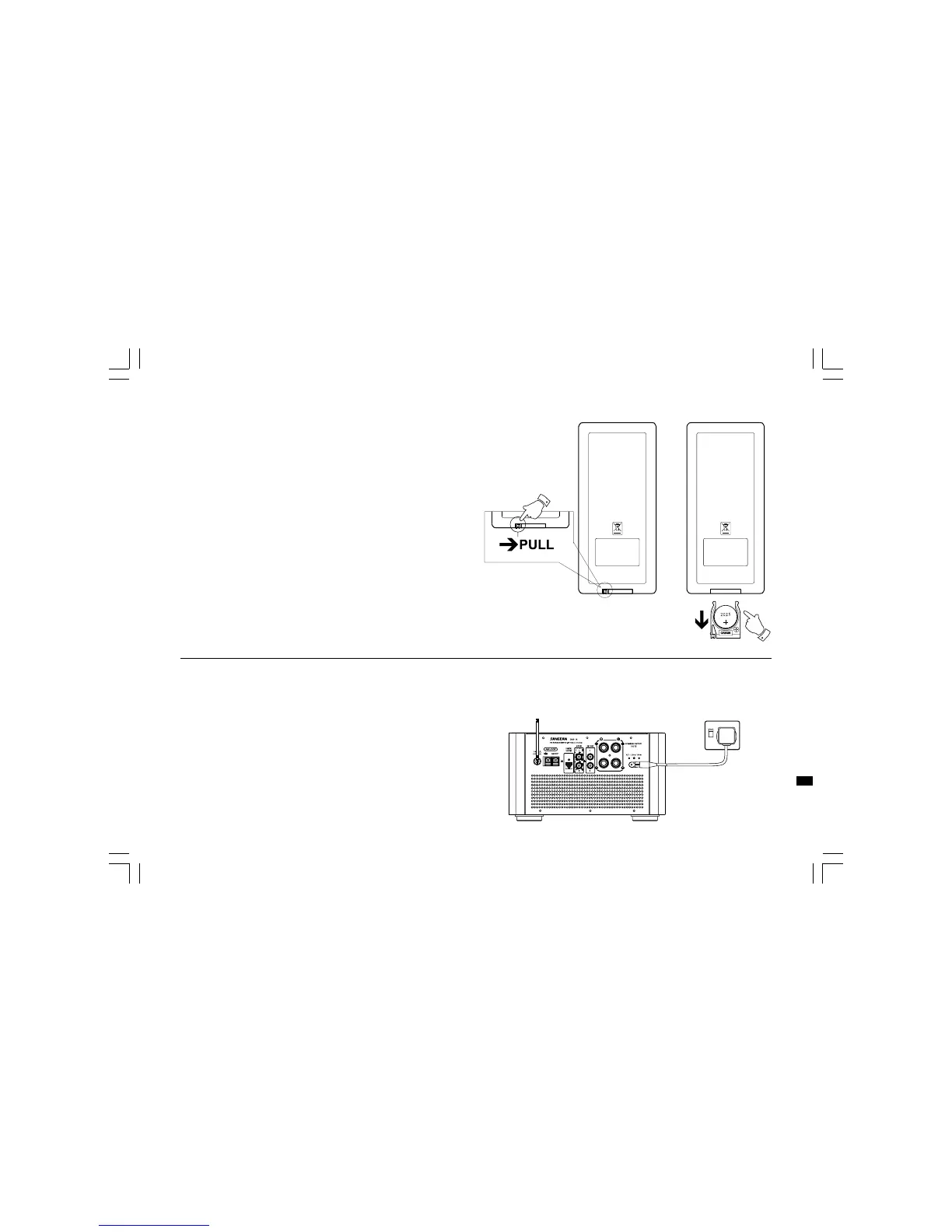
Remote handset battery replacement
1. Release battery holder locker by pressing the holder up.
2. Pull out the battery holder.
3. Replace supplied battery (CR2025 or equivalent) ensuring that
positive side of battery faces you with holder positioned.
4. Replace the battery holder and make sure the holder locker is
in right position.
Install the micro system
1. Place your main unit on a flat surface.
2. Plug the mains lead into the socket located on the rear,
ensuring that the plug is pushed fully into the socket.
3. Plug the other end of the mains lead into a wall socket and
switch on the wall socket.
GB
20060919_DMS-16_381P501-A_GB.p65 2006/9/19, ¤W¤È 09:159



 To Next Page