8
Alarm time setting
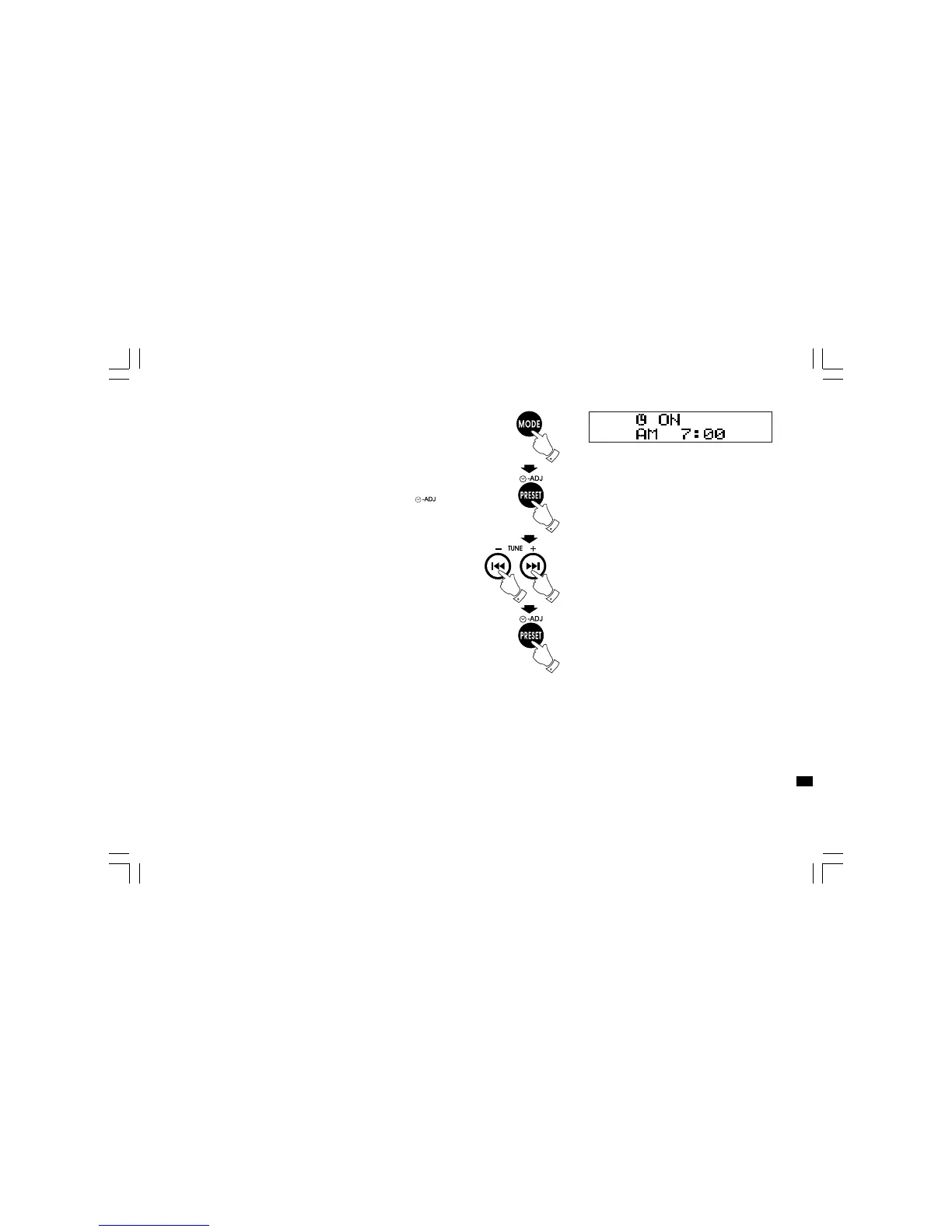
1. Press Mode button will cycle through Normal display,
clock display, alarm on display, Alarm off display, Alarm source,
Alarm volume, Sleep and normal display again.
2. During Alarm on display status, press Time Set button ,
display hour digit will flash.
3. Press Tuning +/- button to select required hour then press
Time Set button again to confirm hour setting. Display minute
digit will flash.
4. Press Tuning +/- button to select required minute then press
Time Set button again to finalize alarm time setting.
5. The alarm will last for one hour until you switch it off by pressing
Standby button.
GB
20060919_DMS-16_381P501-A_GB.p65 2006/9/19, ¤W¤È 09:1511



 To Next Page