3
Installing batteries
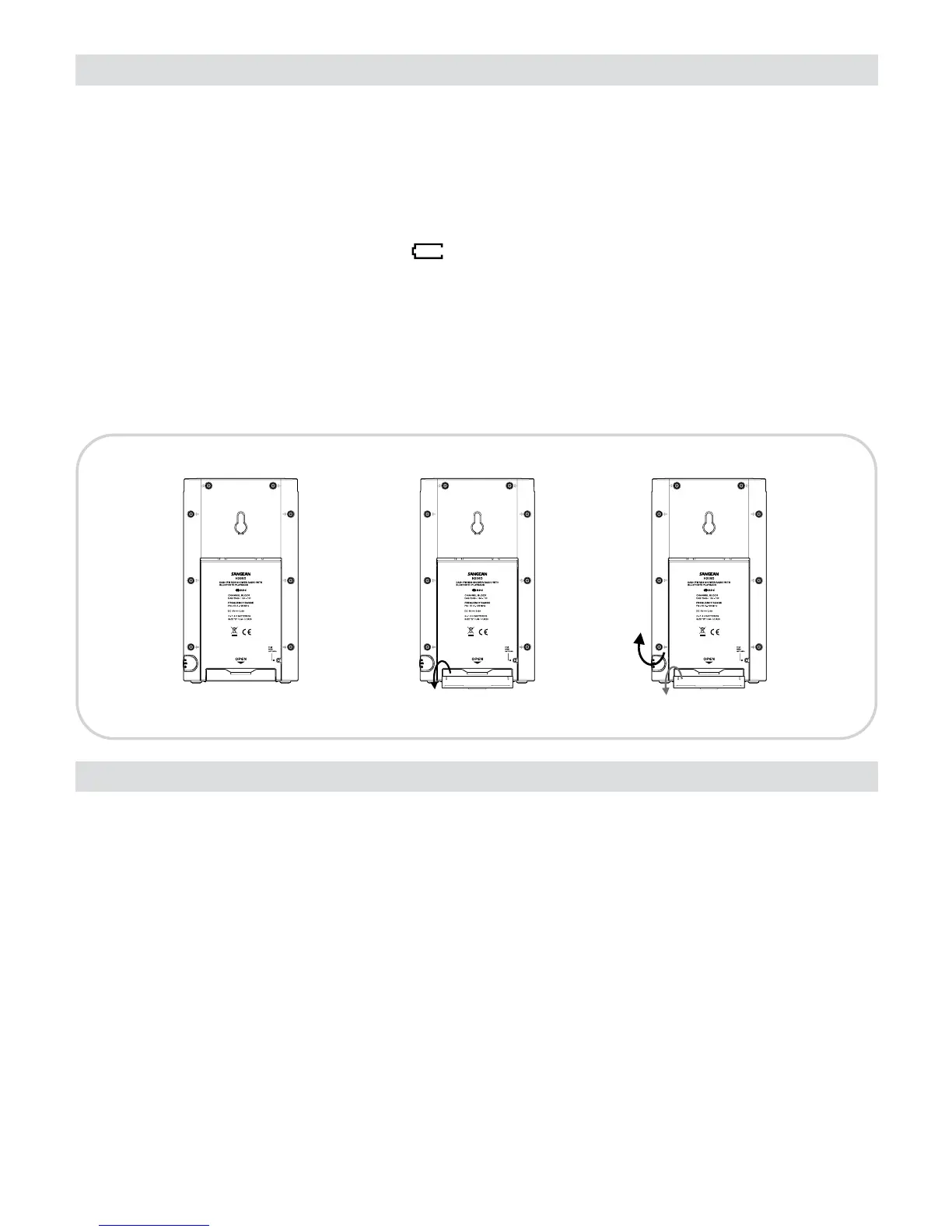
1. Position the radio face down on a soft surface.
2. Remove the catch as shown and lift out the battery cover.
3. Insert 2 x “ D “ size/UM-1/LR20 batteries.
4. Replace the battery cover and catch.
5. Reduced power, distortion, a “ stuttering “ sound are all signs that the batteries may need replacing.
The batteries should be replaced when “ ” shown on the display.
6. If the radio is not to be used for any extended period of time, it is recommended that the batteries are
removed from the radio.
IMPORTANT:
The batteries should not be exposed to excessive heat such as sunshnie, re or the like. After use,
disposable batteries should if possible be taken to a suitable recycling centre. On no account should
batteries be disposed of by incineration.
Using the AC adaptor (not supplied)
1. Remove the rubber cover of DC in socket on the right hand side of your radio.
2. Insert the adaptor plug into the DC socket.
3. Plug the adaptor into mains socket outlet. Whenever the adaptor is used, the batteries are automatically
disconnected.
The AC adaptor should be disconnected from the mains supply and the radio when not in use.
Note: For safety purpose, DO NOT use AC adaptor in the shower room. Use the batteries only.
IMPORTANT:
The mains plug is used as the means of connecting the radio to the mains supply. The mains socket
used for the radio must remain accessible during normal use. In order to disconnect the radio from the
mains completely, the mains plug should be removed from the mains socket outlet completely.



 To Next Page